
Freemium

Sidekick AI

Forward a meeting email to it and it books the meeting for you.

3.7 Productivity
3.7 Good 3.7
Forwarding fits the cases where sending a booking link is awkward No pricing figures published for paid tiers
Reviewed by Challenging Voice Editorial · Updated Aug 2026 How we rate
PricingFree
Free planYes
CompanyKyros Digital
PlatformsWeb
CategoryProductivity
Last reviewedAug 2026
Ask AI about Sidekick AI ChatGPT Claude Perplexity

Overview

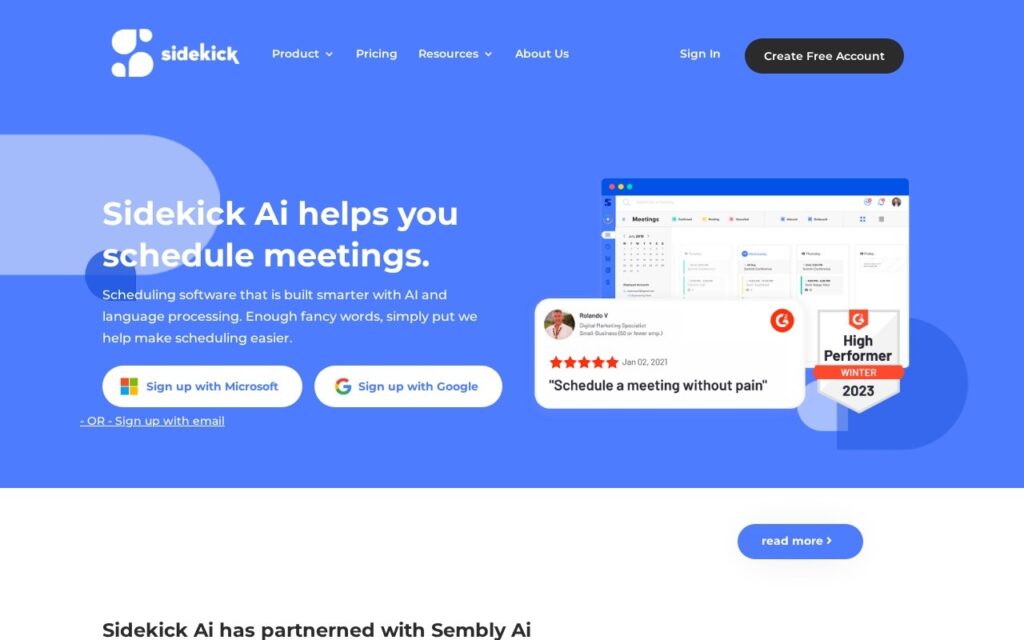
Sidekick schedules meetings three ways: booking pages for individuals and teams, AI time-finding across multiple participants, and Forward to Schedule, where you forward the email thread and it takes over the arrangement from there.

Forwarding is the interesting one because it fits the situation that booking links do not. A link works when you are the one being booked; it is awkward when a client or a senior contact is the one whose time matters, and forwarding the thread keeps the exchange looking like a normal email conversation while removing the back-and-forth.

It integrates with Google and Microsoft calendars, handles reminders and invitations, and offers branding on paid plans. Built by Kyros Digital, it has a free account but publishes no figures for the paid tiers. Automated scheduling from an email thread depends on reading intent correctly, and it needs access to the thread to do it.

Key features

  • Forward to Schedule from an email thread
  • Individual and team booking pages
  • AI time-finding across multiple participants
  • Google and Microsoft calendar integration
  • Automatic reminders and invitations

Screenshots & demo

Sidekick AI screenshot 1

Pricing

Sidekick AI offers a free plan, with paid upgrades for higher limits and more features.

  • Pricing modelFreemium
  • Starting priceFree
  • Free planYes
Visit Sidekick AI

Pricing is provided as a guide. Check the official site for the latest plans.

Is Sidekick AI expensive?

Sidekick AI has no advertised paid tier. Among the 187 priced tools we list in Productivity, the median entry price is $10 a month.

71% of Productivity tools in the directory offer a free tier, and this is one of them.

Compared against every priced listing in Productivity, recalculated as the catalogue changes. Method and the full market breakdown are in our AI tool pricing study.

Pros & cons

Pros

  • Forwarding fits the cases where sending a booking link is awkward
  • Team pages as well as individual ones
  • Free account to start

Cons

  • No pricing figures published for paid tiers
  • Depends on reading intent correctly from an email thread
  • Needs access to the thread to work

How it compares

ToolRatingFreeFromBest known for
Sidekick AI (this tool)3.7YesFreeForward to Schedule from an email thread
QuickSearchPlus3.6Yes$14.99/moGoogle Calendar, Outlook and Zoom in one dashboard
Cal.ai3.9Yes$0.29/moOutbound AI voice calls for booking confirmations and reminders
Calendly4.1YesFreeCallie AI assistant (beta)

Alternatives to Sidekick AI

4 tools matched to Sidekick AI on what they do, their category and their price.

Cal.ai

3.9

An AI voice-calling feature inside Cal.com that phones leads and attendees to book, confirm, and reschedule meetings without a human on the line.

Freemium Productivity

Calendly

4.1

Meeting scheduling with Callie, an AI assistant in beta, plus a notetaker producing recaps and action items – handling the work around meetings, not just the booking.

Freemium Productivity

Frequently asked questions

What is Sidekick AI?
Sidekick AI is a productivity tool. Forward a meeting email to it and it books the meeting for you.
Is Sidekick AI free?
Yes, Sidekick AI offers a free plan. Paid plans unlock more features and higher usage limits.
What are the best Sidekick AI alternatives?
The closest matches in the directory are QuickSearchPlus, Cal.ai, and Calendly, compared side by side above.

Reviews

3.7 Editorial rating No reviews yet

Write a review

More tools like Sidekick AI