
List your tool
Free Trial

PlotStudio AI

Runs the analysis locally, shows its code, and writes the report as pages not chat.

4.1 Data and Analytics
4.1 Very good 4.1
Runs locally, so regulated data never leaves the machine No pricing figures published
Reviewed by Challenging Voice Editorial · Updated Aug 2026 How we rate
PricingFree Trial
Free planNo
CompanyAR5 Labs LLC
PlatformsMac, Windows
CategoryData and Analytics
Last reviewedAug 2026

Is this your tool?

  • Claim this listing. Sign in with an email at plotstudio.ai to manage it. Claim PlotStudio AI
  • Get into the top 5 of Data and Analytics. 5 of 5 spots open, from $159/month. See positions
  • Something out of date? Owners can request edits from My listings; anyone can tell us.
Ask AI about PlotStudio AI ChatGPT Claude Perplexity

Overview

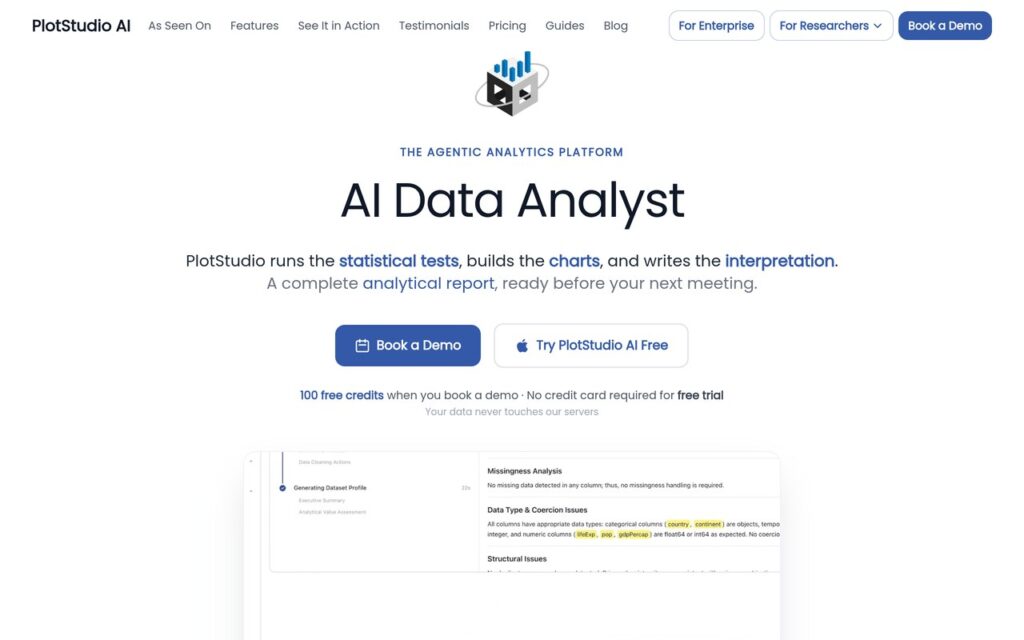
PlotStudio AI is a desktop application for agentic data analytics. Upload a dataset, ask in plain English, and specialist agents plan, write code, execute it and narrate the result, returning statistics, visualisations and an executive summary. Data profiling scores quality and proposes a cleaning plan first, and domain intelligence detects the field and applies the right methods across twelve domains including finance, healthcare and econometrics.

Two decisions set it apart from the chat-based analysts. It executes locally, so the data never reaches PlotStudio’s servers – which is the difference between usable and prohibited for anyone holding patient or client records. And output goes to permanent structured Analysis Pages rather than a conversation, so a finding can be returned to and cited. A chat transcript is where analysis goes to be lost.

Chain-of-thought transparency with self-correcting code execution means the working is inspectable, and export covers PDF and Jupyter notebooks. AR5 Labs LLC offers managed credits or bring-your-own-key with a free trial and no published figures. Desktop-only means no sharing without exporting, self-correcting code that reaches a plausible answer is harder to catch than code that crashes, and auto-detected domain methods still need someone who knows whether they were the right ones.

Key features

  • Agents that plan, code, execute and narrate the analysis
  • Data profiling with quality scores and cleaning plans
  • Permanent Analysis Pages instead of a chat transcript
  • Domain intelligence across 12 fields
  • Local execution with PDF and Jupyter export

Screenshots & demo

Demo video

Screenshots

PlotStudio AI screenshot 1

Pricing

Visit the PlotStudio AI website for current plans and pricing.

  • Pricing modelFree Trial
  • Starting priceCustom
  • Free planNo
Visit PlotStudio AI

Pricing is provided as a guide. Check the official site for the latest plans.

Pros & cons

Pros

  • Runs locally, so regulated data never leaves the machine
  • Findings live on permanent pages that can be cited
  • Code and reasoning inspectable rather than a black box

Cons

  • No pricing figures published
  • Desktop-only, so sharing means exporting
  • Self-correcting code that reaches a plausible wrong answer is hard to catch

How it compares

ToolRatingFreeFromBest known for
PlotStudio AI (this tool)4.1No—Agents that plan, code, execute and narrate the analysis
RowSpeak3.7No—Excel, CSV, PDF and image input
IBM Watson Studio3.9YesFreeAutoAI automated model-building that tests multiple algorithms against a dataset
Deepnote4.2Yes$39/moReal-time multiplayer editing across Python and SQL cells in one notebook

Alternatives to PlotStudio AI

4 tools matched to PlotStudio AI on what they do, their category and their price.

Frequently asked questions

What is PlotStudio AI?
PlotStudio AI is a desktop application for agentic data analytics.
Is PlotStudio AI free?
PlotStudio AI does not offer a free plan.
What are the best PlotStudio AI alternatives?
The closest matches in the directory are RowSpeak, IBM Watson Studio, and Deepnote, compared side by side above.

Reviews

4.1 Editorial rating No reviews yet

Write a review