List your tool
Freemium

AVCLabs

A full AI video/photo suite – upscale to 4K/8K, restore faces, and Video Blur AI for automatically redacting faces, backgrounds and license plates.

3.7 Video
3.7 Good 3.7
Video Blur AI serves a real privacy/compliance need, not just creative enhancement Broad suite spans several distinct problems – depth per tool varies
Reviewed by Challenging Voice Editorial · Updated Sep 2026 How we rate
PricingFree
Free planYes
CompanyAVCLabs Inc.
PlatformsMac, Web, Windows
CategoryVideo
Last reviewedAug 2026
UpdatedSep 2026

Is this your tool?

  • Claim this listing. Sign in with an email at avclabs.com to manage it. Claim AVCLabs
  • Get into the top 5 of Video. 5 of 5 spots open, from $159/month. See positions
  • Something out of date? Owners can request edits from My listings; anyone can tell us.
Ask AI about AVCLabs ChatGPT Claude Perplexity

Overview

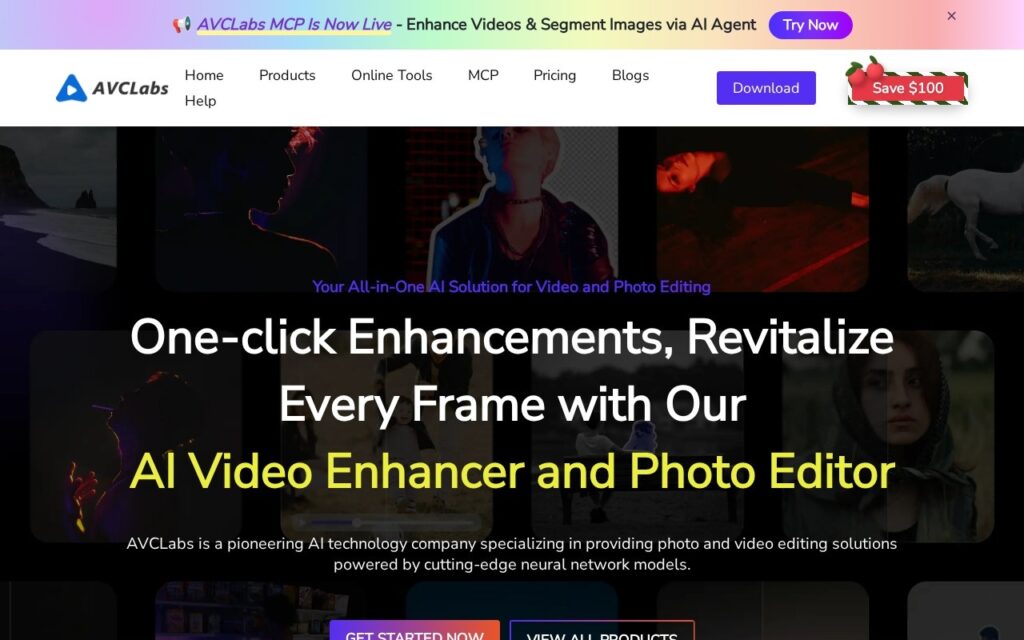
AVCLabs offers a suite of AI video and photo tools: Video Enhancer AI upscales to 4K/8K, reduces blur, restores facial detail and stabilizes footage; Video Blur AI automatically detects and blurs faces, backgrounds, objects and license plates; Photo Enhancer AI and PhotoPro AI handle image upscaling, colorization, noise reduction and face restoration; and an MCP integration connects AI agents to video enhancement and image segmentation directly.

Video Blur AI specifically addresses a real, practical need distinct from the creative-enhancement tools around it: automatically redacting faces and license plates is genuinely useful for journalists, dashcam footage sharers, and anyone needing to comply with privacy requirements before publishing footage containing identifiable people or vehicles, and doing that automatically rather than frame-by-frame manual blurring is a real time-saver for a task with real legal stakes. Free web-based versions of several tools also let users test quality before committing to the desktop software.

This is a broad suite spanning several distinct technical problems (upscaling, blurring, colorization, restoration), and depth per individual tool should be judged against dedicated single-purpose alternatives in each category rather than assumed uniformly best-in-class across all of them. Detailed pricing requires visiting the purchase page.
Key features

  • Video Enhancer AI: 4K/8K upscaling, blur reduction, face restoration
  • Video Blur AI: automatic face, background and license plate redaction
  • Photo Enhancer AI and PhotoPro AI for image editing
  • MCP integration for AI agent access
  • Free web-based tool versions alongside desktop software

Screenshots & demo

AVCLabs screenshot 1

Pricing

AVCLabs offers a free plan, with paid upgrades for higher limits and more features.

  • Pricing modelFreemium
  • Starting priceFree
  • Free planYes
Visit AVCLabs

Pricing is provided as a guide. Check the official site for the latest plans.

Is AVCLabs expensive?

AVCLabs has no advertised paid tier. Among the 145 priced tools we list in Video, the median entry price is $15.9 a month.

65% of Video tools in the directory offer a free tier, and this is one of them.

Compared against every priced listing in Video, recalculated as the catalogue changes. Method and the full market breakdown are in our AI tool pricing study.

Pros & cons

Pros

  • Video Blur AI serves a real privacy/compliance need, not just creative enhancement
  • Free web versions let you test quality before buying desktop software
  • MCP integration puts the tool suite in reach of AI agents directly

Cons

  • Broad suite spans several distinct problems – depth per tool varies
  • Detailed pricing requires visiting a separate purchase page
  • Desktop software needed for full feature access beyond the free web tools

How it compares

ToolRatingFreeFromBest known for
AVCLabs (this tool)3.7YesFreeVideo Enhancer AI: 4K/8K upscaling, blur reduction, face restoration
HitPaw VikPea3.8No—Video upscaling to 4K and 8K resolution
BigMP43.1Yes$0.5/moLossless upscaling to 2K, 4K, or 8K resolution
Topaz Video AI4.4No$59/moVideo upscaling, frame-rate interpolation, and denoising

Alternatives to AVCLabs

4 tools matched to AVCLabs on what they do, their category and their price.

BigMP4

3.1

Lossless upscale to 8K, colorize old black & white footage, boost frame rate to 240fps – AI video and image enhancement with batch ZIP uploads, from $6/year.

Freemium Video

Frequently asked questions

What is AVCLabs?
AVCLabs is a video tool. A full AI video/photo suite – upscale to 4K/8K, restore faces, and Video Blur AI for automatically redacting faces, backgrounds and license plates.
Is AVCLabs free?
Yes, AVCLabs offers a free plan. Paid plans unlock more features and higher usage limits.
What are the best AVCLabs alternatives?
The closest matches in the directory are HitPaw VikPea, BigMP4, and Topaz Video AI, compared side by side above.

Reviews

3.7 Editorial rating No reviews yet

Write a review

More tools like AVCLabs

DreamFace

3.6

AI avatar video, video and photo generator from NewPort LLC with lip sync, face swap and photo restoration, free to start.

Freemium Video

WeryAI

3.0

Video and image generation bundled with face swap, upscaling and watermark removal.

Freemium Video

VCam (XSplit VCam)

3.8

Webcam background removal and meeting-polish app for Windows and Mac that runs its AI models on the device, with auto-framing, studio lighting and a library of 1,000+ virtual backgrounds.

Freemium Video

VideoProc

3.9

Desktop AI media suite for remastering, upscaling and converting video, images and audio, with hardware acceleration and a separate editor in VideoProc Vlogger.

Free Trial Video