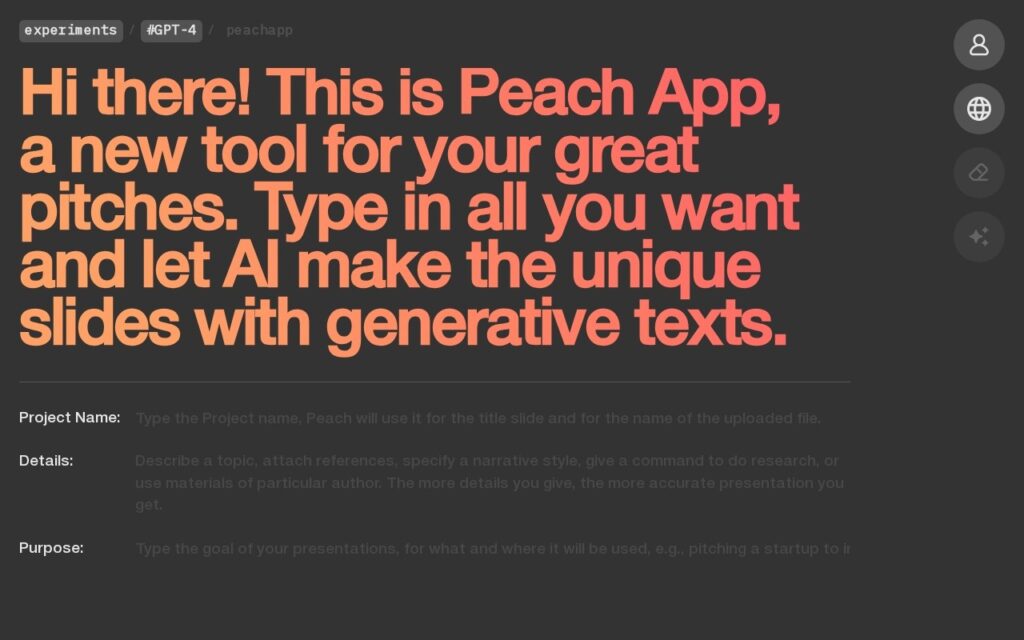
Peach App is a presentation creation tool using AI to generate unique slides: users input project details, and the system automatically produces a presentation with generative content rather than starting from a blank template.
The workflow centers on a few customizable input fields – Project Name, Details, and Purpose – with multiple language support for generating presentations beyond English, drawing on GPT-4 capabilities for the underlying content generation.
Peach App targets professionals and entrepreneurs needing to create pitches quickly, part of the larger Self_ platform and featured on Product Hunt. Specific pricing isn’t disclosed on the page reviewed.
Pricing is provided as a guide. Check the official site for the latest plans.
Is Peach App expensive?
Peach App has no advertised paid tier. Among the 166 priced tools we list in Productivity, the median entry price is $11.3 a month.
72% of Productivity tools in the directory offer a free tier, and this is one of them.
Compared against every priced listing in Productivity, recalculated as the catalogue changes. Method and the full market breakdown are in our AI tool pricing study.
Pros & cons
Pros
Named, real underlying model (GPT-4) rather than vague AI claims
Fast, minimal-input workflow suited to quick pitch turnaround
Product Hunt visibility signals real market validation
Cons
Pricing isn't disclosed on the site
Generated pitch decks still benefit from a human polish pass before a real pitch
Limited detail available on advanced customization options
LISA, a language model trained specifically for presentations, turns a topic into a full deck in seconds – compatible with PowerPoint and Google Slides.
Proprietary AI redesigns your PowerPoint slides, enforces brand guidelines instantly, and generates charts and content on demand – trusted by Fortune 500 and Big Four firms.
Peach App is a presentation creation tool using AI to generate unique slides: users input project details, and the system automatically produces a presentation with generative content rather than starting from a blank template.
Is Peach App free?
Yes, Peach App offers a free plan. Paid plans unlock more features and higher usage limits.
What are the best Peach App alternatives?
The closest matches in the directory are PresentationGPT, MagicSlides, and DeckRobot, compared side by side above.
Turns a research paper, YouTube video, or meeting notes into a structured PowerPoint – analyzes the source, builds a storyline, then designs slides with tables and charts.