
Contact for Pricing

DeckRobot

Proprietary AI redesigns your PowerPoint slides, enforces brand guidelines instantly, and generates charts and content on demand – trusted by Fortune 500 and Big Four firms.

3.5 Productivity
3.5 Good 3.5
Proven enterprise scale – 30,000+ employees, Fortune 500 and Big Four clients No published pricing – built for enterprise sales, not self-serve signup
Reviewed by Challenging Voice Editorial · Updated Sep 2026 How we rate
PricingContact for Pricing
Free planNo
CompanyDeckRobot
PlatformsMac, Windows
CategoryProductivity
Visits5
Last reviewedAug 2026
UpdatedSep 2026
Ask AI about DeckRobot ChatGPT Claude Perplexity

Overview

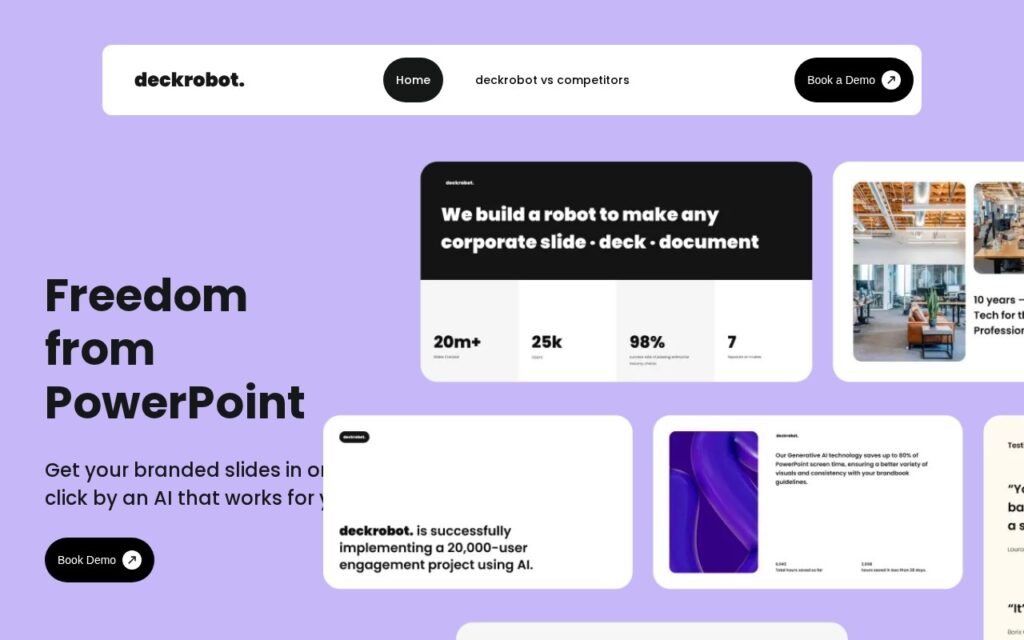
DeckRobot is proprietary AI software for Microsoft PowerPoint (Windows and Mac) that transforms raw slides into polished, enterprise-ready presentations. An AI-driven system searches for alternative designs for a given slide, generating high-quality options in seconds.

Brand compliance is applied instantly through customizable styles and template libraries, AI-driven content generation creates decks, slides, paragraphs, and imagery from prompts, and automation handles shape arrangement, resizing, and consistent branding details – plus AI-driven data charts and document analysis for turning raw data into presentation-ready visuals.

DeckRobot targets enterprise organizations, particularly Fortune 500 companies and Big Four consulting/audit firms, already serving over 30,000 employees globally. Pricing isn’t published on the site.

Key features

  • AI-driven alternative slide design generation
  • Instant brand compliance with customizable styles and templates
  • AI content generation for decks, slides, paragraphs, and imagery
  • AI-driven data charts and document analysis
  • Automated shape arrangement, resizing, and consistent branding

Screenshots & demo

DeckRobot screenshot 1

Pricing

DeckRobot uses custom pricing. Contact their team for a quote based on your needs.

  • Pricing modelContact for Pricing
  • Starting priceCustom
  • Free planNo
Visit DeckRobot

Pricing is provided as a guide. Check the official site for the latest plans.

Pros & cons

Pros

  • Proven enterprise scale – 30,000+ employees, Fortune 500 and Big Four clients
  • Runs directly inside PowerPoint rather than a separate export/import workflow
  • Brand compliance enforcement reduces manual template-checking work

Cons

  • No published pricing – built for enterprise sales, not self-serve signup
  • PowerPoint-only – no support for Google Slides or Keynote
  • Overkill for individuals or small teams making occasional presentations

How it compares

ToolRatingFreeFromBest known for
DeckRobot (this tool)3.5No—AI-driven alternative slide design generation
SlidesAI3.9Yes$10/moDeck generation from notes, documents and PDFs
Tosea4.0Yes$9.99/moDocument to slide conversion preserving data and charts
AI PPT Maker3.8YesFreeConverts text, PDF, YouTube video or audio into a full presentation

Alternatives to DeckRobot

4 tools matched to DeckRobot on what they do, their category and their price.

PresentationGPT

3.5

LISA, a language model trained specifically for presentations, turns a topic into a full deck in seconds – compatible with PowerPoint and Google Slides.

Freemium Productivity

Frequently asked questions

What is DeckRobot?
DeckRobot is proprietary AI software for Microsoft PowerPoint (Windows and Mac) that transforms raw slides into polished, enterprise-ready presentations.
Is DeckRobot free?
DeckRobot does not offer a free plan.
What are the best DeckRobot alternatives?
The closest matches in the directory are SlidesAI, Tosea, and AI PPT Maker, compared side by side above.

Reviews

3.5 No reviews yet

Write a review

More tools like DeckRobot

SlidesPilot

3.7

Turns a research paper, YouTube video, or meeting notes into a structured PowerPoint – analyzes the source, builds a storyline, then designs slides with tables and charts.

Free Trial Productivity

Chronicle

4.2

AI presentation software that drafts on-brand slide decks from notes and documents, then leaves room for manual polish on a freeform canvas.

Freemium Productivity