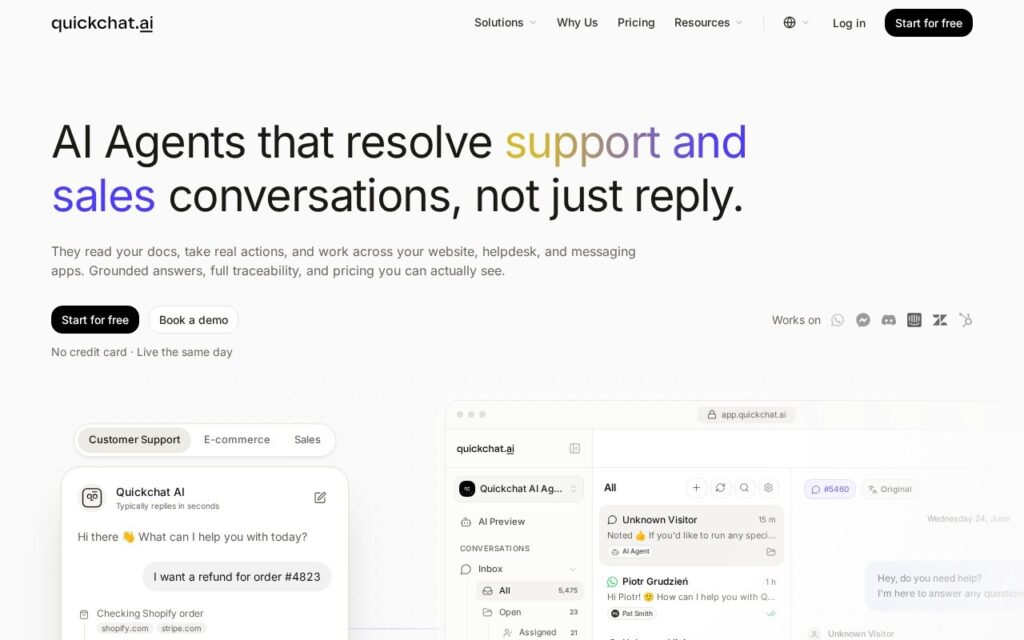
Quickchat AI builds conversational agents across four defined use cases – customer support, sales and lead qualification, ecommerce, and internal IT helpdesk – rather than offering one generic bot to configure.
Separating those cases is more meaningful than it looks. A support agent should resolve and escalate; a sales agent should qualify and hand over warm; an internal helpdesk agent operates against a completely different knowledge base with different consequences for being wrong. Vendors offering one bot for all of them push that design work onto the customer, and it is exactly the work most buyers are least equipped to do.
Internal helpdesk is the underrated use case here, since employee questions are repetitive, well documented and carry far less brand risk than customer-facing deployment – which makes it the sensible place to start. Wherever you begin, test the escalation path before the answering: an agent that cannot recognise when it is out of its depth causes more damage than one that answers less.
Key features
Purpose-built agents for four distinct use cases
Customer support ticket resolution
Sales lead qualification and product recommendation
Ecommerce cart recovery and shopper guidance
Internal IT helpdesk agents
Integrations and a free tier
Screenshots & demo
Pricing
Quickchat AI offers a free plan, with paid upgrades for higher limits and more features.
Pricing is provided as a guide. Check the official site for the latest plans.
Is Quickchat AI expensive?
Quickchat AI has no advertised paid tier. Among the 62 priced tools we list in Chatbots, the median entry price is $15.5 a month.
74% of Chatbots tools in the directory offer a free tier, and this is one of them.
Compared against every priced listing in Chatbots, recalculated as the catalogue changes. Method and the full market breakdown are in our AI tool pricing study.
Pros & cons
Pros
Use-case-specific agents rather than one generic bot to configure
Internal helpdesk is a low-risk place to start
Free tier to build and test an agent
Cons
Test escalation before answering quality – unrecognised gaps cause the damage
Crowded category with several well-funded competitors
Knowledge base quality determines results more than the platform does
Quickchat AI is a solid chatbots tool, best known for purpose-built agents for four distinct use cases. It offers a free plan.
What makes it different: Quickchat AI stands out for purpose-built agents for four distinct use cases.
How we score it
Overall3.7
Value for money4.7
Feature depth4.9
Popularity3.7
Best forSupport teamsResearchersWritersEveryday users
Frequently asked questions
What is Quickchat AI?
Quickchat AI is a chatbots tool listed in the Challenging Voice directory. Builds AI agents for support, sales, ecommerce and internal helpdesk, with the human handover treated as a first-class feature.
Is Quickchat AI free?
Yes, Quickchat AI offers a free plan. Paid plans unlock more features and higher usage limits.
What are the best Quickchat AI alternatives?
Popular alternatives to Quickchat AI include Personality Forge, iChatWithGPT, and Shortly AI. Browse them all in the Chatbots category.
Is Quickchat AI any good?
Quickchat AI scores 3.7 out of 5 based on our editorial review.
Connect your website, documents, and data sources to train a 24/7 custom AI ChatGPT for your business – GPT-4 access, WhatsApp/Messenger/Slack deployment, human takeover when needed.
Screenshot a dating-app conversation and get AI-suggested replies, tone rewrites, and opening-line ideas – a writing coach for messages on Tinder, Bumble, and Hinge.