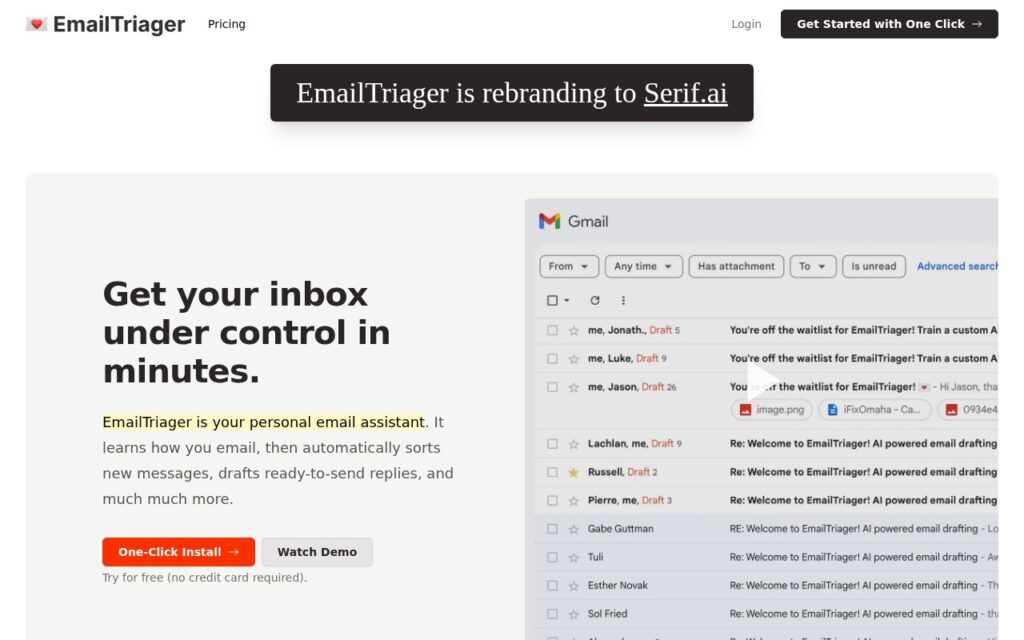
Bottom line: Organises the inbox and drafts replies in the background, so email becomes reviewing and sending rather than composing. Free plan available.
Attacks context switching, which is the real cost of emailRequires read and compose access to your mailbox
CVReviewed by Challenging Voice Editorial · Updated Sep 2026How we rate ↗
EmailTriager organises incoming email and prepares ready-to-send replies in the background, reframing the task from writing messages to reviewing drafts and sending them.
Drafting ahead rather than assisting live is the right shape for this problem. Most email tools help once you have already opened a message and started typing – but the cost of email is not typing speed, it is the repeated context switch of opening something, working out what it needs, and deciding how to respond. Arriving to find that decision already framed as a draft to approve or discard changes the shape of the work rather than accelerating it.
Keeping a human between the draft and the send is the correct default, and worth insisting on: an automated reply sent without review is a liability in any correspondence that matters. The other consideration is access – background drafting requires read and compose permission on your mailbox, which is among the more significant permissions you can grant, so check the retention terms and what is stored beyond the drafting itself.
Key features
Incoming email organised automatically
Replies drafted in the background before you open them
Review-and-send rather than compose-from-scratch
Works with your existing mailbox
Free tier to try
Screenshots & demo
Pricing
EmailTriager offers a free plan, with paid upgrades for higher limits and more features.
Pricing is provided as a guide. Check the official site for the latest plans.
Is EmailTriager expensive?
EmailTriager has no advertised paid tier. Among the 165 priced tools we list in Productivity, the median entry price is $11.6 a month.
72% of Productivity tools in the directory offer a free tier, and this is one of them.
Compared against every priced listing in Productivity, recalculated as the catalogue changes. Method and the full market breakdown are in our AI tool pricing study.
Pros & cons
Pros
Attacks context switching, which is the real cost of email
Human review kept between draft and send by design
Nothing new to check – it works in the inbox you already use
Cons
Requires read and compose access to your mailbox
Check retention terms for what is stored beyond drafting
Draft quality varies with how routine the message is
Ellie reads your sent mail, learns your tone and sign-offs, then drafts replies overnight in your own voice – ready to review by morning, for Gmail and Outlook.
EmailTriager organises incoming email and prepares ready-to-send replies in the background, reframing the task from writing messages to reviewing drafts and sending them.
Is EmailTriager free?
Yes, EmailTriager offers a free plan. Paid plans unlock more features and higher usage limits.
What are the best EmailTriager alternatives?
The closest matches in the directory are Saidar, readywhen, and Ellie, compared side by side above.
AI drafts the reply to any email, DM or message across Gmail, Outlook, WhatsApp, Slack, LinkedIn, Upwork and Fiverr – matches your tone, offers several options, 90 free replies a month.