
Freemium

Clico

Asks what's on your screen instead of asking you to copy-paste it in.

3.7 Productivity
3.7 Good 3.7

Bottom line: Asks what's on your screen instead of asking you to copy-paste it in. Free plan available.

Removes the copy-paste round trip most people skip a chat window over Screen-reading access across open apps is a meaningful permission grant
Reviewed by Challenging Voice Editorial · Updated Sep 2026 How we rate
PricingFrom $19.9/mo
Free planYes
CompanyInvoko
PlatformsWeb
Best forProductivity
Visits5
Last reviewedAug 2026
UpdatedSep 2026
Ask AI about Clico ChatGPT Claude Perplexity

Overview

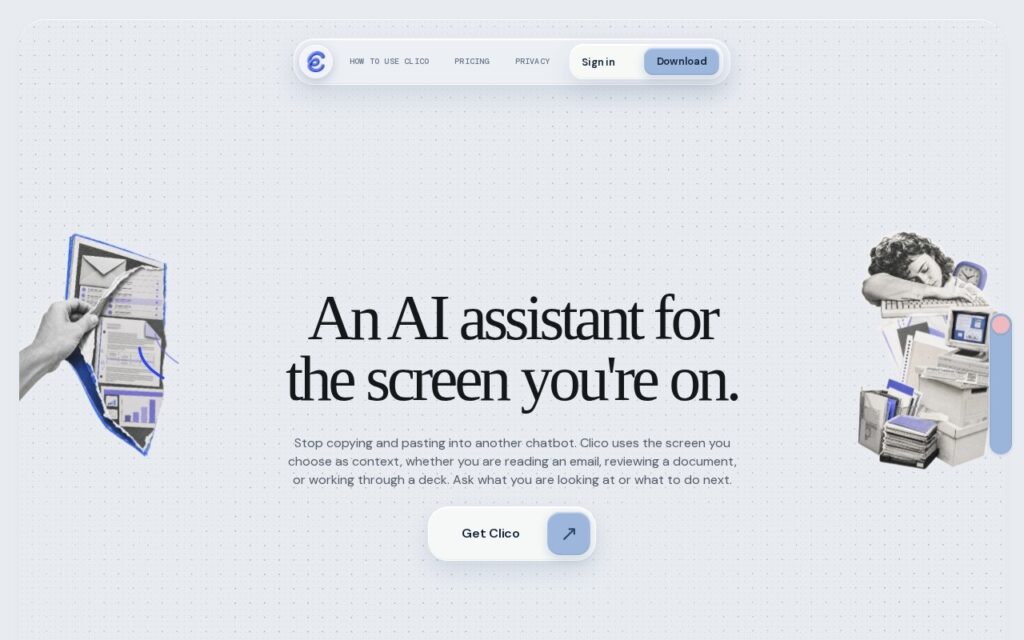
Clico reads whatever is currently on screen so you can ask about it directly – hold Fn on a Mac or double-tap Command – rather than copying content into a separate chat window. It drafts email replies, explains documents, summarises content and standardises data across Mac apps, Chrome and the web, with voice activation and an explicit approval step before it writes, sends or creates anything on your behalf. Conversation history is saved across apps. It is built by Invoko. Free gives 200 monthly credits; Pro is $19.90 for 2,000; Max is $49.90 for 5,000.

Removing the copy-paste round trip is a real, if unglamorous, productivity gain: the friction of switching to a chat window and pasting context back and forth is enough that many people simply do not bother for a quick question, and reading the screen directly removes that step entirely. The explicit approval gate before the assistant writes, sends or creates anything is the correct default for a tool with this much reach across your open applications – action without confirmation is where a screen-reading assistant becomes a liability rather than a convenience.

An assistant with screen-reading access across every open app is a meaningful permission grant, on par with the concern raised elsewhere in this catalogue for similar always-on assistants – worth understanding exactly what is captured and when before enabling it on a device handling sensitive material. Credits at this tier size suit light, occasional use; heavier daily use will want to model actual consumption against the 2,000-credit Pro allowance.

Key features

  • Reads on-screen content directly, no copy-paste required
  • Works across Mac apps, Chrome and the web
  • Voice activation for natural-language queries
  • Approval required before writing, sending or creating anything
  • Saved conversation history across apps

Screenshots & demo

Clico screenshot 1

Pricing

Clico has a free plan, and paid plans start at $19.9/mo.

  • Pricing modelFreemium
  • Starting priceFrom $19.9/mo
  • Free planYes
Visit Clico

Pricing is provided as a guide. Check the official site for the latest plans.

Is Clico expensive?

Clico starts at $19.9, which is 72% above the Productivity median of $11.6 a month across the 165 priced tools we list in that category.

The cheapest paid option in Productivity starts at $0.29 and the most expensive at $165.

72% of Productivity tools in the directory offer a free tier, and this is one of them.

Compared against every priced listing in Productivity, recalculated as the catalogue changes. Method and the full market breakdown are in our AI tool pricing study.

Pros & cons

Pros

  • Removes the copy-paste round trip most people skip a chat window over
  • Requires approval before taking any action, not just before responding
  • Works across the whole desktop, not one single app

Cons

  • Screen-reading access across open apps is a meaningful permission grant
  • Worth confirming exactly what is captured before use on sensitive material
  • 2,000 Pro credits may be tight for heavy daily use

How it compares

ToolRatingFreeFromBest known for
Clico (this tool)3.7Yes$19.9/moReads on-screen content directly, no copy-paste required
Alter4.0Yes$20/moSystem-wide macOS assistant triggered by shortcut or voice
Slashit3.7YesFreeText expansion from short codes into saved snippets
Recap3.5YesFreeSummarises a highlighted selection, not the whole page

Alternatives to Clico

4 tools matched to Clico on what they do, their category and their price.

Auri

3.5

AI keyboard and system-wide dictation for Apple devices – improve text in any app, on iPhone, iPad, Watch and Mac.

Freemium Productivity

Frequently asked questions

What is Clico?
Clico reads whatever is currently on screen so you can ask about it directly – hold Fn on a Mac or double-tap Command – rather than copying content into a separate chat window.
Is Clico free?
Yes, Clico offers a free plan. Paid plans unlock more features and higher usage limits, starting at $19.9/month.
How much does Clico cost?
Clico starts at $19.9 per month. See the pricing plans above for full details.
What are the best Clico alternatives?
The closest matches in the directory are Alter, Slashit, and Recap, compared side by side above.

Reviews

3.7 No reviews yet

Write a review

More tools like Clico

Shortkut

3.4

A Chrome extension that puts ChatGPT-powered shortcuts into any input box on the internet – build, save, and share AI snippets with your whole team.