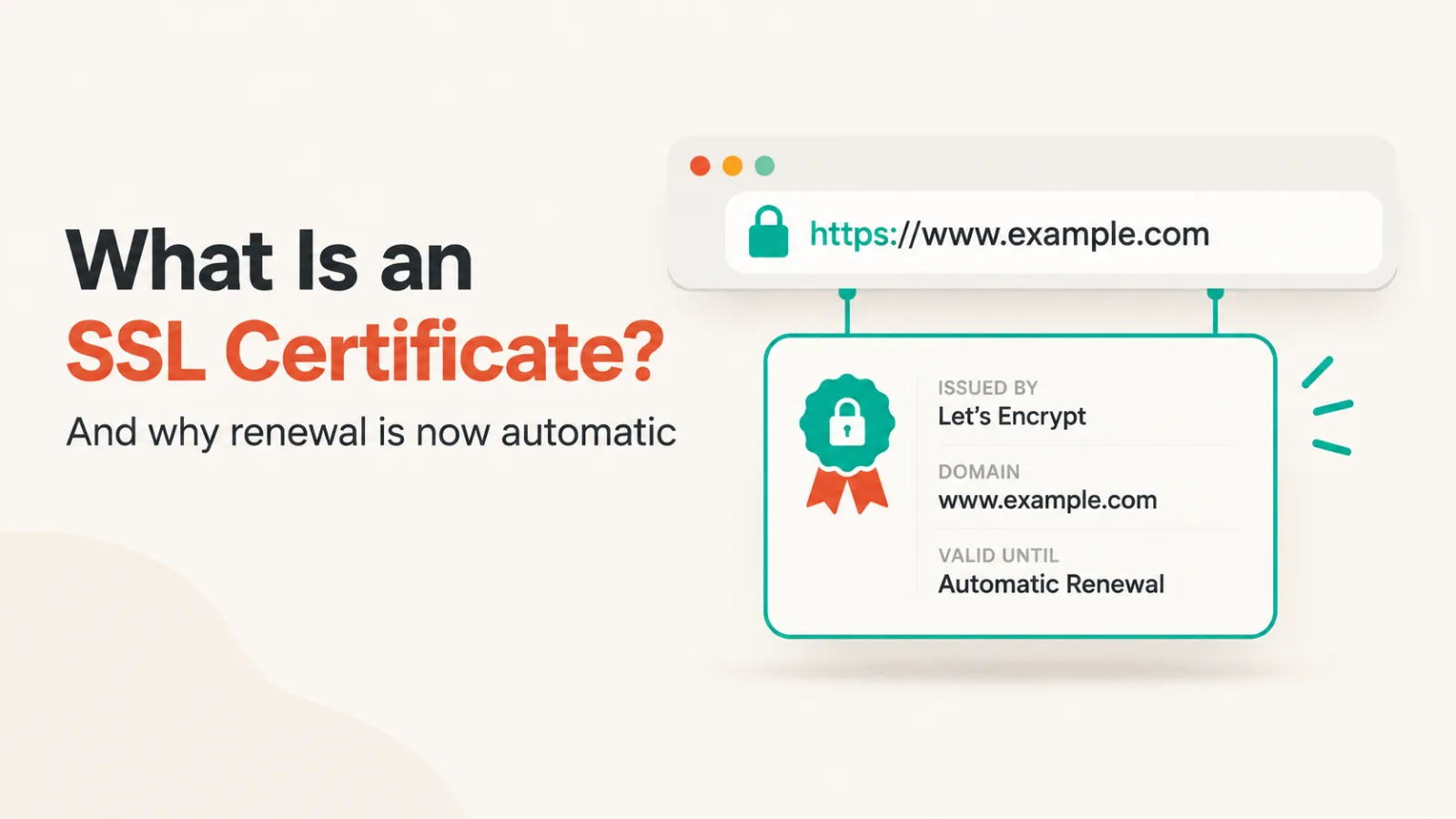
An SSL certificate is a small file on a web server that does two jobs. It proves the server is the domain it claims to be, and it lets your browser open an encrypted connection to it. When both work, the browser shows a padlock and the address starts with https.
The name is already wrong, and it’s worth knowing why. SSL was retired years ago and replaced by TLS. Every certificate sold as an “SSL certificate” today is doing TLS, and the old name stuck only because that’s what people search for.
What the padlock proves, and what it doesn’t
This is the part most explanations skip, and it’s the part that matters.
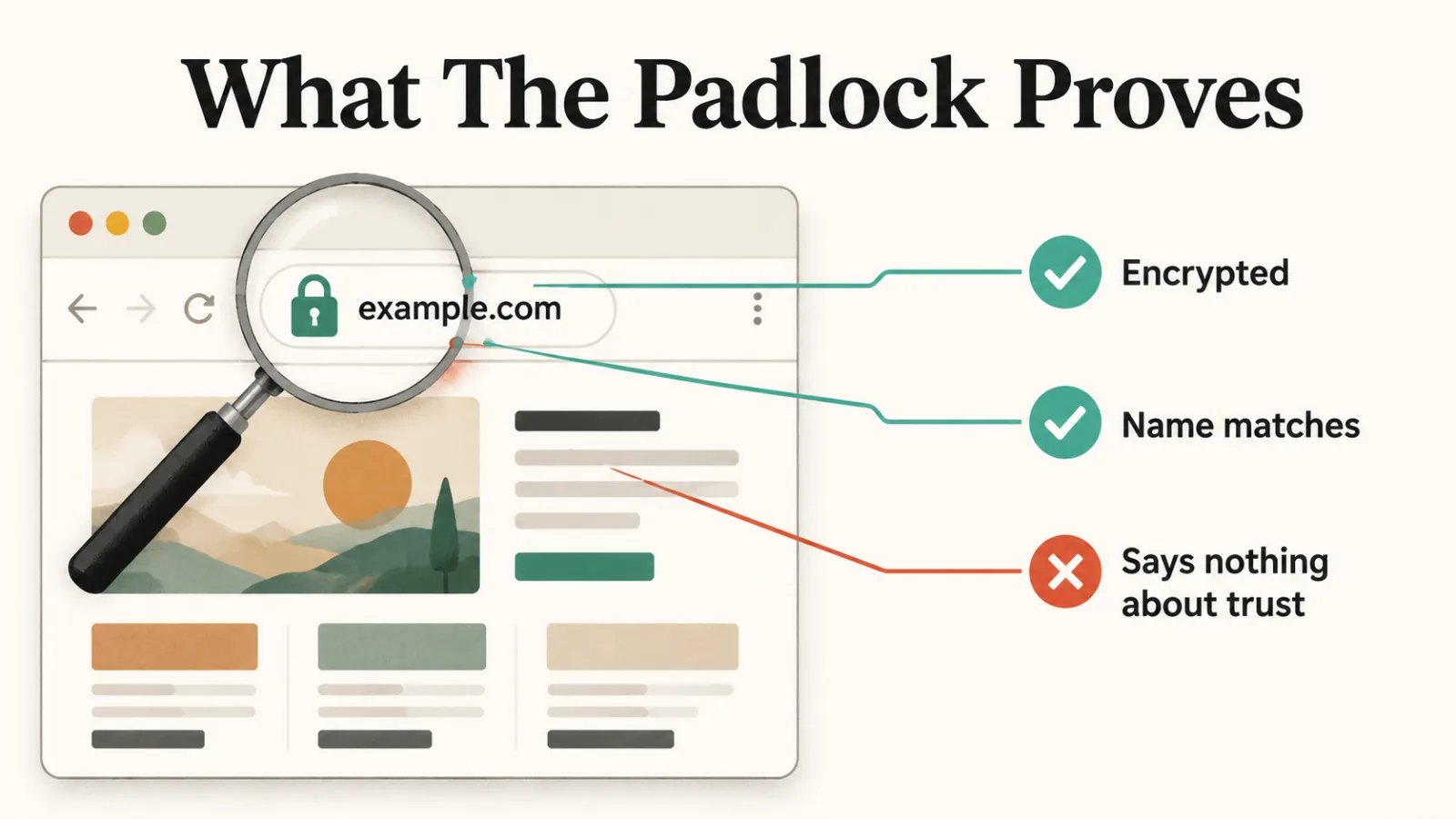
The padlock proves the connection is encrypted and that the certificate matches the domain. Nobody sitting between you and the server can read or alter what passes. That’s genuinely valuable and it’s why the whole web moved to it.
The padlock does not prove the site is honest. A phishing page can get a valid certificate in minutes, free, because the authority only checks that whoever asked controls the domain. Its absence is a warning; its presence is not a recommendation.
The three types, and why two of them barely matter now
Domain Validation (DV)
The authority checks you control the domain. Issued in minutes, usually free. This is what almost every site on the web runs.
Organisation Validation (OV)
The authority also checks the organisation exists. Costs money and takes days rather than minutes.
Extended Validation (EV)
A deeper check of the legal entity behind the domain. Costs more again, takes longer again.
EV used to paint the company name in green in the address bar, which was the entire commercial argument for buying one. Browsers removed that display. A visitor now sees the same padlock whether you paid nothing or 300 pounds, so DV is the honest default unless a compliance regime demands otherwise.
Why renewal is no longer a calendar reminder
It is because certificates expire on purpose. A short lifetime limits the damage if a private key leaks, since a stolen certificate stops working sooner. The industry has been shortening lifetimes for years, and the direction only goes one way.
Let’s Encrypt issues most certificates on the public web and states it plainly: “Our default certificates are valid for 90 days.” It now offers six-day certificates too. Its own guidance is to renew the 90-day ones every 60 days and the six-day ones every three.
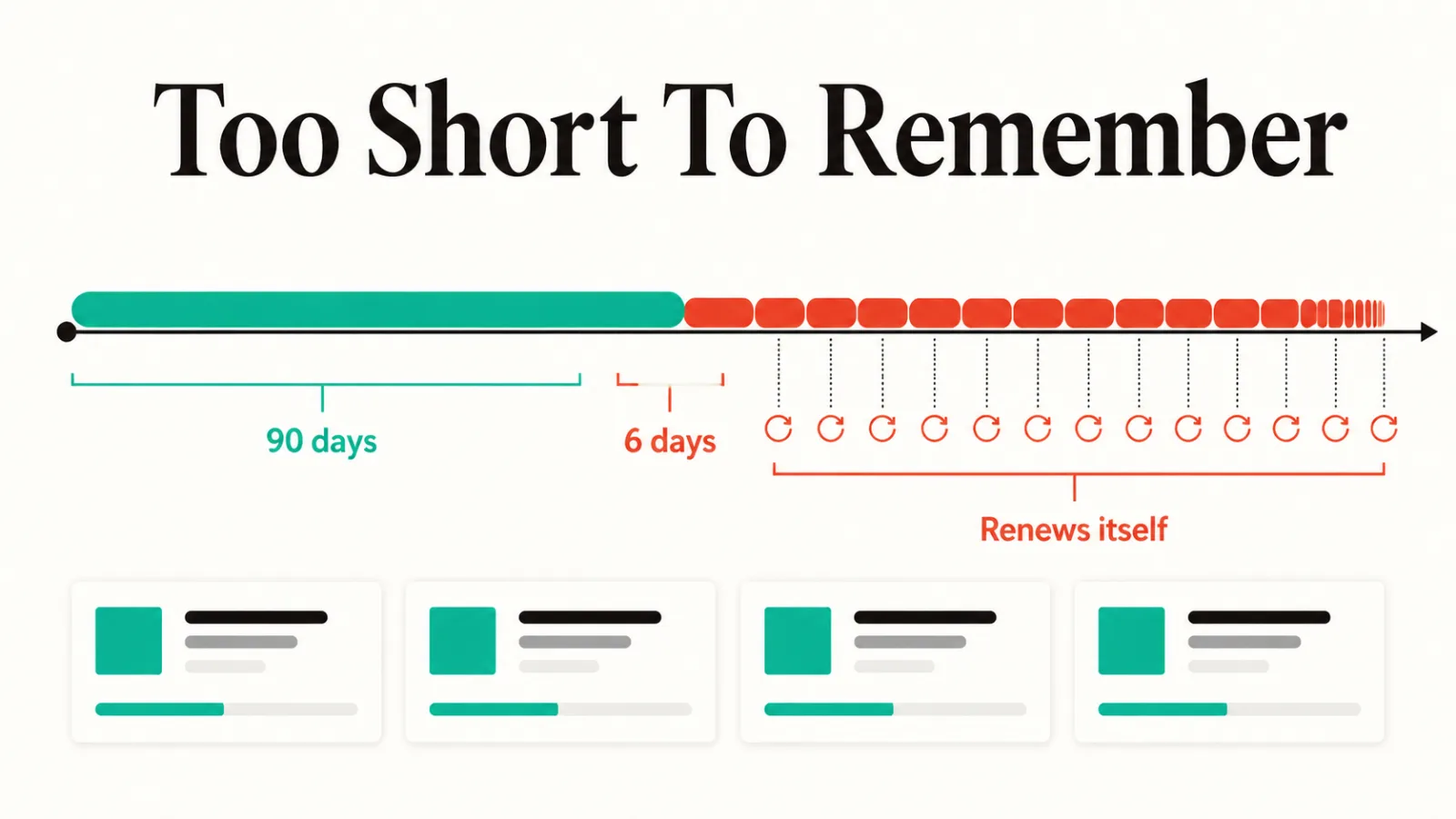
Read that again as an operations problem. A three-day renewal cycle cannot be a task on somebody’s calendar. Certificate management is now either something a machine does or something that eventually breaks.
In practice one of three things is true. Your host or CDN handles it invisibly, an ACME client like Certbot runs on a timer, or your platform rotates certificates itself. If you can’t name which, that’s the thing to go and find out.
What it looks like when it breaks
Here’s a real one, found on a vendor site while we were updating this directory in September 2026.
The domain resolved, the server answered, and the browser refused to load it: NET::ERR_CERT_COMMON_NAME_INVALID. The site was hosted on Netlify, and the certificate being served was Netlify’s own default wildcard, valid for *.netlify.app and nothing else. Nobody had finished provisioning a certificate for the custom domain.
Encryption was working perfectly. The identity check failed. The certificate was real, current and correctly signed, and it named a different site. Every visitor got a full-page security warning while the company stayed unaware, their own browsers having long since cached an exception.
The common failures are worth recognising on sight:
- A name mismatch, as above, where the certificate covers a different domain. Often
wwwis covered and the bare domain is not, or the reverse. - An expired certificate, meaning renewal did not run. This is the most common outage of the four.
- An untrusted issuer: self-signed, or signed by an authority the browser does not carry. Fine on a test box, fatal in public.
- Mixed content, where the page loads over https but pulls an image or script over http, and the padlock disappears.
Getting one
For most sites the answer is that you already have one and shouldn’t touch it. Managed hosts, Cloudflare, Vercel, Netlify and every large platform issue and renew certificates automatically, and the correct amount of work is none.
If you’re running your own server, Certbot with Let’s Encrypt is free, takes about ten minutes, and installs the renewal timer for you. Paying for a DV certificate in 2026 buys you a support contract, not better encryption.
Once it’s working, the thing worth adding is monitoring that tells you before it expires rather than after. Our roundup of AI tools for cybersecurity covers the wider monitoring category.
Common questions
Is SSL the same as TLS?
No, and the difference is only historical. SSL was the original protocol, it was found to be insecure, and TLS replaced it. What everyone calls an SSL certificate is a TLS certificate, and no product you can buy still runs SSL.
Do I need to pay for one?
No. Let’s Encrypt issues free DV certificates and they are cryptographically identical to paid ones. Pay only if you need OV or EV validation for a compliance requirement, or you want a warranty and a support line.
What happens the moment it expires?
Browsers show a full-page interstitial that most visitors will not click through, and search crawlers treat the site as unreachable. There is no grace period. An expired certificate is a hard outage that looks like a hack to anyone who lands on it.
Does a certificate help SEO?
Only in the sense that not having one hurts. HTTPS is a lightweight ranking signal and browsers mark plain HTTP as “Not secure”, which costs you visitors directly. Adding a certificate to a site that lacks one is worth doing; adding an expensive one to a site that already has a free one changes nothing.