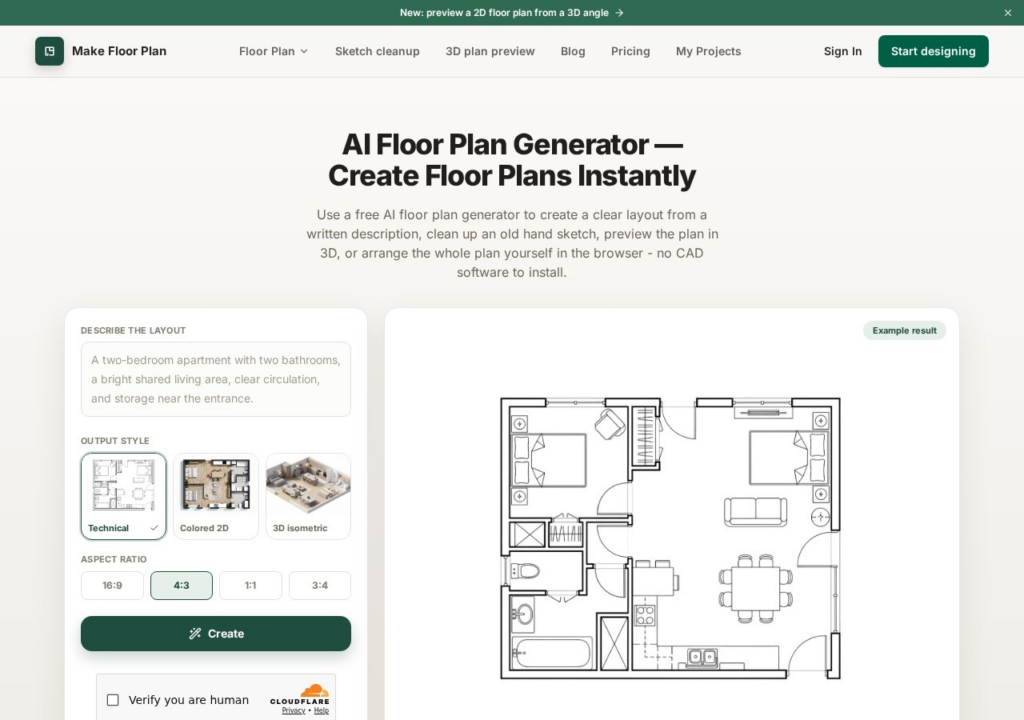
Make Floor Plan turns rough ideas into floor plans in the browser, with no CAD software to install. There are three ways in: describe a layout in plain words, upload a hand-drawn sketch for it to clean up, or arrange the plan yourself on a manual canvas. Plans render in a technical style, colored 2D or a 3D isometric preview, and export as PNG. The manual editor is the useful safety net, because an AI-generated layout is a starting point that usually needs adjusting. Signing up gives 3 AI trial credits, with watermarked exports and up to 5 saved projects. Pro costs $14.99 a month for 60 AI credits with HD, watermark-free exports and commercial use, and Studio $49.99 for 200 credits. These are concept layouts for planning a space, not drawings a builder can work from.
Key features
Generates a floor plan from a written description
Cleans up a rough hand-drawn sketch into a plan
Previews a 2D plan from a 3D isometric angle
Manual canvas editor for arranging the plan yourself
PNG export, watermark-free on paid plans
Screenshots & demo
Pricing
Make Floor Plan is a paid tool, with plans that start at $14.99/mo.
Pricing is provided as a guide. Check the official site for the latest plans.
Is Make Floor Plan expensive?
Make Floor Plan starts at $14.99, which is right at the Design median of $15 a month across the 105 priced tools we list in that category.
The cheapest paid option in Design starts at $0.5 and the most expensive at $185.
72% of Design tools in the directory offer a free tier, which this one does not.
Compared against every priced listing in Design, recalculated as the catalogue changes. Method and the full market breakdown are in our AI tool pricing study.
Pros & cons
Pros
Runs in the browser with no CAD software to install
Sketch cleanup rescues an existing drawing rather than starting over
The manual editor lets you correct what the AI gets wrong
Cons
Only 3 AI trial credits before a paid plan is needed
Turn an architectural sketch into a professional rendering, 3D model, or CAD file with AI – style-reference rendering and automated texturing included, 15.6M+ renders created.
Turn a sketch, 3D model or room photo into a photorealistic interior render in under 60 seconds – adjust lighting, materials and furnishings while keeping the original geometry, with live multi-user Team Canvas editing.
Six AI tools built into the modeler – text/image-to-3D generation, AI Render, AutoShape sketch conversion, and an AI chat assistant for the software itself.