
Free

Kroma AI

Free presentation generator that turns a prompt, URL or document into an editable deck using GPT-4o.

3.3 Productivity
3.3 Good 3.3
Free end to end, so a first draft costs nothing to try Decks live in browser local storage, so clearing the browser loses them
Reviewed by Challenging Voice Editorial · Updated Sep 2026 How we rate
PricingFree
Free planYes
CompanyKroma
PlatformsWeb
CategoryProductivity
Last reviewedSep 2026
UpdatedSep 2026
Ask AI about Kroma AI ChatGPT Claude Perplexity

Overview

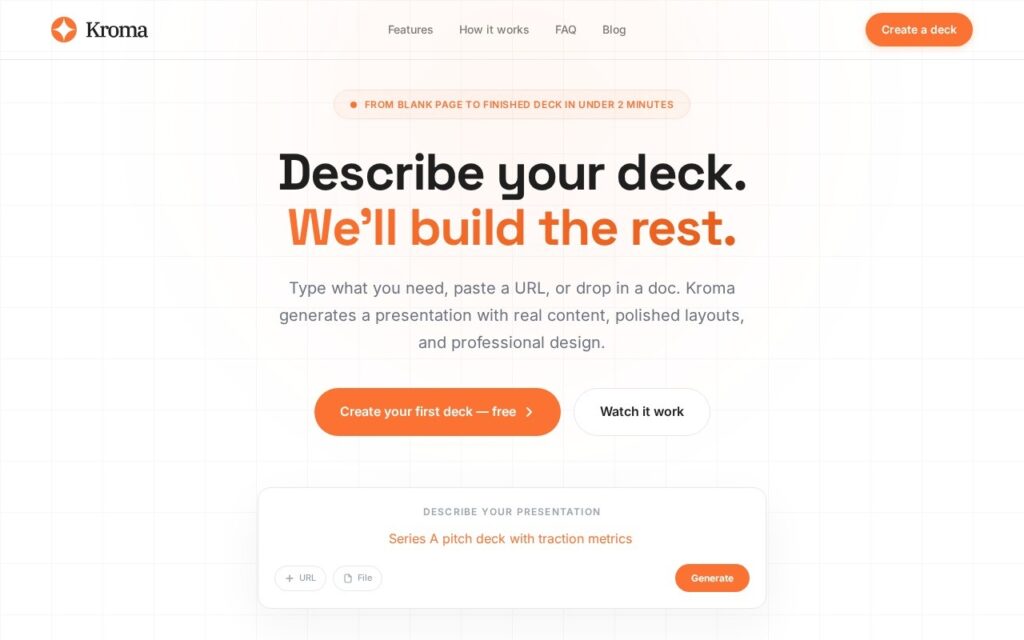
Kroma generates a complete presentation from a text description, a pasted URL or an uploaded document. The FAQ says it runs on GPT-4o with a system prompt tuned for presentation design, and the output comes with ten built-in themes, a block-based editor, a live presentation mode with keyboard navigation, and export to editable PowerPoint (.pptx), PDF or JSON.

The pitch is no friction: no account and no credit card, with the whole create, edit and export path free, and generation the site puts at around 90 seconds. Decks are held in the browser’s local storage and, according to the FAQ, are not stored on Kroma’s servers. That is a privacy point in its favour and also a fragility: clearing the browser or switching device loses the deck, so export a .pptx as soon as a draft is worth keeping. Generation relies on GPT-4o, so the submitted text does leave the browser; the FAQ’s not-stored statement concerns Kroma’s own servers.

The useful test is how much of the layout survives editing in PowerPoint, since first-draft decks from any generator need restructuring before a real audience sees them. The site quotes 2,400+ teams and 150,000+ decks and name-checks well-known software companies, but it names no company or founder, so those figures and logos are self-reported and unverified. A free service with no stated business model may change or disappear, which makes local exports the safe habit.

Key features

  • Deck generated from a prompt, a pasted URL or an uploaded document
  • GPT-4o with a system prompt tuned for presentation design
  • Ten built-in design themes
  • Block-based editor and live presentation mode
  • Export to editable PowerPoint, PDF and JSON
  • No account or credit card required

Screenshots & demo

Kroma AI screenshot 1

Pricing

Kroma AI offers a free plan, with paid upgrades for higher limits and more features.

  • Pricing modelFree
  • Starting priceFree
  • Free planYes
Visit Kroma AI

Pricing is provided as a guide. Check the official site for the latest plans.

Is Kroma AI expensive?

Kroma AI has no advertised paid tier. Among the 164 priced tools we list in Productivity, the median entry price is $11.3 a month.

71% of Productivity tools in the directory offer a free tier, and this is one of them.

Compared against every priced listing in Productivity, recalculated as the catalogue changes. Method and the full market breakdown are in our AI tool pricing study.

Pros & cons

Pros

  • Free end to end, so a first draft costs nothing to try
  • Editable .pptx export moves the deck into normal workflows
  • Accepts a URL or document as source material, not only a prompt

Cons

  • Decks live in browser local storage, so clearing the browser loses them
  • No named company or founder, and usage figures are self-reported
  • No stated business model for a free service, so long-term availability is uncertain

How it compares

ToolRatingFreeFromBest known for
Kroma AI (this tool)3.3YesFreeDeck generated from a prompt, a pasted URL or an uploaded document
SlidesAI3.9Yes$10/moDeck generation from notes, documents and PDFs
Chronicle4.2Yes$15/moAI-drafted decks generated from notes, documents, or existing content
DocuGenie3.8YesFreeHandwriting OCR and image-to-text extraction

Alternatives to Kroma AI

4 tools matched to Kroma AI on what they do, their category and their price.

Chronicle

4.2

AI presentation software that drafts on-brand slide decks from notes and documents, then leaves room for manual polish on a freeform canvas.

Freemium Productivity

SlidesPilot

3.7

Turns a research paper, YouTube video, or meeting notes into a structured PowerPoint – analyzes the source, builds a storyline, then designs slides with tables and charts.

Free Trial Productivity

Frequently asked questions

What is Kroma AI?
Kroma AI is a productivity tool. Free presentation generator that turns a prompt, URL or document into an editable deck using GPT-4o.
Is Kroma AI free?
Yes, Kroma AI offers a free plan. Paid plans unlock more features and higher usage limits.
What are the best Kroma AI alternatives?
The closest matches in the directory are SlidesAI, Chronicle, and DocuGenie, compared side by side above.

Reviews

3.3 No reviews yet

Write a review

More tools like Kroma AI

Pitches

3.8

Paste a company URL and get a 12-slide pitch deck using structures from Airbnb (2009), Uber (2008) and Tesla (2011) – grounded in real source material, no invented numbers.

PresentationGPT

3.5

LISA, a language model trained specifically for presentations, turns a topic into a full deck in seconds – compatible with PowerPoint and Google Slides.

Freemium Productivity