
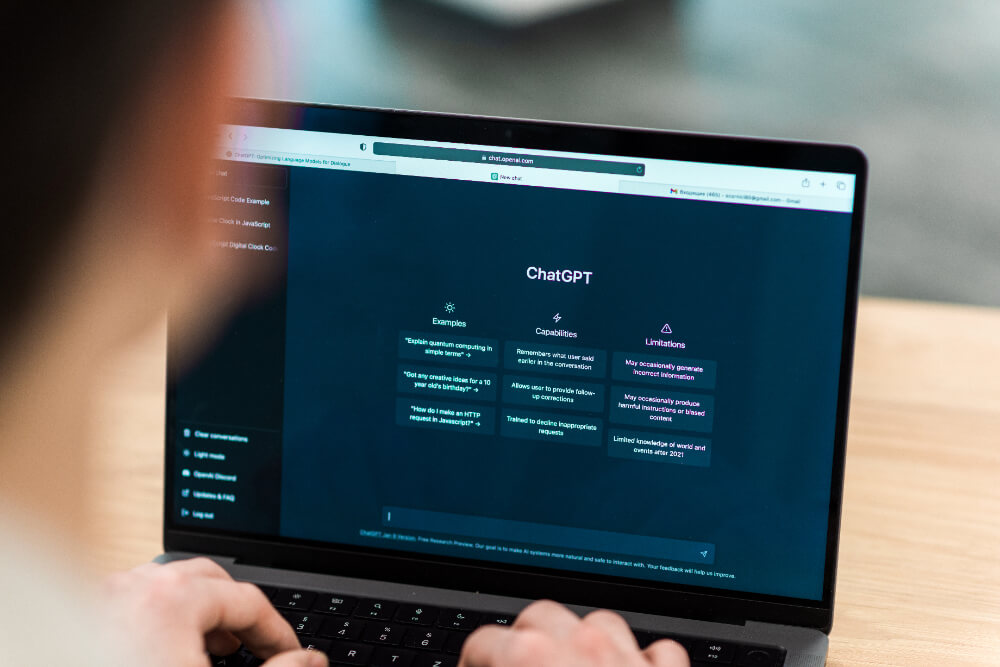
With the explosion of conversational AI tools, many ChatGPT Alternatives offer advanced features tailored to business and personal needs. What are these free and paid tools, and how do they stand out?
Here is a list of the 21 best solutions with their strengths and limitations to help you choose.
Best ChatGPT Alternatives in 2026
1. Claude (Anthropic)

Built by former OpenAI safety researchers around a written constitution
Claude, developed by Anthropic, is one of the strongest free and professional alternatives to ChatGPT.
Featuring an easy-to-use interface, Claude Is designed to understand complex contexts and provide highly personalized, detailed answers. It is also a very good assistant for developers, and now includes real-time web search built in.
Benefits :
- Many advanced options: analysis of long PDF files, the possibility of creating projects (alternative to custom GPT), the possibility of customizing the writing style, customizing the profile associated with your account, etc.
- Free version with strong models available, then premium versions.
- Powerful for analyzing and summarizing long texts.
- Very good at programming.
- Models accessible via API.
Disadvantages:
- Does not offer AI image generation.
- Quickly blocked by daily request quotas with the free version.
2. Mistral AI

European frontier AI platform with open models, fine-tuning and enterprise deployment.
Mistral AI, a French startup, offers a powerful and free AI chatbot called Le Chat.
Offering powerful, lightweight and affordable open-source models, the chatbot can analyze documents, search the web, create agents, generate quality AI visuals and even be integrated via API to serve in a wide variety of business applications.
Benefits :
- Open-source model, customizable according to needs.
- Free advanced features: web search, AI image generation, agent creation, PDF analysis, …
- Models available via API with competitive pricing.
- European solution respecting GDPR standards.
Disadvantages:
- Less efficient at handling complex queries than the largest US labs’ flagship models.
3. Gemini (Google)
Gemini, from Google, offers conversational AI integrated into the Google ecosystem. Featuring a free online chatbot and paid Gemini Advanced tiers, Gemini is a versatile solution for everyday use.
Benefits :
- Smooth integration with Google products.
- Excellent search capability with access to up-to-date data.
- Strong free version.
- Ability to dictate prompts orally and listen to the responses in audio.
Disadvantages:
- Less efficient in specific customization cases.
- Document scanning works best with files already in Google Drive.
4. NotebookLM (Google)

Google's source-grounded notebook, distinctive for generating audio discussions
NotebookLM Is an AI assistant designed by Google for professionals and students. It allows you to organize and interact with data in diverse formats via an interactive chat that can generate an audio discussion about the listed sources.
Benefits :
- Free to use.
- Adding sources allows the chatbot to base its responses only on the sources provided by the user.
- Ideal for structuring and analyzing notes, files and videos on the same subject.
- Ability to answer questions from specific sources uploaded by the user.
Disadvantages:
- Less suitable for general open-ended conversations.
- Need to add quality sources to get quality answers.
5. DeepSeek

The 2025 model that rattled markets with its training cost claims
DeepSeek Is a Chinese AI lab whose free web and mobile chat app has become one of the most-discussed ChatGPT alternatives, running its V4 model family with a toggle between fast responses and a slower “thinking” mode.
Benefits :
- Completely free chat app, no Plus or Pro tier gate.
- Built-in web search and file upload at no cost.
- A “DeepThink” mode for step-by-step reasoning on harder problems.
- Very low-cost API for developers.
Disadvantages:
- Can throttle or show “server busy” during peak hours.
- Data handling and hosting (servers in China) is a stated concern for some businesses and governments.
6. Perplexity AI

The AI answer engine most competitors measure themselves against
Perplexity AI Is a conversational AI search engine designed to provide accurate answers while citing its sources found on the web.
Benefits :
- Ability to respond quickly while providing clear references from the web.
- Simple interface, accessible to all.
- Ideal for academic and professional research.
Disadvantages:
- Less effective for discussions requiring open-ended creativity.
- Does not handle long, complex multi-turn interactions as well as a dedicated chatbot.
7. Grok

Built by xAI with direct access to real-time X data
Grok Is xAI’s assistant, available on the X platform, the standalone Grok app, and via API. The current Grok 4.5 model is built for coding, agentic tasks and knowledge work, with real-time access to X data for current-events questions.
Benefits :
- Strong benchmark performance on coding and reasoning tasks.
- Real-time access to X data for current-events questions.
- Available standalone (app, web) as well as inside X, not gated behind an X subscription only.
- Enterprise API with easy integration.
Disadvantages:
- Highest usage tiers still sit behind X Premium or a separate subscription.
- Moves fast. Model and product naming has changed several times since launch.
8. Microsoft Copilot

Microsoft's consumer assistant, built into Windows and Edge
Microsoft Copilot Is integrated into the Microsoft 365 ecosystem (Word, Excel, Teams, etc.) to optimize productivity. It can be used to search for information on Bing, analyze data, and write documents.
Benefits :
- Deep integration into existing Microsoft tools.
- Fast generation of tables, graphs and presentations.
- A free version is available online.
Disadvantages:
- Limited features without a Microsoft 365 subscription.
- Requires enterprise configuration for advanced use cases.
9. Moshi (Kyutai)
Moshi Is a voice assistant developed by Kyutai, a French artificial intelligence research lab, built as an open-source, research-oriented alternative to ChatGPT’s voice mode.
Benefits :
- Near-instant responses thanks to a voice-optimized model.
- Open source and can run offline on standard hardware.
Disadvantages:
- A research project first, not a polished consumer product, expect rough edges.
- Primarily English-language, no official API.
10. GitHub Copilot

The 2021 launch that started this entire category
GitHub Copilot, developed by GitHub and OpenAI, is an AI integrated into development environments like Visual Studio Code. It assists programmers by automatically generating code and suggestions in real-time. A coding-focused pick rather than a general chatbot.
Benefits :
- Significantly increases developer productivity.
- Supports a wide range of programming languages.
- Integrated directly into popular IDEs.
Disadvantages:
- Requires a paid subscription for full access.
- Only useful if you write code, not a general-purpose chatbot.
11. Bolt.new

Builds and runs a full app live in the browser, no server needed
Bolt.new Is an AI platform that allows you to create a fully functional SaaS application from just a few lines of prompts. The tool can also be used to create a complete website.
Benefits :
- Great for creating a working MVP for a more complex project.
- Simple and quick-to-use interface, even for non-technical profiles.
Disadvantages:
- It can consume a lot of credits if used incorrectly.
- Requires very precise prompts to exploit its full potential.
12. Poe (Quora)

Quora's marketplace of AI models and creator-built bots
Poe, developed by Quora, combines AI chat capabilities with multiple models, including GPT, Claude, and Gemini, to deliver a versatile experience in one place.
Benefits :
- Access to multiple models from a single platform.
- Designed for fast and varied responses.
Disadvantages:
- Less rich native features compared to going directly to a specialized solution.
- Cost can add up if you use several premium models through it.
13. You.com (YouChat)

An early mover in AI search, now with a choice of models
You.com Combines a chat interface (YouChat) with web search, letting you pick from several underlying models. In 2026 the company has leaned harder into web-search APIs for developers and AI agents, alongside its consumer chat experience.
Benefits :
- Updated and contextualized answers grounded in live web search.
- Works as a search engine and a chatbot in one.
- Free tier, no complex setup to start.
Disadvantages:
- Product messaging now leans toward developers/enterprises rather than casual consumer chat.
- Less suitable for long, advanced professional writing tasks.
14. Meta AI

Built into Instagram, WhatsApp, and Facebook by default
Meta AI, built on Meta’s Llama models, is available for free inside WhatsApp, Instagram, Messenger and Facebook, as well as a standalone app and website.
Benefits :
- Completely free, no paid tier required for core use.
- Already inside apps most people use daily, no separate account needed.
- Free image generation and unlimited, watermark-free video generation.
- Can be added directly to WhatsApp group chats.
Disadvantages:
- Less suited to deep technical or professional work than Claude, ChatGPT, or Gemini.
- Tied to a Meta account and its apps.
15. BlackBox AI

Started as code search in 2019, before the LLM coding wave
BlackBox Is an AI specialized in code generation. Targeting developers, it is designed to solve technical problems, generate snippets, and improve development efficiency.
Benefits :
- A powerful tool to automate code writing.
- Compatible with multiple programming languages.
- Ideal for optimizing rapid prototype development.
Disadvantages:
- Limited to developers and programmers.
- Does not manage projects outside the technical framework.
16. Pi (Inflection)

Built for supportive conversation, then deprioritized after Microsoft's 2024 deal
Pi, from Inflection AI, is a personal AI assistant designed for empathetic, supportive conversation rather than task automation. Most of Inflection’s founding team moved to Microsoft in 2024, and the company has since pivoted toward enterprise AI. Pi itself is still live and stable, but its pace of new personal-assistant features has slowed since that transition.
Benefits :
- Warm, conversational tone built specifically for supportive chat.
- Voice mode feels natural for back-and-forth conversation.
- Free to use.
Disadvantages:
- Not built for technical work, coding, or research.
- Development has slowed since Inflection’s 2024 pivot to enterprise AI; no public API for building on it.
17. Character.ai

Founded by Transformer co-inventors, later licensed back to Google
Character.ai Is a platform for interacting with fictional characters created by community members, with the option to create your own custom AI character. It’s built for roleplay and creative writing rather than general assistance.
Benefits :
- A huge library of user-created characters to talk to.
- Strong fit for roleplay and creative-writing brainstorming.
- Free to use, with an optional paid tier for faster responses.
Disadvantages:
- Not designed for factual research or work tasks.
- Content and safety restrictions have tightened following past scrutiny, which can limit certain conversations.
18. Notion AI

AI woven into the workspace most PKM competitors get compared against
Integrated into Notion, Notion AI Is designed to assist users in creating and managing content within their existing databases and collaborative workspaces. It can convert handwritten notes into text, act as a writing assistant, and analyze PDFs and images.
Benefits :
- Works directly inside documents and databases you already have in Notion.
- Good for summarizing, rewriting, and organizing existing content.
- Handwriting-to-text conversion.
Disadvantages:
- Requires an existing Notion workspace, not a standalone chatbot.
- Priced as an add-on to a Notion plan rather than on its own.
19. Jasper AI
Marketing-team copy platform, formerly known as Jarvis
Jasper AI Is a suite of tools specifically designed for marketing teams. Built on top of leading AI models, it’s particularly useful for generating articles, social media post hooks, marketing emails and ad copy.
Benefits :
- Built specifically for marketing and brand-voice consistency.
- Large template library for common marketing content types.
- Team collaboration features aimed at marketing departments.
Disadvantages:
- No meaningful free tier, built for paying business users.
- Overkill and expensive if you just want a general-purpose chatbot.
20. Chatsonic (Writesonic)

Writesonic's chatbot, built with search grounding and images included
Chatsonic Is the conversational interface inside Writesonic, which has repositioned itself as a broader AI content and search-visibility platform. Chatsonic can browse the live web, generate images, and summarize documents and text.
Benefits :
- Bundled with Writesonic‘s wider content, SEO, and brand-visibility tools.
- Can pull in current web information for up-to-date answers.
Disadvantages:
- Increasingly positioned as one piece of a larger content/SEO platform rather than a standalone chatbot.
- Most value shows up only if you’re already using Writesonic’s other tools.
21. Replika

The pioneer of AI companionship, now moving away from romance
Replika Is an AI chatbot focused primarily on companionship and emotional support, with a persistent, customizable AI companion rather than a general knowledge assistant.
Benefits :
- Purpose-built for companionship, not just Q&A.
- Remembers details across conversations to build a consistent “relationship.”
- Customizable avatar and personality.
Disadvantages:
- Not built for work, research, or technical tasks.
- Past abrupt changes to companion features have affected existing users, worth checking current terms before committing.


