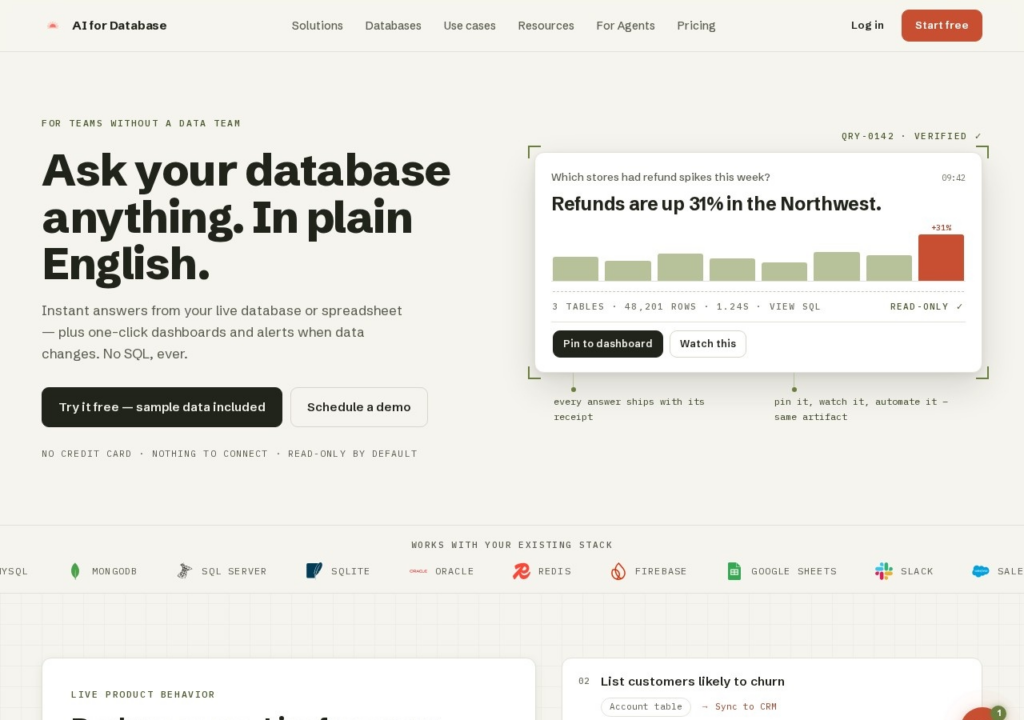
AI for Database answers questions about your data in plain English, aimed at teams without a data analyst. Connect PostgreSQL, MySQL, MongoDB, SQL Server or Google Sheets, ask a question the way you would ask a colleague, and it returns the answer with a chart, plus one-click dashboards and alerts when the numbers move. Two design choices make it safer than most tools of this kind: connections are read-only by default, and every answer exposes the SQL behind it, so a wrong interpretation can be caught rather than trusted. A free plan runs on free models, and you can try it on sample data without connecting anything. Pro costs $20 per user a month, with each payment added as credit that never expires, and Team $50 per user. Paid AI usage pauses when that balance runs out, and per-user pricing grows quickly across a team. It comes from Wavicle, which also makes SendHQ and What's Trending.
Key features
Plain-English questions answered from a live database or spreadsheet
Connects PostgreSQL, MySQL, MongoDB, SQL Server and Google Sheets
One-click dashboards and alerts when data changes
Shows the SQL behind each answer for inspection
Read-only by default, with a public REST API for agents
Screenshots & demo
Pricing
AI for Database has a free plan, and paid plans start at $20/mo.
Pricing is provided as a guide. Check the official site for the latest plans.
Is AI for Database expensive?
AI for Database starts at $20, which is 20% below the Data and Analytics median of $25 a month across the 61 priced tools we list in that category.
The cheapest paid option in Data and Analytics starts at $2.99 and the most expensive at $2,700.
38% of Data and Analytics tools in the directory offer a free tier, and this is one of them.
Compared against every priced listing in Data and Analytics, recalculated as the catalogue changes. Method and the full market breakdown are in our AI tool pricing study.
Pros & cons
Pros
Read-only by default makes connecting a production database lower-risk
You can check the generated SQL rather than trusting the answer
A free plan on free models, plus sample data to try it before connecting anything
Cons
Paid AI usage draws down a credit balance and pauses when it runs out
Priced per user, which adds up for a whole team
Plain-English answers still need checking against the SQL that produced them
Ask your database a question in plain English instead of writing SQL – GPT-3-powered, connects to Postgres, MySQL, and MariaDB, with connection strings hashed and no data stored.
Ask a CSV file a business question in plain English – a ~1.8GB AI model runs entirely in your browser, so your data never touches a server, free for 10 analyses a month.