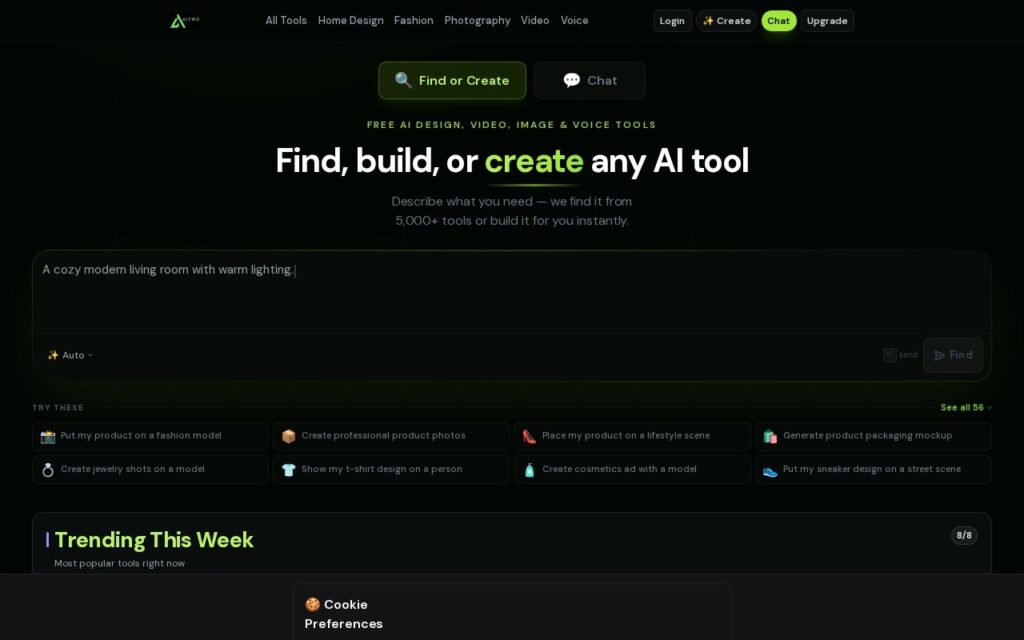
AI Two bundles many small AI utilities into one free suite, organised as studios: Home Design, Fashion, Photography, Video, Voice and QR.
The home design set is the most developed – house painter, interior design, landscaping and architecture visualisation – alongside a QR studio with WiFi and vCard codes, and voice and fashion tools. These are the vendor’s own tools rather than links to other people’s, which distinguishes it from the directories that populate this pool.
Judge it as a collection of quick utilities rather than a specialist tool. Each individual studio is lighter than a dedicated product, and the appeal is having many of them free under one login for occasional use – not depth in any one of them.
Key features
Home design studio – painter, interior, landscaping, architecture
Fashion and photography studios
Voice studio
QR studio with WiFi and vCard codes
Free tier across the suite
Single login for many small tools
Screenshots & demo
Pricing
AI Two offers a free plan, with paid upgrades for higher limits and more features.
Pricing is provided as a guide. Check the official site for the latest plans.
Is AI Two expensive?
AI Two has no advertised paid tier. Among the 101 priced tools we list in Design, the median entry price is $15 a month.
73% of Design tools in the directory offer a free tier, and this is one of them.
Compared against every priced listing in Design, recalculated as the catalogue changes. Method and the full market breakdown are in our AI tool pricing study.
Pros & cons
Pros
Many free utilities under one login rather than separate signups
Its own tools rather than a directory of other people's
Home design set is genuinely useful for quick visualisation
Cons
Each studio is lighter than a dedicated specialist tool
Breadth over depth – not a professional workflow tool
Upgrade path applies across the suite rather than per tool
AI Two is a solid design tool, best known for home design studio – painter, interior, landscaping, architecture. It offers a free plan.
What makes it different: AI Two stands out for home design studio – painter, interior, landscaping, architecture.
How we score it
Overall3.2
Value for money4.7
Feature depth4.9
Popularity3.7
Best forProfessionalsTeamsCreatorsCurious learners
Frequently asked questions
What is AI Two?
AI Two is a design tool listed in the Challenging Voice directory. A free suite of small AI studios – home design, fashion, photography, voice and QR tools – under one login.
Is AI Two free?
Yes, AI Two offers a free plan. Paid plans unlock more features and higher usage limits.
What are the best AI Two alternatives?
Popular alternatives to AI Two include MYTH AI, ColorMagic, and OutdoorBrite. Browse them all in the Design category.
Is AI Two any good?
AI Two scores 3.2 out of 5 based on our editorial review.
Turns a plain screenshot into a polished social-media graphic – device mockups, 3D effects, annotations – available as a web app, Chrome extension, Figma plugin and Mac app.