Freemium Verified

Browse AI

Point-and-click training to extract data from any website

4.4 Automation
4.4 Very good 4.4

Bottom line: Browse AI is a strong automation tool, best known for point-and-click training to extract website data. It has a free plan.

No-code data extraction from virtually any website Scoped to data extraction, not general business process automation
Reviewed by Challenging Voice Editorial · Updated Jul 2026 How we rate
PricingFrom $19/mo
Free planYes
CompanyBrowse AI Inc.
PlatformsAPI, Web
Best forAutomation
Founded2020
Visits19
Last reviewedJun 2026
UpdatedJul 2026
Ask AI about Browse AI ChatGPT Claude Perplexity

Overview

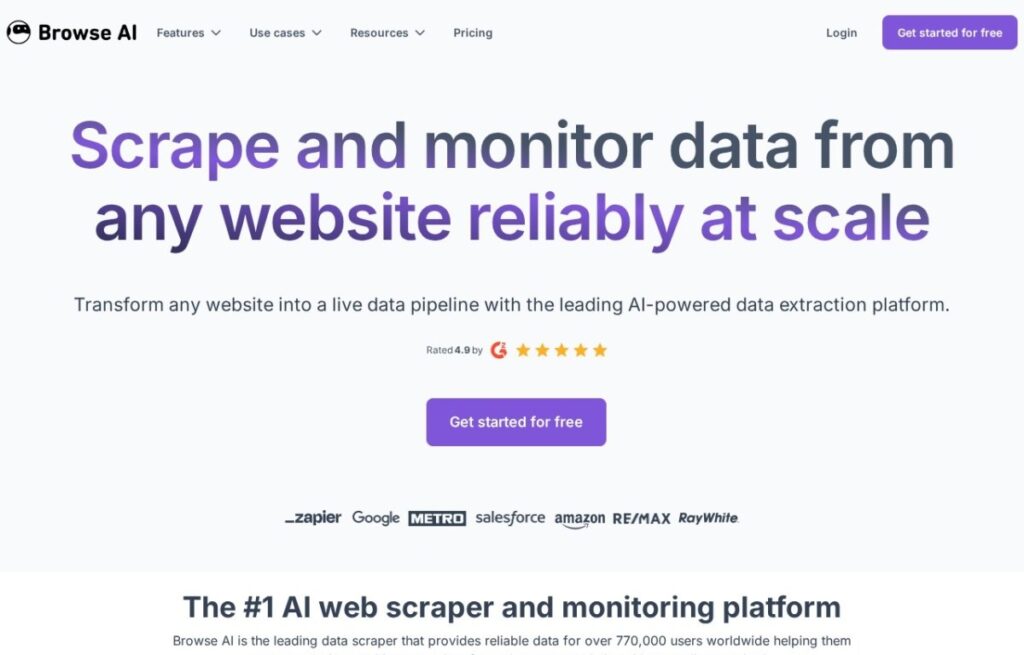
Browse AI, founded in 2020, solves a narrower problem than general workflow automation: pulling structured data out of websites, product prices, job listings, real estate postings, that don't offer a public API, and doing it without writing a scraper or maintaining code that breaks whenever a site's layout changes slightly.

A user "trains" a robot by pointing and clicking on the data they want from an example page, and Browse AI applies that same pattern across similar pages or on a recurring schedule, scraping and monitoring for changes automatically. That monitoring angle is a specific, common use case: tracking a competitor's pricing, watching for new listings, or catching when a webpage's content changes at all.

A free tier covers a limited number of monthly runs, and paid plans start around $19 a month for more frequent scraping and monitoring. For anyone whose actual need is structured data extracted from websites on a recurring basis, rather than connecting business apps together, Browse AI's point-and-click scraping focus is a more direct fit than general integration platforms.

Key features

  • Point-and-click training to extract website data
  • Scheduled scraping and change monitoring
  • No coding required to build a data robot
  • Works on sites without a public API
  • Free tier with limited monthly runs
  • Pre-built templates for common scraping targets

Screenshots & demo

Demo video

Screenshots

Browse AI screenshot 1

Pricing

Browse AI has a free plan, and paid plans start at $19/mo.

  • Pricing modelFreemium
  • Starting priceFrom $19/mo
  • Free planYes
Visit Browse AI

Pricing is provided as a guide. Check the official site for the latest plans.

Pros & cons

Pros

  • No-code data extraction from virtually any website
  • Change monitoring covers a common, practical use case directly
  • Point-and-click training is genuinely accessible to non-developers
  • Free tier available for lighter, occasional use

Cons

  • Scoped to data extraction, not general business process automation
  • Scrapers can still break when a target site changes its layout significantly
  • Higher-frequency monitoring requires a paid plan

How it compares

ToolRatingFreeFromBest known for
Browse AI (this tool)4.4Yes$19/moPoint-and-click training to extract website data
Magical4.6Yes$10/moKeyboard-triggered text expansion with live data pulling
Pipedream4.6Yes$45/moInline Node.js, Python, Go, and Bash code in any workflow step
Browser Use4.5Yes$29/moOpen-source Python library for AI-controlled browser automation

Our verdict

4.4 / 5 4.4

Browse AI is a strong automation tool, best known for point-and-click training to extract website data. It offers a free plan, with paid upgrades from $19/mo.

What makes it different: Browse AI stands out for point-and-click training to extract website data.

How we score it
Overall 4.4
Value for money 4.7
Feature depth 4.9
Popularity 4.0
Best for ProfessionalsTeamsCreatorsCurious learners

Frequently asked questions

What is Browse AI?
Browse AI is an automation tool listed in the Challenging Voice directory. Point-and-click training to extract data from any website.
Is Browse AI free?
Yes, Browse AI offers a free plan. Paid plans unlock more features and higher usage limits, starting at $19/month.
How much does Browse AI cost?
Browse AI starts at $19 per month. See the pricing plans above for full details.
What are the best Browse AI alternatives?
Popular alternatives to Browse AI include Kissflow Digital Workplace, Hatz AI, and Appian. Browse them all in the Automation category.
Is Browse AI any good?
Browse AI scores 4.4 out of 5 based on our editorial review.

Reviews

4.4 No reviews yet

Write a review

Similar tools you might like