

List your tool
Contact for Pricing

ChattyPDF

Ask a document a question, jump straight to the supporting page – table extraction, term linking, and auto-generated table of contents, but it always tells you to verify against the source.

3.2 Productivity
3.2 Good 3.2
Honest about AI limitations rather than overselling reliability Pricing isn't shown on the landing page
Reviewed by Challenging Voice Editorial · Updated Sep 2026 How we rate
PricingContact for Pricing
Free planNo
CompanyChattyPDF
PlatformsChrome Extension, Web
CategoryProductivity
Last reviewedAug 2026
UpdatedSep 2026

Is this your tool?

  • Claim this listing. Sign in with an email at chattypdf.com to manage it. Claim ChattyPDF
  • Get into the top 5 of Productivity. 5 of 5 spots open, from $159/month. See positions
  • Something out of date? Owners can request edits from My listings; anyone can tell us.
Ask AI about ChattyPDF ChatGPT Claude Perplexity

Overview

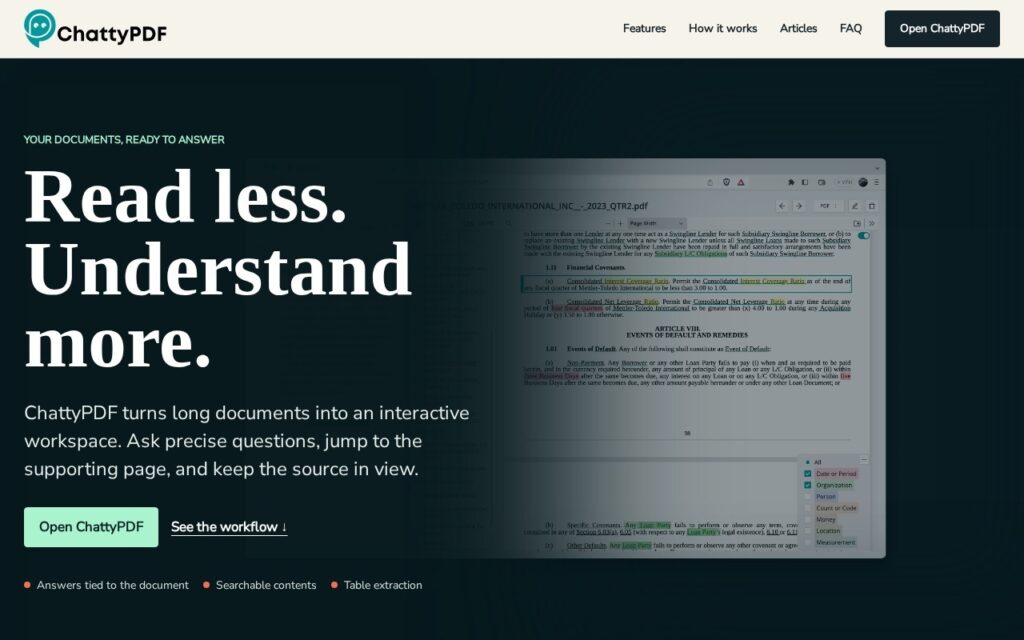
ChattyPDF is an AI-powered PDF viewer transforming document interaction: ask precise questions, jump to the supporting page, and keep the source in view rather than manually scanning through pages of dense material.

Question-based navigation lets users search documents using plain-language queries to locate specific facts, clauses, or conclusions, with a generated table of contents creating clickable outlines for otherwise unstructured documents. Term linking connects important terms to their definitions throughout the document, table extraction identifies and exports structured data for further analysis, a browser plugin enables document questioning while working elsewhere, and intelligent highlighting emphasizes the passages actually supporting each answer.

ChattyPDF targets professionals, researchers, and educators regularly working with dense, lengthy documents including reports, research papers, contracts, textbooks, and manuals. The product explicitly recommends inspecting the surrounding passage, table, or footnote before trusting an answer, emphasizing human verification against source material. Pricing isn’t shown; access runs through nlmatics.com.

Key features

  • Plain-language question-based document navigation
  • Generated clickable table of contents
  • Automatic term-to-definition linking
  • Table extraction to structured data
  • Explicit human-verification recommendation built into the product

Screenshots & demo

ChattyPDF screenshot 1

Pricing

ChattyPDF uses custom pricing. Contact their team for a quote based on your needs.

  • Pricing modelContact for Pricing
  • Starting priceCustom
  • Free planNo
Visit ChattyPDF

Pricing is provided as a guide. Check the official site for the latest plans.

Pros & cons

Pros

  • Honest about AI limitations rather than overselling reliability
  • Genuinely useful for dense professional and academic documents
  • Browser plugin extends usefulness beyond a single upload workflow

Cons

  • Pricing isn't shown on the landing page
  • No specific underlying AI model is named
  • Best suited to long, structured documents rather than short simple files

How it compares

ToolRatingFreeFromBest known for
ChattyPDF (this tool)3.2No—Plain-language question-based document navigation
AI PDF Summarizer by PDF Guru3.8No$24.95/moDrag-and-drop PDF upload up to 100MB

Alternatives to ChattyPDF

1 tool matched to ChattyPDF on what it does, its category and its price.

Frequently asked questions

What is ChattyPDF?
ChattyPDF is an AI-powered PDF viewer transforming document interaction: ask precise questions, jump to the supporting page, and keep the source in view rather than manually scanning through pages of dense material.
Is ChattyPDF free?
ChattyPDF does not offer a free plan.
What are the best ChattyPDF alternatives?
The closest matches in the directory are AI PDF Summarizer by PDF Guru, compared side by side above.

Reviews

3.2 Editorial rating No reviews yet

Write a review