
Freemium

Clipchamp

Browser-based AI video editor from Microsoft with templates, auto-captions, and text-to-video generation.

4.2 Video
4.2 Very good 4.2

Bottom line: Clipchamp is a strong video tool, best known for browser-based drag-and-drop video timeline, no install required. It has a free plan.

Free tier supports full 1080p HD export with no watermark, unusual generosity for a video editor 4K export and premium assets require either the $11.99/month Essentials plan or a Microsoft 365 subscription
Reviewed by Challenging Voice Editorial · Updated Jul 2026 How we rate
PricingFrom $11.99/mo
Free planYes
CompanyMicrosoft
PlatformsWeb, Windows
Best forVideo
Founded2013
Visits2
Last reviewedJul 2026
UpdatedJul 2026
Ask AI about Clipchamp ChatGPT Claude Perplexity

Overview

Clipchamp began as an Australian startup founded in Brisbane in 2013 by Alexander Dreiling, Dave Hewitt, Tobias Raub, and Soeren Balko, four former SAP employees whose original idea, a distributed-computing project, pivoted into browser-based video compression and eventually a full video editor. Microsoft acquired the company in September 2021, when Clipchamp had grown past 14 million users, and folded it into Microsoft 365 as its consumer and small-business video-editing tool.

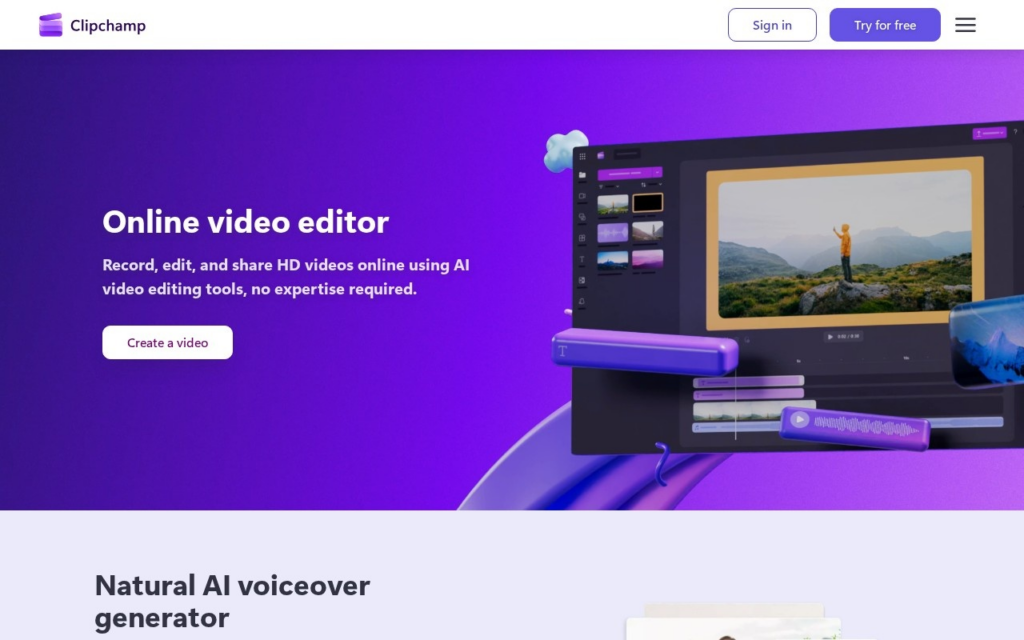
The editor runs entirely in a browser tab and pairs a drag-and-drop timeline with AI features layered on top: automatic captioning and translation, a text-to-video generator that builds a rough-cut video from a written script, background removal, and a stock-media library. Because it's tied to a Microsoft account, projects and brand kits sync the same way OneDrive files do, and sign-in requires nothing more than an existing personal Microsoft account.

Clipchamp suits casual creators, small businesses, and Microsoft 365 households making social or marketing video without a desktop editing background. Core editing and 1080p HD export are free; the single paid Essentials tier runs $11.99 a month (with a $7.99 first-month promotional rate) for 4K export and premium stock assets, and further premium features come bundled into Microsoft 365 Personal and Family subscriptions.

Key features

  • Browser-based drag-and-drop video timeline, no install required
  • Text-to-video generation from a written script
  • Automatic captioning and multi-language translation
  • AI background removal
  • Brand kit tools for consistent single-brand video output
  • Microsoft 365 and OneDrive account sync

Screenshots & demo

Demo video

Screenshots

Clipchamp screenshot 1

Pricing

Clipchamp has a free plan, and paid plans start at $11.99/mo.

  • Pricing modelFreemium
  • Starting priceFrom $11.99/mo
  • Free planYes
Visit Clipchamp

Pricing is provided as a guide. Check the official site for the latest plans.

Pros & cons

Pros

  • Free tier supports full 1080p HD export with no watermark, unusual generosity for a video editor
  • Backed by Microsoft's infrastructure and update cadence versus an independent startup's resources
  • Browser-based workflow means no local software install or specific hardware requirement
  • Bundled access through existing Microsoft 365 subscriptions adds value for households already paying for it

Cons

  • 4K export and premium assets require either the $11.99/month Essentials plan or a Microsoft 365 subscription
  • Original founding team and independent-startup identity have been absorbed into Microsoft's broader product roadmap
  • Feature depth (advanced color grading, multi-track audio mixing) trails dedicated professional editors like Premiere Pro or DaVinci Resolve
  • Some users report the jump from free to paid features as steep for what's delivered

How it compares

ToolRatingFreeFromBest known for
Clipchamp (this tool)4.2Yes$11.99/moBrowser-based drag-and-drop video timeline, no install required
Topaz Video AI4.4No$59/moVideo upscaling, frame-rate interpolation, and denoising
Viggle AI4.1Yes$8/moMotion transfer from a reference video onto a different character
Fliki4.5Yes$21/moLarge library of natural-sounding AI voices across numerous languages

Our verdict

4.2 / 5 4.2

Clipchamp is a strong video tool, best known for browser-based drag-and-drop video timeline, no install required. It offers a free plan, with paid upgrades from $11.99/mo.

What makes it different: Clipchamp stands out for browser-based drag-and-drop video timeline, no install required.

How we score it
Overall 4.2
Value for money 4.7
Feature depth 4.9
Popularity 3.7
Best for Video creatorsMarketersAgenciesEducators

Frequently asked questions

What is Clipchamp?
Clipchamp is a video tool listed in the Challenging Voice directory. Browser-based AI video editor from Microsoft with templates, auto-captions, and text-to-video generation.
Is Clipchamp free?
Yes, Clipchamp offers a free plan. Paid plans unlock more features and higher usage limits, starting at $11.99/month.
How much does Clipchamp cost?
Clipchamp starts at $11.99 per month. See the pricing plans above for full details.
What are the best Clipchamp alternatives?
Popular alternatives to Clipchamp include DeepMotion, Deepshot AI, and Anijam AI. Browse them all in the Video category.
Is Clipchamp any good?
Clipchamp scores 4.2 out of 5 based on our editorial review.

Reviews

4.2 No reviews yet

Write a review

Similar tools you might like

Clueso

4.2

AI platform turning raw screen recordings into narrated product videos and step-by-step written guides at once.

Free Trial Video

Kinetix

4.2

Turns a video clip of human movement into a rigged 3D animation ready for game engines.

Freemium Video