Freemium Verified

Filmora

A traditional, consumer-friendly video editor, not an AI avatar generator

4.4 Video
4.4 Very good 4.4

Bottom line: Filmora is a strong video tool, best known for traditional timeline-based video editing, not avatar or template generation. It has a free plan.

Genuine timeline editing control over a user's own footage Watermark-free export requires a paid plan
Reviewed by Challenging Voice Editorial · Updated Jul 2026 How we rate
PricingFrom $50/mo
Free planYes
CompanyWondershare
PlatformsAndroid, iOS, Mac, Windows
Best forVideo
Founded2015
Visits23
Last reviewedJun 2026
UpdatedJul 2026
Ask AI about Filmora ChatGPT Claude Perplexity

Overview

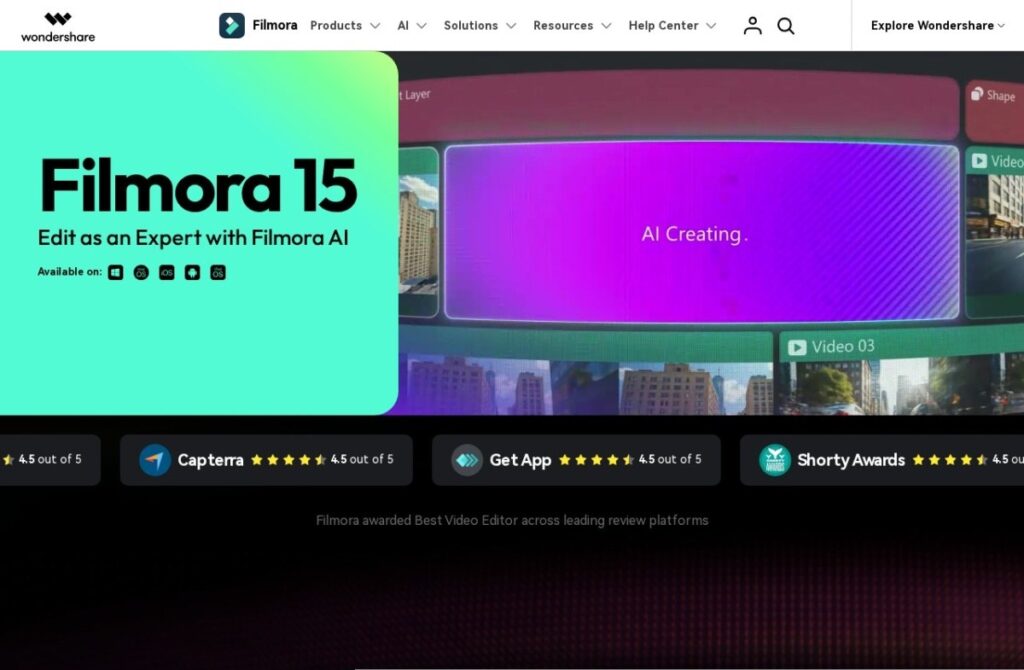
Filmora, founded in 2015 by Wondershare, is a traditional timeline-based video editor in the mold of professional editing software, but built with a notably gentler learning curve than industry-standard tools like Premiere Pro, aimed at hobbyists, small businesses, and content creators who want real editing control without a steep technical barrier.

AI features, background removal, auto-captioning, motion tracking, layer onto that traditional editing foundation rather than replacing it, distinguishing Filmora from the avatar-generation and template-assembly tools that dominate much of this category: a user is still directly editing a timeline of their own footage, with AI assisting specific tasks along the way.

A free tier covers standard use with a watermark, and paid plans start around $50 a year for watermark-free export and more features. For someone who wants genuine timeline-based editing control over their own footage, with AI assisting specific tasks rather than generating content wholesale, Filmora's traditional-editor foundation addresses that directly.

Key features

  • Traditional timeline-based video editing, not avatar or template generation
  • AI-assisted background removal, captioning, and motion tracking
  • Free tier for standard use, with a watermark on exports
  • Operating since 2015
  • Gentler learning curve than industry-standard professional editors
  • Desktop software available across major operating systems

Screenshots & demo

Demo video

Screenshots

Filmora screenshot 1

Pricing

Filmora has a free plan, and paid plans start at $50/mo.

  • Pricing modelFreemium
  • Starting priceFrom $50/mo
  • Free planYes
Visit Filmora

Pricing is provided as a guide. Check the official site for the latest plans.

Pros & cons

Pros

  • Genuine timeline editing control over a user's own footage
  • AI assists specific tasks without replacing hands-on editing control
  • Free tier available to test core functionality
  • Gentler learning curve than professional-grade editors like Premiere Pro

Cons

  • Watermark-free export requires a paid plan
  • Less suited to users wanting fully generated content rather than editing their own footage
  • Desktop-software model differs from the browser-based workflow of several newer competitors

How it compares

ToolRatingFreeFromBest known for
Filmora (this tool)4.4Yes$50/moTraditional timeline-based video editing, not avatar or template generation
OpusClip4.5Yes$15/moAutomatic highlight-moment identification from long-form source video
Fliki4.5Yes$21/moLarge library of natural-sounding AI voices across numerous languages
HeyGen4.5Yes$24/moBroadly recognized avatar realism and ease of use

Our verdict

4.4 / 5 4.4

Filmora is a strong video tool, best known for traditional timeline-based video editing, not avatar or template generation. It offers a free plan, with paid upgrades from $50/mo.

What makes it different: Filmora stands out for traditional timeline-based video editing, not avatar or template generation.

How we score it
Overall 4.4
Value for money 4.7
Feature depth 4.9
Popularity 4.0
Best for Video creatorsMarketersAgenciesEducators

Frequently asked questions

What is Filmora?
Filmora is a video tool listed in the Challenging Voice directory. A traditional, consumer-friendly video editor, not an AI avatar generator.
Is Filmora free?
Yes, Filmora offers a free plan. Paid plans unlock more features and higher usage limits, starting at $50/month.
How much does Filmora cost?
Filmora starts at $50 per month. See the pricing plans above for full details.
What are the best Filmora alternatives?
Popular alternatives to Filmora include aicut, HiClip, and DaVinci Resolve. Browse them all in the Video category.
Is Filmora any good?
Filmora scores 4.4 out of 5 based on our editorial review.

Reviews

4.4 No reviews yet

Write a review

Similar tools you might like

Dubly.AI

4.0

AI video translation platform that dubs speakers into 32+ languages while syncing lip movements to the new audio.

Free Trial Video

Klap

4.1

Cuts long-form video into short, captioned clips sized for TikTok, Reels, and Shorts.

Free Trial Video

Wan

4.2

Alibaba's open-source model generating synchronized audio and video together

Freemium Video