Freemium Verified

FlexClip

A browser-based, template-driven editor for straightforward marketing video

4.3 Video
4.3 Very good 4.3

Bottom line: FlexClip is a strong video tool, best known for browser-based editing requiring no software installation. It has a free plan.

Browser-based access requires no software installation or updates Watermark-free export requires a paid plan
Reviewed by Challenging Voice Editorial · Updated Aug 2026 How we rate
PricingFrom $12/mo
Free planYes
CompanyFlexClip
PlatformsWeb
Best forVideo
Founded2019
Visits25
Last reviewedJun 2026
UpdatedAug 2026
Ask AI about FlexClip ChatGPT Claude Perplexity

Overview

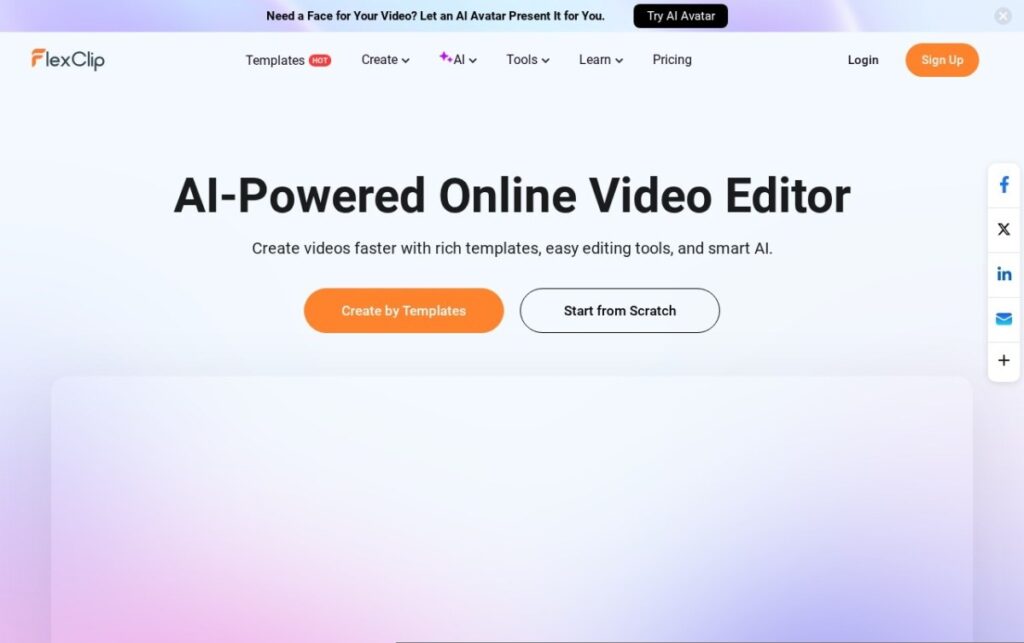
FlexClip, founded in 2019, runs entirely in the browser and centers its workflow around templates: choosing a pre-built structure for a specific video type, a product promo, a slideshow, a social ad, then swapping in a business's own footage, images, and text, rather than starting from a blank timeline or generating content from a prompt.

That template-first, browser-based approach suits small businesses and marketers who need straightforward promotional video fast without either the editing depth of Filmora or the generative complexity of avatar and AI-generation tools, a middle-ground option for video that's more than a slideshow but doesn't require real editing expertise.

A free tier covers standard use with a watermark, and paid plans start around $12 a month for watermark-free export and more features. For a small business or marketer who wants straightforward, template-driven promotional video without steep editing expertise, FlexClip's browser-based template approach addresses that directly.

Key features

  • Browser-based editing requiring no software installation
  • Template-first workflow for common marketing video types
  • Free tier for standard use, with a watermark on exports
  • Operating since 2019
  • Stock footage, images, and music library included
  • Straightforward interface aimed at non-specialist users

Screenshots & demo

Demo video

Screenshots

FlexClip screenshot 1

Pricing

FlexClip has a free plan, and paid plans start at $12/mo.

  • Pricing modelFreemium
  • Starting priceFrom $12/mo
  • Free planYes
Visit FlexClip

Pricing is provided as a guide. Check the official site for the latest plans.

Pros & cons

Pros

  • Browser-based access requires no software installation or updates
  • Template-first workflow speeds up common marketing video types significantly
  • Free tier available to test core functionality
  • More approachable than full timeline editors for non-specialists

Cons

  • Watermark-free export requires a paid plan
  • Less editing depth than full timeline editors like Filmora
  • Template-driven structure offers less creative flexibility than starting from scratch

How it compares

ToolRatingFreeFromBest known for
FlexClip (this tool)4.3Yes$12/moBrowser-based editing requiring no software installation
OpusClip4.5Yes$15/moAutomatic highlight-moment identification from long-form source video
Fliki4.5Yes$21/moLarge library of natural-sounding AI voices across numerous languages
HeyGen4.5Yes$24/moBroadly recognized avatar realism and ease of use

Our verdict

4.3 / 5 4.3

FlexClip is a strong video tool, best known for browser-based editing requiring no software installation. It offers a free plan, with paid upgrades from $12/mo.

What makes it different: FlexClip stands out for browser-based editing requiring no software installation.

How we score it
Overall 4.3
Value for money 4.7
Feature depth 4.9
Popularity 4.0
Best for Video creatorsMarketersAgenciesEducators

Frequently asked questions

What is FlexClip?
FlexClip is a video tool listed in the Challenging Voice directory. A browser-based, template-driven editor for straightforward marketing video.
Is FlexClip free?
Yes, FlexClip offers a free plan. Paid plans unlock more features and higher usage limits, starting at $12/month.
How much does FlexClip cost?
FlexClip starts at $12 per month. See the pricing plans above for full details.
What are the best FlexClip alternatives?
Popular alternatives to FlexClip include aicut, Dreamlux, and Dubly.AI. Browse them all in the Video category.
Is FlexClip any good?
FlexClip scores 4.3 out of 5 based on our editorial review.

Reviews

4.3 No reviews yet

Write a review

Similar tools you might like

Boords

4.3

Turns a script into frame-by-frame storyboards with AI, then keeps client approvals in one shared link.

Freemium Video

Wan

4.2

Alibaba's open-source model generating synchronized audio and video together

Freemium Video