
Freemium

Databox

A business intelligence dashboard that pulls metrics from 130+ tools and explains what changed in plain language.

4.1 Data and Analytics
4.1 Very good 4.1

Bottom line: A business intelligence dashboard that pulls metrics from 130+ tools and explains what changed in plain language. Free plan available.

Broad integration library removes most manual data-pulling from a reporting workflow Growth plan's $399/month jump from Analyst is a big step for a growing team
Reviewed by Challenging Voice Editorial · Updated Aug 2026 How we rate
PricingFrom $71/mo
Free planYes
CompanyDatabox
PlatformsAndroid, iOS, Web
Best forData and Analytics
Founded2016
Visits20
Last reviewedAug 2026
UpdatedAug 2026
Ask AI about Databox ChatGPT Claude Perplexity

Overview

Databox is a business analytics and dashboard platform founded in 2016 and headquartered in Boston, Massachusetts. What began as a mobile-first KPI dashboard has grown into an AI-assisted analytics layer that connects a company's existing tools rather than replacing them.

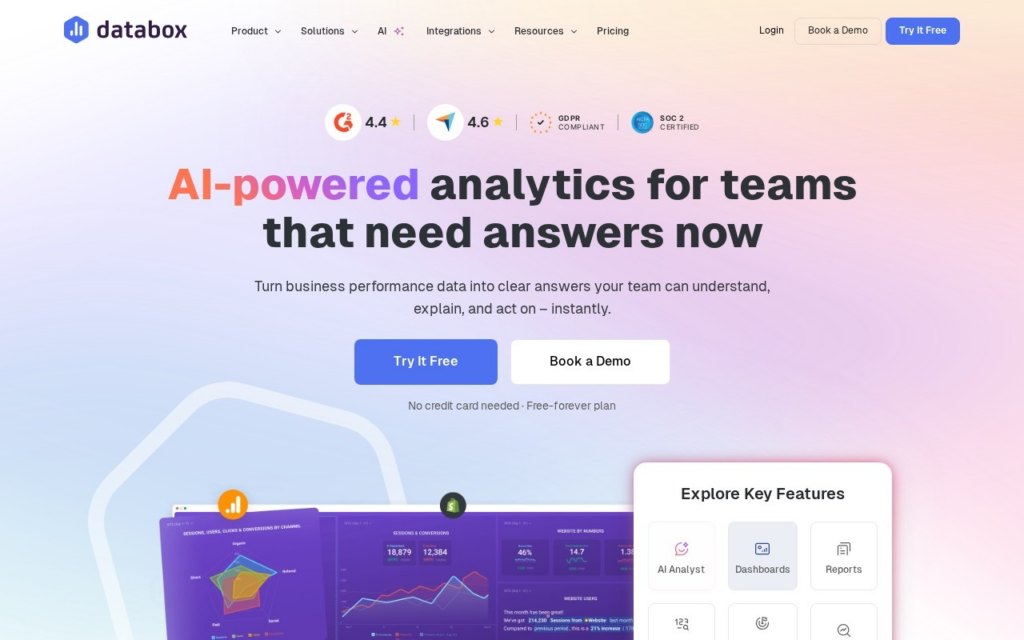
Databox pulls data from more than 130 integrations (analytics, CRM, ads, social, and finance platforms among them) into pre-built Datablocks, dashboards, and 200+ report templates, then layers an AI assistant on top that answers plain-English questions about performance and flags why a metric moved. The platform runs two separate pricing tracks: Business plans for internal company reporting and Agency plans built for consultancies managing dashboards across multiple clients.

Databox fits marketing, sales, and operations teams that want cross-tool reporting without building dashboards from scratch, plus agencies that need client-facing reports at scale. The Free plan covers 3 data sources and 1 dashboard; Analyst runs $64/month billed annually for individual operators, Growth is $399/month for unlimited users at 4,000 AI credits, and separate Agency plans start at $79/month for multi-client deployments.

Key features

  • 130+ pre-built integrations across analytics, CRM, ads, and finance tools
  • AI assistant that answers natural-language questions about business metrics
  • 200+ pre-built report templates and Datablocks
  • Separate Agency plans for consultancies managing multiple client accounts
  • Goals, alerts, and scheduled reports for tracking performance over time
  • Mobile app for checking dashboards away from a desktop

Screenshots & demo

Demo video

Screenshots

Databox screenshot 1

Pricing

Free
$0
  • 1 user, 3 data sources
  • 50 AI credits a month
  • AI analyst (Genie) and performance summaries
Analyst
$89/mo, or $71/mo billed yearly
  • 1 user, 5 data sources
  • 150 AI credits a month
  • Custom data integrations, MCP server and API access
Team
$249/mo, or $199/mo billed yearly (Core); $399 or $319 (Scale)
  • Core: 3 users, 10 data sources, 500 AI credits a month
  • Scale: 10 users, 30 data sources, 1,000 AI credits a month
  • Routines, custom skills, sharing and notifications
Agency
From $99/mo, or $79/mo billed yearly, plus $20/mo per client pack
  • Unlimited users
  • Cross-client reporting
  • Each client pack: 1 client, 5 data sources, 50 AI credits a month
Custom
Quote only
  • Databox audits, designs and builds your setup
  • An embedded engineer

Checked against Databox’s pricing page on 24 September 2026. Prices change, so confirm on the official site before you buy.

Is Databox expensive?

Databox starts at $71, which is 184% above the Data and Analytics median of $25 a month across the 60 priced tools we list in that category.

The cheapest paid option in Data and Analytics starts at $2.99 and the most expensive at $2,700.

38% of Data and Analytics tools in the directory offer a free tier, and this is one of them.

Compared against every priced listing in Data and Analytics, recalculated as the catalogue changes. Method and the full market breakdown are in our AI tool pricing study.

Pros & cons

Pros

  • Broad integration library removes most manual data-pulling from a reporting workflow
  • Free plan gives a real, if limited, way to test the platform before paying
  • Dedicated Agency pricing track suits consultancies managing several client accounts
  • AI assistant adds plain-language explanation on top of raw charts

Cons

  • Growth plan's $399/month jump from Analyst is a big step for a growing team
  • AI credits are metered per plan, so heavier natural-language usage can hit a ceiling
  • Extra data sources beyond a plan's included count carry additional per-source charges
  • A near decade-old dashboard product retrofitted with AI, rather than an AI-first design

How it compares

ToolRatingFreeFromBest known for
Databox (this tool)4.1Yes$71/mo130+ pre-built integrations across analytics, CRM, ads, and finance tools
Fluent4.0Yes$29/moNatural-language question answering over connected business data
Parse.ly3.6NoAI Insights – plain-English answers about audience behavior
ChartMogul3.7YesFreePlain-language querying of subscription data

Alternatives to Databox

4 tools matched to Databox on what they do, their category and their price.

Parse.ly

3.6

AI Insights answer content-performance questions in plain English, while headline testing runs on content that's already live, not before publish.

Contact for Pricing Data and Analytics

Frequently asked questions

What is Databox?
Databox is a business analytics and dashboard platform founded in 2016 and headquartered in Boston, Massachusetts.
Is Databox free?
Yes, Databox offers a free plan. Paid plans unlock more features and higher usage limits, starting at $71/month.
How much does Databox cost?
Databox plans: Free $0; Analyst $89/mo, or $71/mo billed yearly; Team $249/mo, or $199/mo billed yearly (Core); $399 or $319 (Scale); Agency From $99/mo, or $79/mo billed yearly, plus $20/mo per client pack. Checked against the vendor's pricing page on 24 September 2026.
What are the best Databox alternatives?
The closest matches in the directory are Fluent, Parse.ly, and ChartMogul, compared side by side above.

Reviews

4.1 No reviews yet

Write a review

More tools like Databox

Windsor.ai

3.6

Connect 350+ data sources into one pipeline, then ask Claude or ChatGPT anything about your data directly – answers in seconds, no dashboard-building required.