
Deep Learning Studio is a visual platform for designing, training and deploying neural networks without writing most of the model code. It's built for analysts, product teams and developers who want to prototype deep learning quickly. If you need full control over every training detail, you'll still want a code-first framework.
What Deep Learning Studio Does
Deep Learning Studio turns neural network design into a drawing task. You place layers on a canvas, connect them, set parameters and train the model from the same workspace, instead of hand-writing the architecture.
That matters because the hardest part for newcomers is rarely the math. It's the setup: environments, framework syntax and wiring layers correctly. A visual editor removes much of that friction. Check the vendor's own site for its current feature set and supported frameworks.
Who Should Use It
Deep Learning Studio suits people who understand what they want a model to do but don't want to spend weeks on boilerplate. Think of a data analyst testing an image classifier, or a startup validating an idea before hiring a machine learning engineer.
It suits less well a research team tuning custom loss functions or training at large scale. Those users need code, and a canvas gets in the way.
| Your situation | Likely fit |
|---|---|
| Analyst with data, no deep learning code experience | Strong |
| Product team prototyping a feature | Strong |
| Engineer who wants exportable starter code | Good |
| Researcher needing custom training loops | Weak |
How a Typical Project Runs
A Deep Learning Studio project follows four steps: load data, design the network, train, then deploy or export. The value is speed on the middle two.
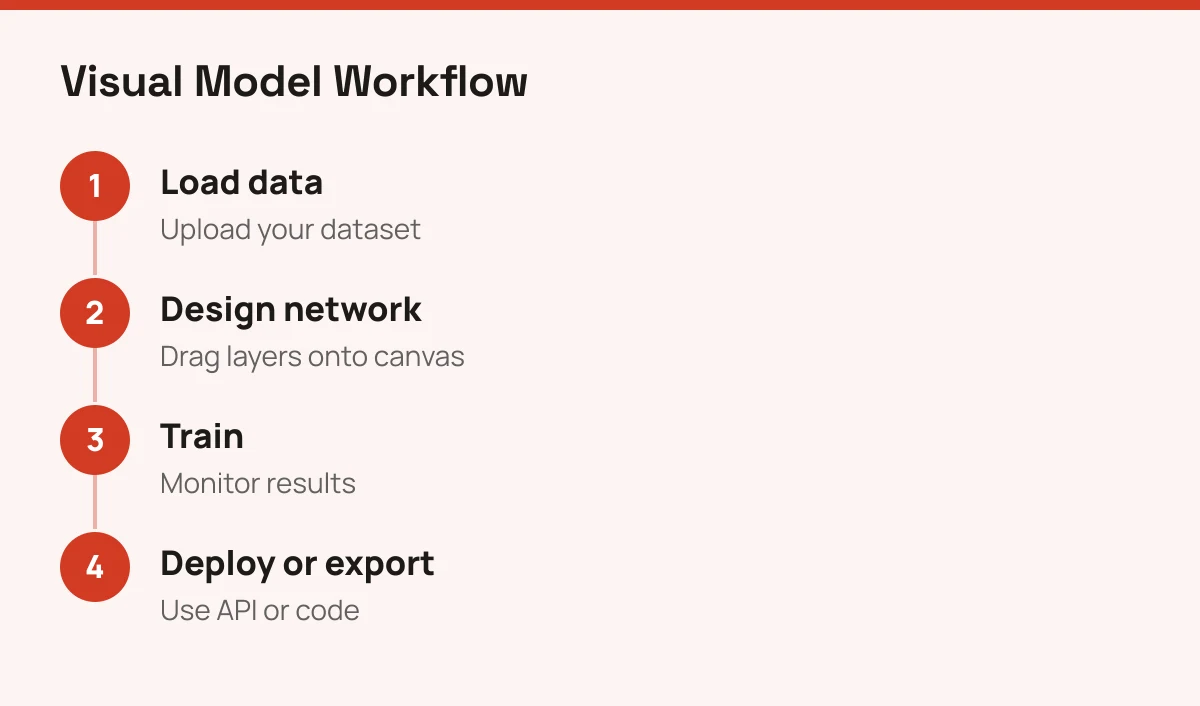
Start with a template close to your task, such as image classification, rather than a blank canvas. Training on a small subset first tells you quickly whether the architecture is sensible. Then scale up.
Where to Look Before Committing
Check three things before you build on Deep Learning Studio: pricing, framework support and maintenance. Pricing isn't something to assume, so confirm it on the vendor's official site.
Also confirm that the framework versions it exports to match what your team runs. And check how recently the product has been updated, since visual tools can lag behind fast-moving libraries.
If you're still mapping the field, compare it with the options in our ranking of best machine learning software. For a wider view of where this technology gets applied, read what machine learning is used for. If your interest is images specifically, Deep Image covers a narrower, ready-made use.