List your tool
Freemium Featured Verified

Grammarly

The writing assistant almost everyone has already used

4.6 Writing
4.6 Excellent 4.6
Free tier is genuinely useful long-term, not just a trial Generative features feel bolted onto an older core product
Reviewed by Challenging Voice Editorial · Updated Jul 2026 How we rate
PricingFrom $12/mo
Free planYes
CompanyGrammarly
PlatformsChrome Extension, Mac, Web, Windows
CategoryWriting
Founded2009
Visits104
Last reviewedJun 2026
UpdatedJul 2026

Is this your tool?

  • Claim this listing. Sign in with an email at grammarly.com to manage it. Claim Grammarly
  • Get into the top 5 of Writing. 5 of 5 spots open, from $159/month. See positions
  • Something out of date? Owners can request edits from My listings; anyone can tell us.
Ask AI about Grammarly ChatGPT Claude Perplexity

Overview

Grammarly predates the current AI writing boom by well over a decade. Three Ukrainian-born founders launched it in 2009 as a grammar and plagiarism checker aimed at students and academic writing, and it grew into one of the most widely installed browser extensions in existence long before generative AI became the industry's main pitch.

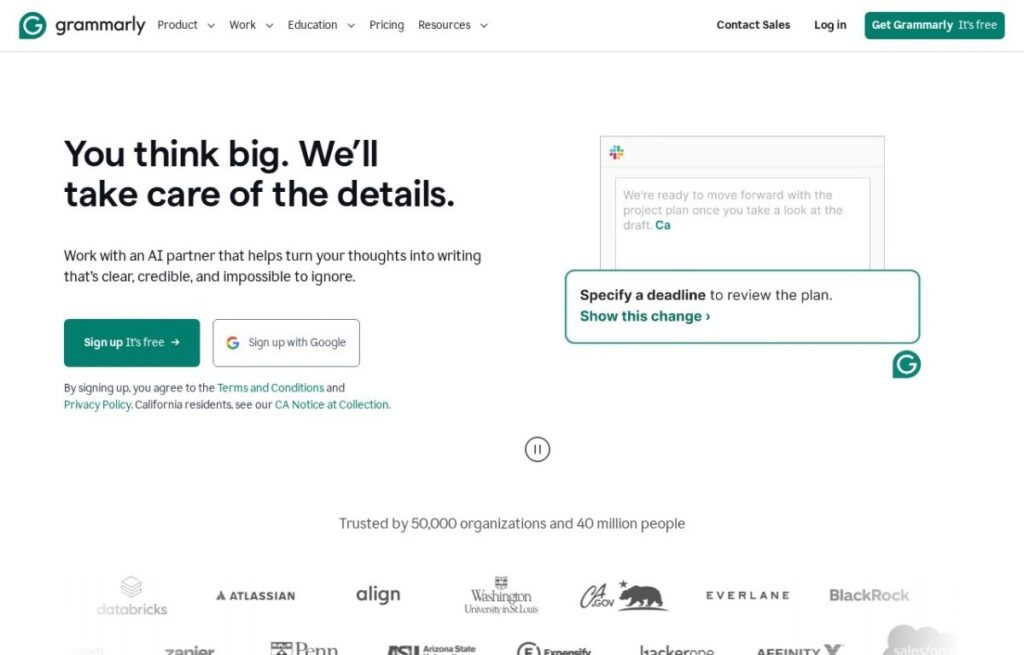
That history shapes what it's actually good at: real-time grammar, spelling, punctuation, and clarity correction as you type, inline and unobtrusive, across Gmail, Docs, Slack, and just about anywhere else text gets typed in a browser. Generative features arrived later, bundled as GrammarlyGO, letting users draft, rewrite, or adjust tone on demand, but the correction layer underneath is still the product's real foundation and what most of its user base actually opens it for.

The free tier covers core grammar and spelling checks and is genuinely usable long-term, not a bait-and-switch trial; the $12-a-month Premium tier adds tone detection, clarity rewrites, and plagiarism checking, while Business plans add brand style guides and admin controls for teams. Few tools in this category can claim Grammarly's install base or its decade-plus track record of just quietly catching typos before anyone notices them.
Key features

  • Real-time grammar, spelling, and punctuation checks
  • Tone detection and clarity rewrite suggestions
  • GrammarlyGO generative drafting and rewriting
  • Works inline across Gmail, Docs, Slack, and most websites
  • Plagiarism checking on paid tiers
  • Team brand style guides on Business plans

Screenshots & demo

Demo video

Screenshots

Grammarly screenshot 1

Pricing

Free
Free
  • Basic grammar and spelling
  • Tone detection
  • Works across apps
Pro
$12/mo
  • Advanced clarity rewrites
  • Generative AI assistance
  • Plagiarism detection
  • Tone and style controls
Business
$15/user/mo
  • Team style guides
  • Brand tone controls
  • Admin and analytics
  • Centralized billing

Is Grammarly expensive?

Grammarly starts at $12, which is right at the Writing median of $12 a month across the 111 priced tools we list in that category.

The cheapest paid option in Writing starts at $1.95 and the most expensive at $390.

66% of Writing tools in the directory offer a free tier, and this is one of them.

Compared against every priced listing in Writing, recalculated as the catalogue changes. Method and the full market breakdown are in our AI tool pricing study.

Pros & cons

Pros

  • Free tier is genuinely useful long-term, not just a trial
  • Runs inline almost everywhere you write, no copy-pasting
  • Over a decade of refinement on core grammar detection
  • Business tier adds real style-guide enforcement for teams

Cons

  • Generative features feel bolted onto an older core product
  • Tone and clarity suggestions can be overly conservative
  • Desktop and browser experiences aren't perfectly consistent

How it compares

ToolRatingFreeFromBest known for
Grammarly (this tool)4.6Yes$12/moReal-time grammar, spelling, and punctuation checks
ReWrite It.AI2.9Yes$9.99/moAI paraphrasing, summarization, and grammar checking
Outwrite3.3YesFreeAI-powered grammar, spelling, and punctuation correction
Linguix3.9Yes$10/moGrammar and clarity correction on any website

Alternatives to Grammarly

4 tools matched to Grammarly on what they do, their category and their price.

ReWrite It.AI

2.9

Paraphrase, summarize, and grammar-check your emails, essays, and social posts across multiple languages – a free tier covers up to 250 words.

Freemium Writing

Outwrite

3.3

Grammar, style, paraphrasing, and passive-voice fixes with readability scoring – across Chrome, Word, Docs, Gmail, and more.

Freemium Writing

Scribens

3.9

Free AI-powered grammar and spell checker for English and 40+ languages, with a Premium paraphrasing tool and browser extensions for Gmail, Word, Google Docs and major social platforms.

Freemium Writing

Frequently asked questions

What is Grammarly?
Grammarly predates the current AI writing boom by well over a decade.
Is Grammarly free?
Yes, Grammarly offers a free plan. Paid plans unlock more features and higher usage limits, starting at $12/month.
How much does Grammarly cost?
Grammarly plans: Free Free; Pro $12/mo; Business $15/user/mo.
What are the best Grammarly alternatives?
The closest matches in the directory are ReWrite It.AI, Outwrite, and Linguix, compared side by side above.

Reviews

4.6 Editorial rating No reviews yet

Write a review

More tools like Grammarly