Free Trial

Image to Prompt

Turn images into six model-ready AI prompts with detailed visual analysis.

3.4 Design
3.4 Good 3.4

Bottom line: Turn images into six model-ready AI prompts with detailed visual analysis. Paid plans from $9.9/mo.

One analysis yields prompts tailored to several models The free credits are a one-time allowance
Reviewed by Challenging Voice Editorial · Updated Sep 2026 How we rate
PricingFrom $9.9/mo
Free planNo
CompanyImage to Prompt Team
PlatformsWeb
Best forDesign
Visits1
Last reviewedSep 2026
UpdatedSep 2026
Ask AI about Image to Prompt ChatGPT Claude Perplexity

Overview

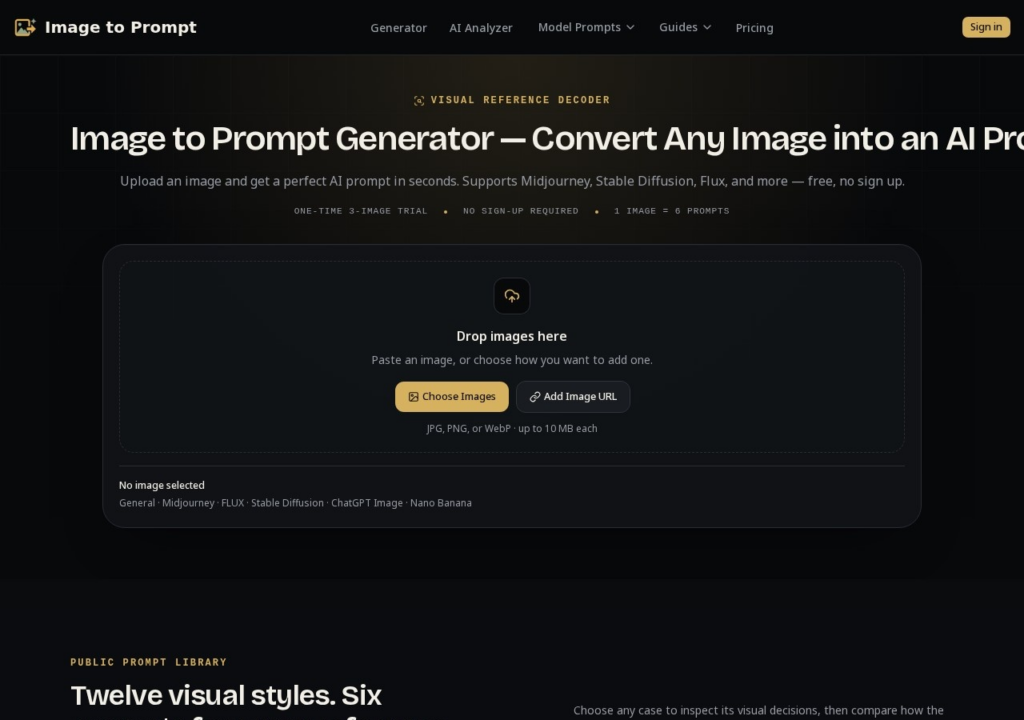
Image to Prompt works backwards from a picture: give it an image and it writes prompts designed to recreate it, in six formats at once, covering Midjourney, FLUX, Stable Diffusion, ChatGPT Image and Nano Banana, each shaped to how that model reads instructions. That makes it useful for carrying a reference style from one model to another. You can upload, paste or link an image. Registration gives 5 permanent free credits, used once. Pro costs $9.90 a month for 1,000 credits with batch queues and saved, editable history. A prompt is a description rather than a recipe, so no model is guaranteed to reproduce the source image exactly, and expect to iterate on what it writes.

Key features

  • Turns an image into six model-ready prompts at once
  • Formats for Midjourney, FLUX, Stable Diffusion, ChatGPT Image and Nano Banana
  • Accepts uploads, pasted images and image URLs
  • Batch queues and saved, editable prompt history on Pro
  • 5 permanent free credits on registration

Screenshots & demo

Image to Prompt screenshot 1

Pricing

Image to Prompt is a paid tool, with plans that start at $9.9/mo.

  • Pricing modelFree Trial
  • Starting priceFrom $9.9/mo
  • Free planNo
Visit Image to Prompt

Pricing is provided as a guide. Check the official site for the latest plans.

Is Image to Prompt expensive?

Image to Prompt starts at $9.9, which is 34% below the Design median of $15 a month across the 105 priced tools we list in that category.

The cheapest paid option in Design starts at $0.5 and the most expensive at $185.

72% of Design tools in the directory offer a free tier, which this one does not.

Compared against every priced listing in Design, recalculated as the catalogue changes. Method and the full market breakdown are in our AI tool pricing study.

Pros & cons

Pros

  • One analysis yields prompts tailored to several models
  • Useful for recreating a reference style on a different model
  • Pro includes 1,000 credits a month

Cons

  • The free credits are a one-time allowance
  • Prompts describe an image; they cannot guarantee a model reproduces it
  • Analysis is one image at a time on the free tier

How it compares

ToolRatingFreeFromBest known for
Image to Prompt (this tool)3.4No$9.9/moTurns an image into six model-ready prompts at once
Make Floor Plan3.4No$14.99/moGenerates a floor plan from a written description
PhotoEditorAI3.7YesFreeBackground removal, object removal, retouching, style transfer
BnbIcons3.8Yes$6/moText-prompt icon generation in Airbnb's isometric skeuomorphic style

Alternatives to Image to Prompt

3 tools matched to Image to Prompt on what they do, their category and their price.

PhotoEditorAI

3.7

Multi-model editing across SeeDream, Nano Banana, GPT Image 2 and Qwen – 2-18 credits per edit depending on the model chosen.

Freemium Design

Frequently asked questions

What is Image to Prompt?
Image to Prompt works backwards from a picture: give it an image and it writes prompts designed to recreate it, in six formats at once, covering Midjourney, FLUX, Stable Diffusion, ChatGPT Image and Nano Banana, each shaped to how that model reads instructions.
Is Image to Prompt free?
Image to Prompt does not offer a free plan; paid pricing starts at $9.9 per month.
How much does Image to Prompt cost?
Image to Prompt starts at $9.9 per month. See the pricing plans above for full details.
What are the best Image to Prompt alternatives?
The closest matches in the directory are Make Floor Plan, PhotoEditorAI, and BnbIcons, compared side by side above.

Reviews

3.4 No reviews yet

Write a review