
Freemium

Pixelicious

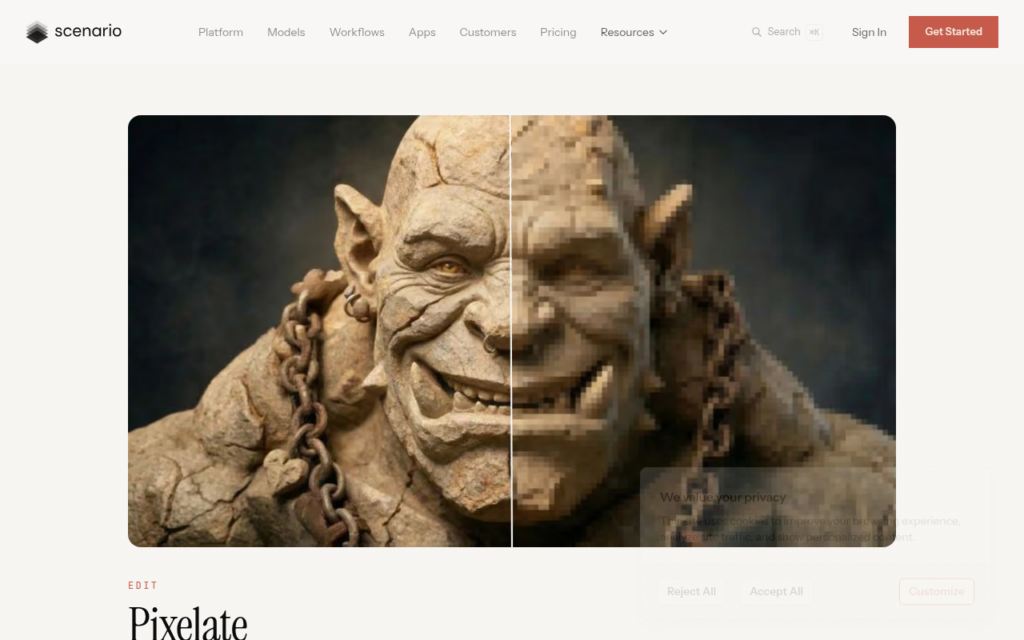
Converts any image into pixel art with adjustable grids and custom palettes.

3.5 Image Generation
3.5 Good 3.5

Bottom line: Pixelicious is a capable image generation tool, best known for image to pixel art conversion with adjustable grid resolution. It has a free plan.

Grid and palette control is what actually makes pixel art work Output is a starting point; sprites usually need hand-editing
Reviewed by Challenging Voice Editorial · Updated Aug 2026 How we rate
PricingFree
Free planYes
PlatformsWeb
Best forImage Generation
Visits2
Last reviewedAug 2026
UpdatedAug 2026
Ask AI about Pixelicious ChatGPT Claude Perplexity

Overview

Pixelicious converts images into pixel art with control over grid resolution and colour palette. Those two controls are the whole craft: pixel art is defined by deliberate constraint, and a naive downscale produces a blurry small image rather than pixel art.

The audience is specific and well served. Indie game developers need sprites and tiles, and hand-pixelling assets is slow work that stalls solo projects; retro-styled design and social graphics have the same need. Custom palettes matter because a consistent limited palette is what makes a set of assets look like they belong together.

It is a focused single-purpose tool, free to try, and does not attempt to be an art suite. The honest limit is that conversion produces a starting point rather than finished game art, since good sprites usually need hand-editing to read clearly at small sizes.

Key features

  • Image to pixel art conversion with adjustable grid resolution
  • Custom colour palettes for consistent asset sets
  • Suited to game sprites, tiles and retro design
  • Instant conversion with no setup
  • Free to try

Screenshots & demo

Demo video

Screenshots

Pixelicious screenshot 1

Pricing

Pixelicious offers a free plan, with paid upgrades for higher limits and more features.

  • Pricing modelFreemium
  • Starting priceFree
  • Free planYes
Visit Pixelicious

Pricing is provided as a guide. Check the official site for the latest plans.

Pros & cons

Pros

  • Grid and palette control is what actually makes pixel art work
  • Consistent palettes keep an asset set coherent
  • Fast and free to try for a narrow, real need

Cons

  • Output is a starting point; sprites usually need hand-editing
  • Single-purpose with no broader design capability

How it compares

ToolRatingFreeFromBest known for
Pixelicious (this tool)3.5YesFreeImage to pixel art conversion with adjustable grid resolution
Stockimg AI4.2Yes$19/moPurpose-built generators for logos, book covers, and posters
NightCafe4.5Yes$6/moDaily art challenges with public voting
Flux4.4YesFreeNotably improved hand and text rendering accuracy

Our verdict

3.5 / 5 3.5

Pixelicious is a solid image generation tool, best known for image to pixel art conversion with adjustable grid resolution. It offers a free plan.

What makes it different: Pixelicious stands out for image to pixel art conversion with adjustable grid resolution.

How we score it
Overall 3.5
Value for money 4.7
Feature depth 4.9
Popularity 3.7
Best for DesignersMarketersSocial media managersArtists

Frequently asked questions

What is Pixelicious?
Pixelicious is an image generation tool listed in the Challenging Voice directory. Converts any image into pixel art with adjustable grids and custom palettes.
Is Pixelicious free?
Yes, Pixelicious offers a free plan. Paid plans unlock more features and higher usage limits.
What are the best Pixelicious alternatives?
Popular alternatives to Pixelicious include Shopify Logo Maker, PicSo, and ImageColorizer. Browse them all in the Image Generation category.
Is Pixelicious any good?
Pixelicious scores 3.5 out of 5 based on our editorial review.

Reviews

3.5 No reviews yet

Write a review

Similar tools you might like