
Free

Retext

A native macOS text expander that turns short triggers into full phrases, runs 100% locally with no account, and can generate snippet text with AI.

3.7 Productivity
3.7 Good 3.7
Local-only storage is the right default for snippets holding personal data macOS 15+ only – no Windows, Linux or mobile
Reviewed by Challenging Voice Editorial · Updated Sep 2026 How we rate
PricingFree
Free planYes
CompanyRetext
PlatformsMac
CategoryProductivity
Visits9
Last reviewedAug 2026
UpdatedSep 2026
Ask AI about Retext ChatGPT Claude Perplexity

Overview

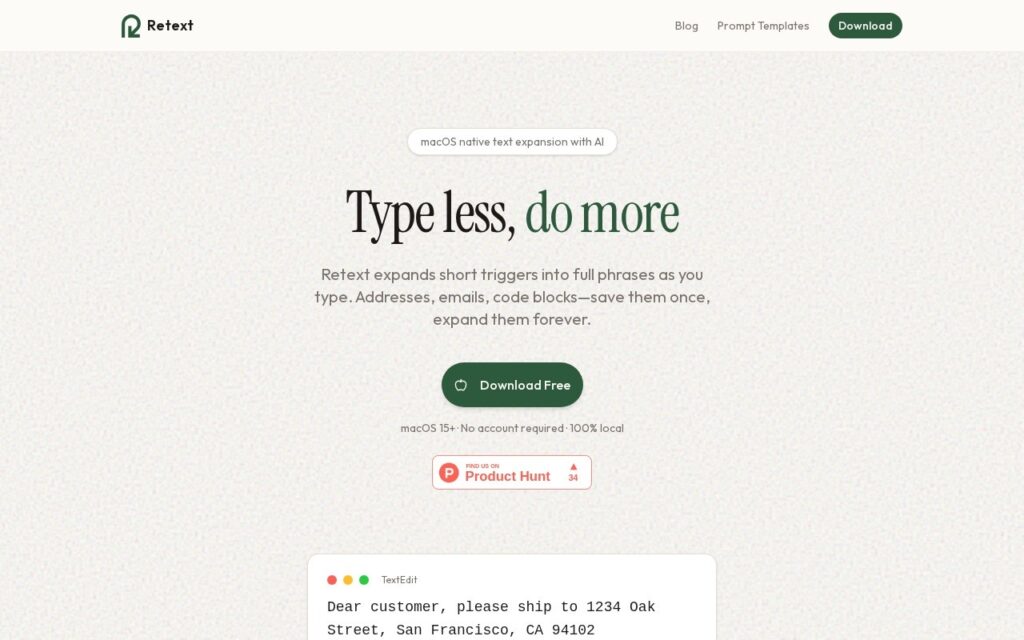
Retext is a text expander for macOS: type a short trigger like ;addr and it expands into a saved address, email signature, code block or canned response.

Two decisions make it worth noting in a catalogue full of cloud tools. It is 100% local and requires no account – snippets frequently contain addresses, client details and credentials-adjacent text, and keeping them off a server is the right default. And it is built natively in Swift rather than Electron, which for something intercepting every keystroke is the difference between invisible and irritating.

The AI component is scoped sensibly: generate snippet text from a title and optional prompt, rather than routing your typing through a model. Snippets organise by tags for grouping by project or client. It needs macOS 15 or later and the download is free.

Key features

  • Trigger-based text expansion anywhere in macOS
  • 100% local with no account required
  • Native Swift app, not Electron
  • AI generation of snippet text from a title and prompt
  • Tag-based snippet organisation by project or client
  • Free download

Screenshots & demo

Retext screenshot 1

Pricing

Retext offers a free plan, with paid upgrades for higher limits and more features.

  • Pricing modelFree
  • Starting priceFree
  • Free planYes
Visit Retext

Pricing is provided as a guide. Check the official site for the latest plans.

Is Retext expensive?

Retext has no advertised paid tier. Among the 166 priced tools we list in Productivity, the median entry price is $11.3 a month.

72% of Productivity tools in the directory offer a free tier, and this is one of them.

Compared against every priced listing in Productivity, recalculated as the catalogue changes. Method and the full market breakdown are in our AI tool pricing study.

Pros & cons

Pros

  • Local-only storage is the right default for snippets holding personal data
  • Native build keeps a keystroke-level tool genuinely fast
  • Free with no account to create

Cons

  • macOS 15+ only – no Windows, Linux or mobile
  • No cloud sync, which is the trade for local-only storage
  • AI is limited to drafting snippet text, not expansion itself

How it compares

ToolRatingFreeFromBest known for
Retext (this tool)3.7YesFreeTrigger-based text expansion anywhere in macOS
Slashit3.7YesFreeText expansion from short codes into saved snippets
Flakes3.8YesFreeKeyboard-first navigation
Shortkut3.4YesFreeAI-powered shortcuts usable in any input box on the internet

Alternatives to Retext

4 tools matched to Retext on what they do, their category and their price.

Shortkut

3.4

A Chrome extension that puts ChatGPT-powered shortcuts into any input box on the internet – build, save, and share AI snippets with your whole team.

NewsBlur

3.6

An RSS reader with Intelligence Training – you teach it which authors, tags and phrases you care about, and it filters every feed accordingly.

Freemium Productivity

Frequently asked questions

What is Retext?
Retext is a text expander for macOS: type a short trigger like ;addr and it expands into a saved address, email signature, code block or canned response.
Is Retext free?
Yes, Retext offers a free plan. Paid plans unlock more features and higher usage limits.
What are the best Retext alternatives?
The closest matches in the directory are Slashit, Flakes, and Shortkut, compared side by side above.

Reviews

3.7 No reviews yet

Write a review