
Freemium

Spikes Studio

Finds the moments in a long video, clips them, styles the captions and schedules the posts.

3.8 Video
3.8 Good 3.8
Performance data closes the loop that most clipping tools leave open No pricing figures published
Reviewed by Challenging Voice Editorial · Updated Aug 2026 How we rate
PricingFree
Free planYes
CompanySpikes Studio
PlatformsWeb
CategoryVideo
Last reviewedAug 2026
Ask AI about Spikes Studio ChatGPT Claude Perplexity

Overview

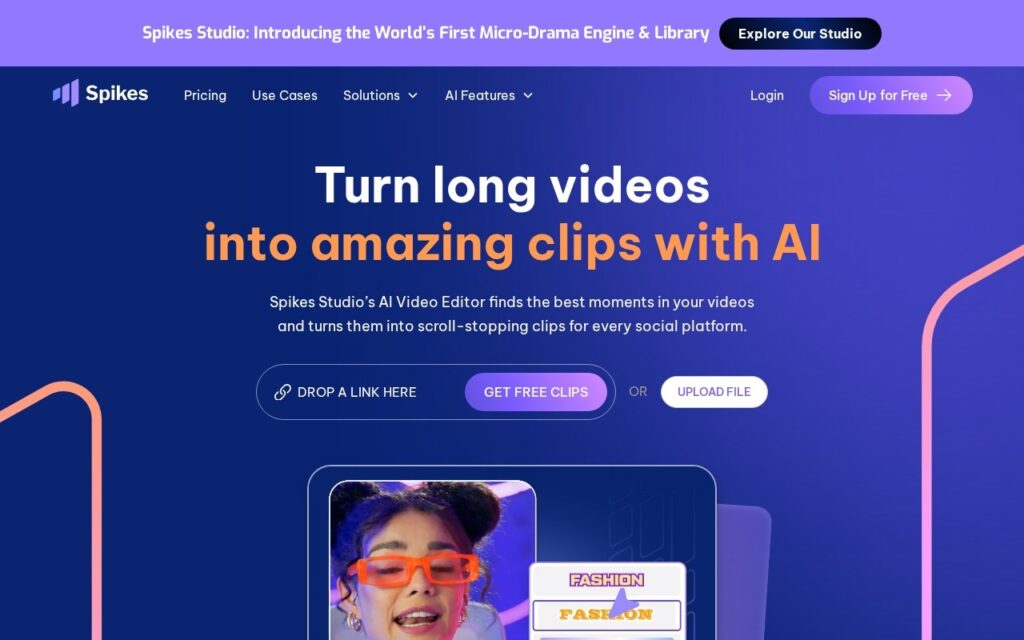
Spikes Studio cuts long video into short clips: smart moment detection picks the candidates, automatic transitions and zooming shape them, captions come styled to a brand, and multi-format export plus cross-platform scheduling gets them out. A unified dashboard reports how they performed.

The performance dashboard is what separates it from the clipping tools it competes with. Clipping is close to commoditised now; knowing which clips actually worked, across every platform they were posted to, is the feedback loop that changes what gets clipped next, and most tools hand you files and stop.

The named audiences are unusually specific, churches, politicians, podcasters and media companies, which says something about who is actually using it. There is a free plan with a watermark and no card required, but no pricing figures appear. Automatic moment detection optimises for engagement patterns rather than meaning, the free tier watermarks everything, and automatic zooming applied wrongly is worse than no zooming.

Key features

  • Smart moment detection across long video
  • Automatic transitions and zooming
  • On-brand caption styling
  • Multi-format export and cross-platform scheduling
  • Unified performance dashboard across platforms

Screenshots & demo

Spikes Studio screenshot 1

Pricing

Spikes Studio offers a free plan, with paid upgrades for higher limits and more features.

  • Pricing modelFreemium
  • Starting priceFree
  • Free planYes
Visit Spikes Studio

Pricing is provided as a guide. Check the official site for the latest plans.

Is Spikes Studio expensive?

Spikes Studio has no advertised paid tier. Among the 142 priced tools we list in Video, the median entry price is $15.1 a month.

65% of Video tools in the directory offer a free tier, and this is one of them.

Compared against every priced listing in Video, recalculated as the catalogue changes. Method and the full market breakdown are in our AI tool pricing study.

Pros & cons

Pros

  • Performance data closes the loop that most clipping tools leave open
  • Scheduling included rather than exporting files to another tool
  • Free plan with no card required

Cons

  • No pricing figures published
  • Free output is watermarked
  • Moment detection optimises for engagement patterns, not meaning

How it compares

ToolRatingFreeFromBest known for
Spikes Studio (this tool)3.8YesFreeSmart moment detection across long video
quso.ai4.0Yes$29/moMoment detection with virality scoring
Overlap3.8No—Reusable clipping workflows applied to every upload
AI Video Cut3.8Yes$10/moReady-made and custom AI prompts for clip selection

Alternatives to Spikes Studio

4 tools matched to Spikes Studio on what they do, their category and their price.

Frequently asked questions

What is Spikes Studio?
Spikes Studio cuts long video into short clips: smart moment detection picks the candidates, automatic transitions and zooming shape them, captions come styled to a brand, and multi-format export plus cross-platform scheduling gets them out.
Is Spikes Studio free?
Yes, Spikes Studio offers a free plan. Paid plans unlock more features and higher usage limits.
What are the best Spikes Studio alternatives?
The closest matches in the directory are quso.ai, Overlap, and AI Video Cut, compared side by side above.

Reviews

3.8 Editorial rating No reviews yet

Write a review

More tools like Spikes Studio

Eklipse

3.4

AI automatically detects the best moments in your gaming stream, clips them, and turns them into TikTok-ready shorts with memes and captions added.

Freemium Video

Klap

4.1

Cuts long-form video into short, captioned clips sized for TikTok, Reels, and Shorts.

Free Trial Video

Submagic

4.0

123-language captions at 99% accuracy, Magic Clips to pull several shorts from one long video – trusted by 4M+ businesses including Shopify and Uber.

Freemium Video