
Contact for Pricing

Superflows

Drops an AI assistant into your SaaS product from an API spec and one line of code.

3.7 Good 3.7
Confirmation before action keeps liability where it belongs No pricing figures published for any tier
Reviewed by Challenging Voice Editorial · Updated Aug 2026 How we rate
PricingContact for Pricing
Free planNo
CompanyLearney AI Ltd.
PlatformsAPI, Web
CategoryAI Infrastructure & Agent Tooling
Last reviewedAug 2026
Ask AI about Superflows ChatGPT Claude Perplexity

Overview

Superflows lets a software product add an assistant without building one. Upload the API spec, integrate with a line of code, and users can ask analytics questions that require API calls, take actions with confirmation, and query the product documentation conversationally.

Requiring confirmation before actions is the design decision that makes this shippable. An assistant embedded in someone else’s product acting directly on a customer’s data is a support incident waiting to happen, and an approval step keeps the vendor’s liability where it belongs. A playground for testing and interaction analytics cover what happens after launch.

Learney AI describes three tiers, Testing, Scale and Enterprise, with no figures published. The footer notes the company pivoted to this, which is worth knowing about a dependency you would embed in your own product. Assistant quality depends entirely on how well the API spec is written, and embedding a third party in your product surface makes their downtime yours.
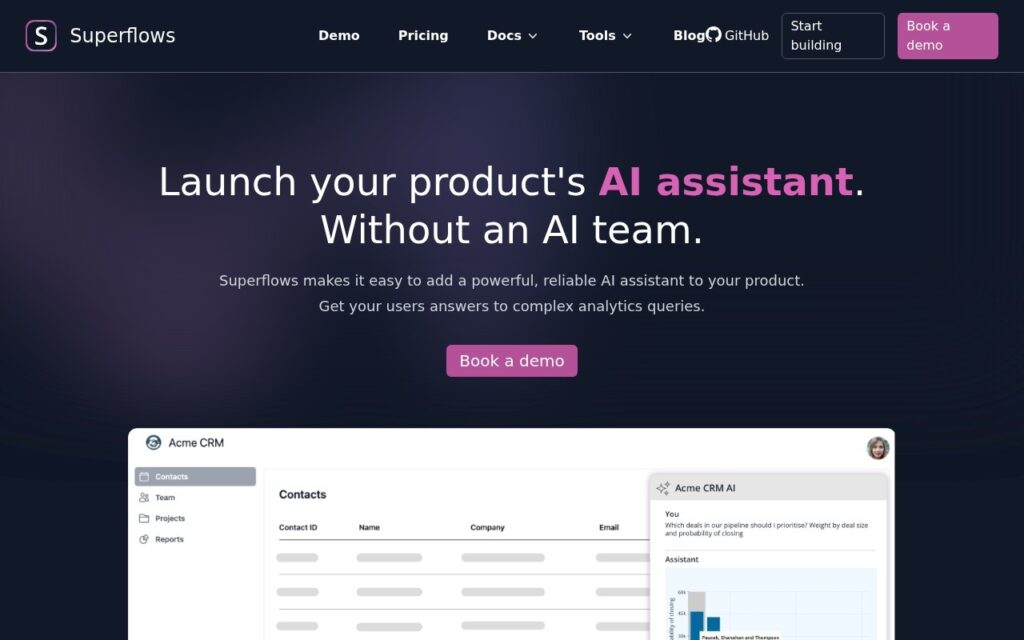

Key features

  • Assistant built from an uploaded API spec
  • One-line code integration
  • Actions taken only with user confirmation
  • Documentation answering alongside data queries
  • Playground for testing and interaction analytics

Screenshots & demo

Superflows screenshot 1

Pricing

Superflows uses custom pricing. Contact their team for a quote based on your needs.

  • Pricing modelContact for Pricing
  • Starting priceCustom
  • Free planNo
Visit Superflows

Pricing is provided as a guide. Check the official site for the latest plans.

Pros & cons

Pros

  • Confirmation before action keeps liability where it belongs
  • One-line integration rather than an AI team
  • Analytics on what users actually ask

Cons

  • No pricing figures published for any tier
  • Quality depends entirely on how well the API spec is written
  • Embedding a third party makes their downtime yours

How it compares

ToolRatingFreeFromBest known for
Superflows (this tool)3.7No—Assistant built from an uploaded API spec
MCP Showcase3.6Yes$29/moEmbeddable live playground widget for MCP server demos
Knowlee3.6YesFreeShared 'Company Brain' model of organizational operations
Prodia3.9YesFreeSingle API across many open-source image and video models

Alternatives to Superflows

3 tools matched to Superflows on what they do, their category and their price.

Knowlee

3.6

Build a shared 'Company Brain' once, then let AI agents run recurring work across sales, recruiting, legal, finance, marketing, ops and procurement – every action needs human approval and leaves an audit trail.

Frequently asked questions

What is Superflows?
Superflows lets a software product add an assistant without building one.
Is Superflows free?
Superflows does not offer a free plan.
What are the best Superflows alternatives?
The closest matches in the directory are MCP Showcase, Knowlee, and Prodia, compared side by side above.

Reviews

3.7 Editorial rating No reviews yet

Write a review