
List your tool
Freemium

Textomap

Generates interactive maps from text, images, websites and questions – paste an itinerary, get it plotted.

3.5 Data and Analytics
3.5 Good 3.5
Removes the copy-each-place-in step that stops people making maps at all Place names are ambiguous – check the pins before relying on a map
Reviewed by Challenging Voice Editorial · Updated Sep 2026 How we rate
PricingFree
Free planYes
CompanyTextomap
PlatformsWeb
CategoryData and Analytics
Last reviewedSep 2026

Is this your tool?

  • Claim this listing. Sign in with an email at textomap.com to manage it. Claim Textomap
  • Get into the top 5 of Data and Analytics. 5 of 5 spots open, from $159/month. See positions
  • Something out of date? Owners can request edits from My listings; anyone can tell us.
Ask AI about Textomap ChatGPT Claude Perplexity

Overview

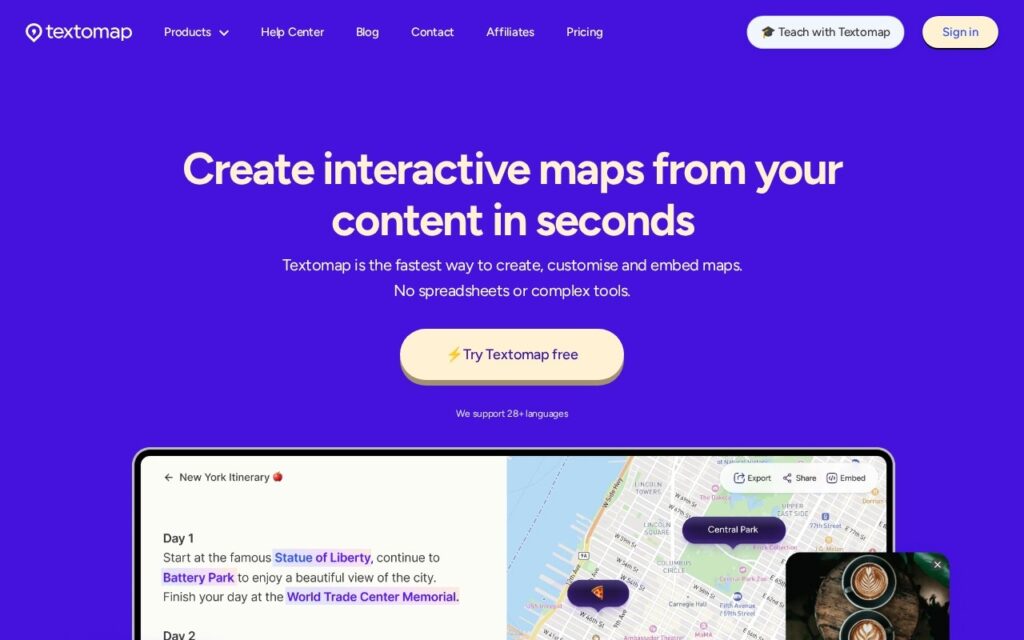
Textomap turns text into interactive maps. Paste an article, an itinerary or a list of places – or point it at an image, a website or a data file – and it extracts the locations and plots them.

The gap it fills is a familiar annoyance. Places arrive as prose constantly – a travel article, a conference agenda, a friend’s list of recommendations – and turning that into something you can look at spatially has always meant copying each name into a mapping tool one by one. Nobody does it, so the geography of the information stays invisible, even though it is often the most useful thing about it.

Accepting images and web pages as input, not just typed text, covers how these lists actually reach you. Expect to correct the results: place names are genuinely ambiguous, and any extractor will confidently put the wrong Springfield on the map – so check the pins before sharing a map with anyone relying on it.

Key features

  • Interactive maps generated from plain text
  • Extraction from images, websites and data files
  • Question-based map generation
  • Saved and editable maps
  • Browser extension
  • Free tier to generate maps

Screenshots & demo

Textomap screenshot 1

Pricing

Textomap offers a free plan, with paid upgrades for higher limits and more features.

  • Pricing modelFreemium
  • Starting priceFree
  • Free planYes
Visit Textomap

Pricing is provided as a guide. Check the official site for the latest plans.

Is Textomap expensive?

Textomap has no advertised paid tier. Among the 66 priced tools we list in Data and Analytics, the median entry price is $26 a month.

39% of Data and Analytics tools in the directory offer a free tier, and this is one of them.

Compared against every priced listing in Data and Analytics, recalculated as the catalogue changes. Method and the full market breakdown are in our AI tool pricing study.

Pros & cons

Pros

  • Removes the copy-each-place-in step that stops people making maps at all
  • Accepts images and web pages, not just typed text
  • Free tier without signing up to generate a first map

Cons

  • Place names are ambiguous – check the pins before relying on a map
  • Editing and saving require an account
  • Extraction quality depends on how clearly places are named in the source

How it compares

ToolRatingFreeFromBest known for
Textomap (this tool)3.5YesFreeInteractive maps generated from plain text
Atlas4.0YesFreeNavi AI assistant that builds maps and spatial analysis from natural-language requests

Alternatives to Textomap

1 tool matched to Textomap on what it does, its category and its price.

Frequently asked questions

What is Textomap?
Textomap turns text into interactive maps.
Is Textomap free?
Yes, Textomap offers a free plan. Paid plans unlock more features and higher usage limits.
What are the best Textomap alternatives?
The closest matches in the directory are Atlas, compared side by side above.

Reviews

3.5 Editorial rating No reviews yet

Write a review