Free Trial

BlinkVideo

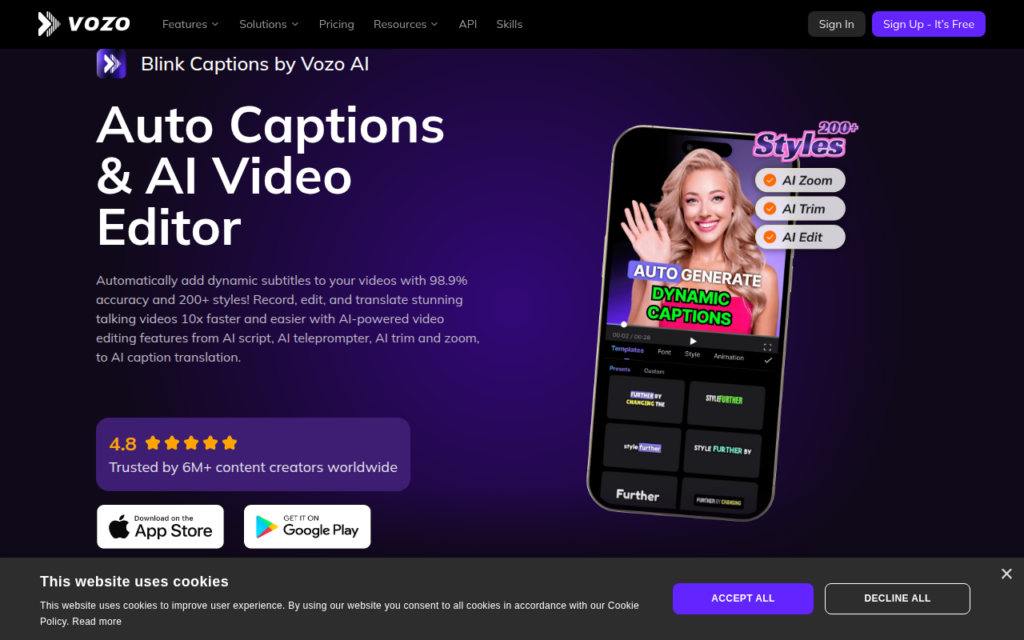
Dynamic auto-captions with claimed 98.9% accuracy across 127 languages, plus translation.

Status Blinkvideo's website now redirects to BlinkCaptions on Vozo (vozo.ai) (checked 24 Sep 2026).

3.7 Video
3.7 Good 3.7
Caption accuracy is the variable that decides whether time is saved Accuracy claims vary in practice with audio quality and accent
Reviewed by Challenging Voice Editorial · Updated Aug 2026 How we rate
PricingFree Trial
Free planNo
PlatformsWeb
CategoryVideo
Last reviewedAug 2026
Ask AI about BlinkVideo ChatGPT Claude Perplexity

Overview

BlinkVideo produces animated captions for short-form video, the styled word-by-word text that has become standard on TikTok, Reels and Shorts. That format exists because most social video is watched without sound, so captions are not an accessibility extra but the primary way the content is consumed.

The stated accuracy of 98.9 percent across 127 languages is the core claim, and accuracy matters more here than it appears: correcting auto-generated captions by hand can take longer than writing them, so the difference between good and mediocre transcription decides whether the tool saves time at all.

Translation into over 100 languages extends reach to audiences a creator could not otherwise serve, and export to SRT or TXT means captions can be used in other editing tools rather than locked into this one. Over 200 caption styles cover the visual side.

Key features

  • Animated captions in more than 200 customisable styles
  • Claimed 98.9% transcription accuracy across 127 languages
  • Translation support for over 100 languages
  • SRT and TXT export for use in other editors
  • Free trial before subscription

Screenshots & demo

Demo video

Screenshots

BlinkVideo screenshot 1

Pricing

Visit the BlinkVideo website for current plans and pricing.

  • Pricing modelFree Trial
  • Starting priceCustom
  • Free planNo
Visit BlinkVideo

Pricing is provided as a guide. Check the official site for the latest plans.

Pros & cons

Pros

  • Caption accuracy is the variable that decides whether time is saved
  • Translation opens audiences a creator could not otherwise reach
  • Export formats avoid locking captions into one tool

Cons

  • Accuracy claims vary in practice with audio quality and accent
  • Focused on captions rather than full video editing

How it compares

ToolRatingFreeFromBest known for
BlinkVideo (this tool)3.7No—Animated captions in more than 200 customisable styles
Submagic4.0YesFreeAI captions in 123 languages at claimed 99% accuracy
EasySub3.2YesFree90%+ recognition accuracy audio-recognition AI
Klap4.1No$14/moAutomatic identification of shareable moments in long video

Alternatives to BlinkVideo

4 tools matched to BlinkVideo on what they do, their category and their price.

Submagic

4.0

123-language captions at 99% accuracy, Magic Clips to pull several shorts from one long video – trusted by 4M+ businesses including Shopify and Uber.

Freemium Video

EasySub

3.2

150+ languages, 90%+ recognition accuracy, all in the browser – AI subtitle generation, transcription, and translation with a free 30-minute tier and $0.20/minute after that.

Freemium Video

Klap

4.1

Cuts long-form video into short, captioned clips sized for TikTok, Reels, and Shorts.

Free Trial Video

Frequently asked questions

What is BlinkVideo?
BlinkVideo produces animated captions for short-form video, the styled word-by-word text that has become standard on TikTok, Reels and Shorts.
Is BlinkVideo free?
BlinkVideo does not offer a free plan.
What are the best BlinkVideo alternatives?
The closest matches in the directory are Submagic, EasySub, and Klap, compared side by side above.

Reviews

3.7 Editorial rating No reviews yet

Write a review

More tools like BlinkVideo

CaptionCreator

3.5

AI transcribes and translates video into subtitles across 76 languages in under 3 minutes – handles noisy audio, multilingual content, and diverse accents.

Freemium Video