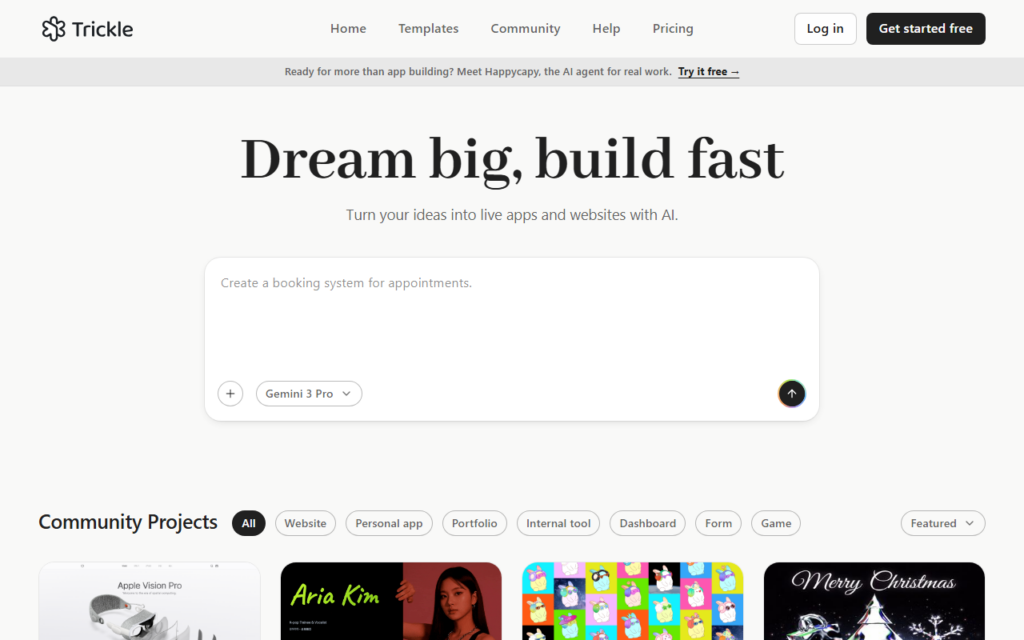
Trickle AI puts app building on a canvas rather than in a chat thread. Components, data and generated assets sit spatially, which suits how people think through a product structure — several pieces visible at once instead of scrolling back through a conversation.
Image generation, video generation, a database and design tooling are included, so a working app with real data and assets can come out of one environment rather than four services stitched together.
Production readiness is the claim to test against a specific project: generated apps handle standard patterns well and get thin at custom authentication, complex permissions or heavy data workloads. A free tier and low-cost paid plans make trialling one project cheap.
Key features
Spatial canvas for building rather than a chat thread
Built-in image and video generation
Included database for application data
Design tooling alongside code generation
Publishing to a live site or app
Free tier with low-cost paid plans
Screenshots & demo
Demo video
Screenshots
Pricing
Trickle AI has a free plan, and paid plans start at $10/mo.
Pricing is provided as a guide. Check the official site for the latest plans.
Is Trickle AI expensive?
Trickle AI starts at $10, which is 50% below the Coding median of $20 a month across the 98 priced tools we list in that category.
The cheapest paid option in Coding starts at $1 and the most expensive at $1,500.
64% of Coding tools in the directory offer a free tier, and this is one of them.
Compared against every priced listing in Coding, recalculated as the catalogue changes. Method and the full market breakdown are in our AI tool pricing study.
Pros & cons
Pros
Canvas layout suits multi-part project structure
Data, assets and code live in one environment
Cheap enough to trial on a real project
Cons
Custom authentication and complex permissions stretch the model
Generated apps need review before handling production data