Freemium

Blink

Builds full-stack web and mobile apps from a chat description, with database, hosting and auth included.

4.0 Coding
4.0 Very good 4.0
Ships the surrounding infrastructure, not only code Generated apps need review before anything depends on them
Reviewed by Challenging Voice Editorial · Updated Aug 2026 How we rate
PricingFree
Free planYes
CompanyBlink
PlatformsWeb
CategoryCoding
Last reviewedAug 2026
Ask AI about Blink ChatGPT Claude Perplexity

Overview

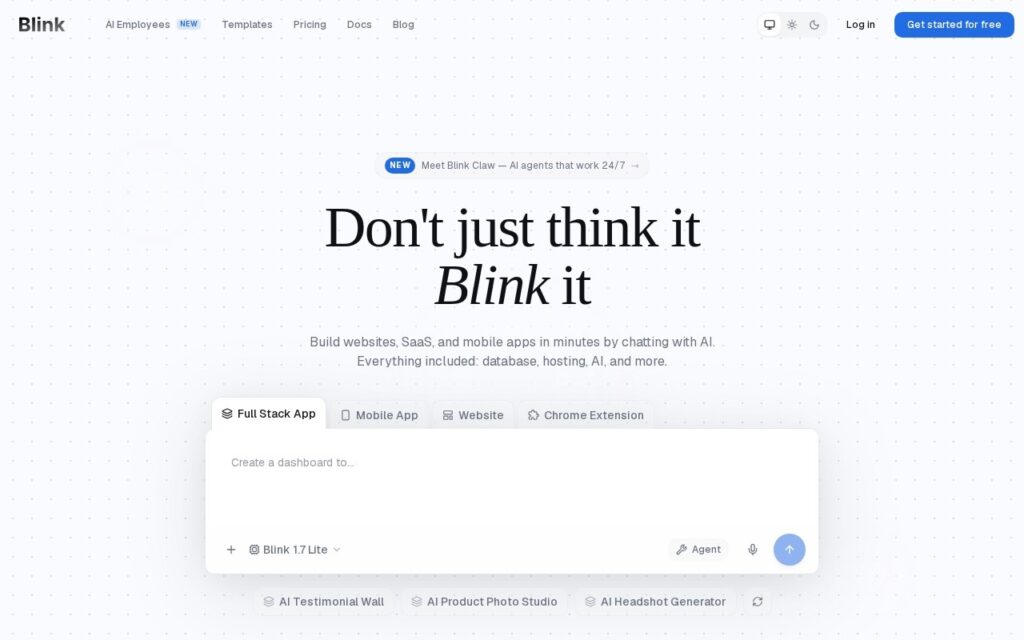
Blink turns a plain-English description into a running application, and ships the parts around the code as well: a database, hosting, authentication and model access come with it. That is the difference between generating code and generating something you can actually open in a browser.

It targets websites, software products and mobile apps, aimed at people who know what they want built but do not write the code themselves. The output is a working app rather than a repository somebody still has to deploy.

There is a free tier to start on. Generated applications still want reading before anything real depends on them, the hosting and data sit on Blink’s platform rather than infrastructure you control, and this category is crowded with products moving quickly.

Key features

  • Applications generated from a plain-English description
  • Database included
  • Hosting included
  • Authentication built in
  • Web, software product and mobile output

Screenshots & demo

Blink screenshot 1

Pricing

Blink offers a free plan, with paid upgrades for higher limits and more features.

  • Pricing modelFreemium
  • Starting priceFree
  • Free planYes
Visit Blink

Pricing is provided as a guide. Check the official site for the latest plans.

Is Blink expensive?

Blink has no advertised paid tier. Among the 98 priced tools we list in Coding, the median entry price is $20 a month.

64% of Coding tools in the directory offer a free tier, and this is one of them.

Compared against every priced listing in Coding, recalculated as the catalogue changes. Method and the full market breakdown are in our AI tool pricing study.

Pros & cons

Pros

  • Ships the surrounding infrastructure, not only code
  • Gets to a running app without writing any
  • Free tier to try it

Cons

  • Generated apps need review before anything depends on them
  • Hosting and data sit on their platform rather than yours
  • Crowded category with fast-moving competitors

How it compares

ToolRatingFreeFromBest known for
Blink (this tool)4.0YesFreeApplications generated from a plain-English description
Whacka3.8YesFreeApplications generated from a plain description
Atoms4.0Yes$20/moMulti-agent build team (PM, architect, engineer, analyst roles) that plans and executes app builds together
Zoer3.8YesFreeWeb apps generated directly from a database schema

Alternatives to Blink

4 tools matched to Blink on what they do, their category and their price.

Atoms

4.0

A multi-agent AI platform builds and deploys full-stack web apps from natural-language descriptions.

Freemium Coding

Frequently asked questions

What is Blink?
Blink turns a plain-English description into a running application, and ships the parts around the code as well: a database, hosting, authentication and model access come with it.
Is Blink free?
Yes, Blink offers a free plan. Paid plans unlock more features and higher usage limits.
What are the best Blink alternatives?
The closest matches in the directory are Whacka, Atoms, and Zoer, compared side by side above.

Reviews

4.0 Editorial rating No reviews yet

Write a review

More tools like Blink