
Freemium

LM Studio

Runs open models locally on your own machine, with an agent for documents and code.

4.4 Very good 4.4

Bottom line: LM Studio is a strong ai infrastructure & agent tooling tool, best known for local execution of open models. It has a free plan.

Data never leaves the machine Local inference needs capable hardware
Reviewed by Challenging Voice Editorial · Updated Aug 2026 How we rate
PricingFree
Free planYes
CompanyLM Studio
PlatformsMac, Windows
Best forAI Infrastructure & Agent Tooling
Visits4
Last reviewedAug 2026
UpdatedAug 2026
Ask AI about LM Studio ChatGPT Claude Perplexity

Overview

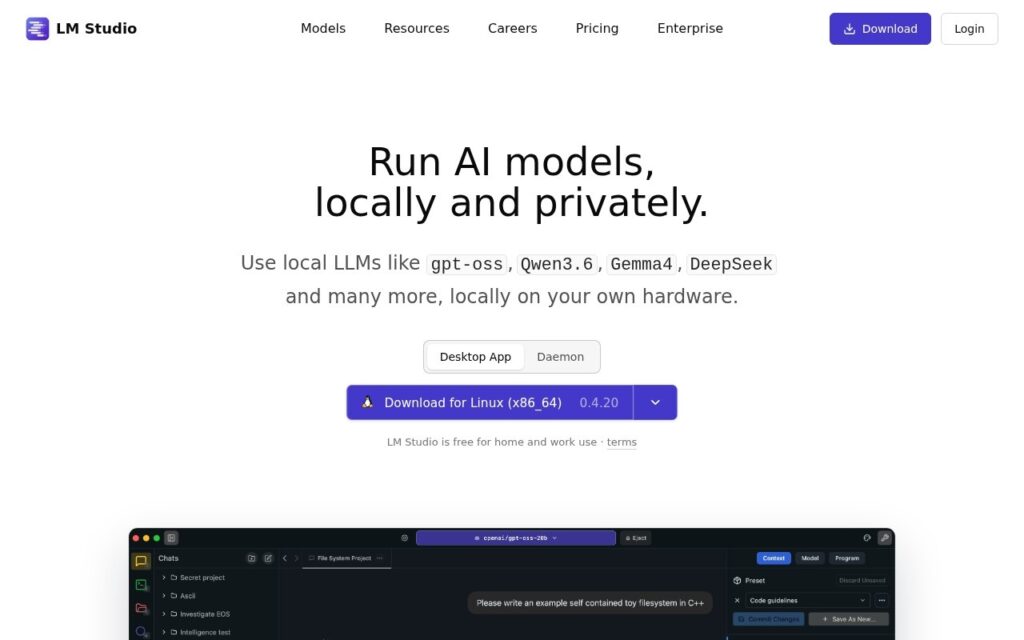
LM Studio downloads and runs open language models on your own computer, with a catalogue for finding them and a desktop application for using them. Its Bionic agent works on documents, slides and software against either local models or frontier ones.

Local execution is the point. Nothing leaves the machine, which changes what you can reasonably put through a model: contracts, patient notes, unreleased code and anything else where sending text to someone else’s server is the objection rather than the cost.

The application is free and Bionic carries per-token usage pricing above a free tier. Local inference needs capable hardware, and open models still lag the frontier ones on genuinely hard problems, which is the trade you accept for privacy.

Key features

  • Local execution of open models
  • Model catalogue and downloads
  • Bionic agent for documents, slides and code
  • Works with local or frontier models
  • Desktop applications for Mac and Windows

Screenshots & demo

LM Studio screenshot 1

Pricing

LM Studio offers a free plan, with paid upgrades for higher limits and more features.

  • Pricing modelFreemium
  • Starting priceFree
  • Free planYes
Visit LM Studio

Pricing is provided as a guide. Check the official site for the latest plans.

Pros & cons

Pros

  • Data never leaves the machine
  • Core application is free
  • Large catalogue of open models to choose from

Cons

  • Local inference needs capable hardware
  • Bionic usage is priced per token above the free tier
  • Open models still trail frontier ones on hard tasks

How it compares

ToolRatingFreeFromBest known for
LM Studio (this tool)4.4YesFreeLocal execution of open models
Ollama4.6YesFreeRun open models locally with a single command
Hugging Face4.5Yes$9/moPublic hub hosting hundreds of thousands of open models, datasets, and Spaces
Replicate4.5NoSingle API to run thousands of community-contributed open-source models

Our verdict

4.4 / 5 4.4

LM Studio is a strong ai infrastructure & agent tooling tool, best known for local execution of open models. It offers a free plan.

What makes it different: LM Studio stands out for local execution of open models.

How we score it
Overall 4.4
Value for money 4.7
Feature depth 4.9
Popularity 3.7
Best for ProfessionalsTeamsCreatorsCurious learners

Frequently asked questions

What is LM Studio?
LM Studio is an ai infrastructure & agent tooling tool listed in the Challenging Voice directory. Runs open models locally on your own machine, with an agent for documents and code.
Is LM Studio free?
Yes, LM Studio offers a free plan. Paid plans unlock more features and higher usage limits.
What are the best LM Studio alternatives?
Popular alternatives to LM Studio include Trigger.dev, Temporal, and TensorFlow. Browse them all in the AI Infrastructure & Agent Tooling category.
Is LM Studio any good?
LM Studio scores 4.4 out of 5 based on our editorial review.

Reviews

4.4 No reviews yet

Write a review

Similar tools you might like