
Freemium

Image Upscaler

Deep-learning upscaling plus deblurring and JPEG-artifact removal across nine formats – images auto-deleted within 30 minutes.

3.7 Design
3.7 Good 3.7

Bottom line: Image Upscaler is a capable design tool, best known for deep-learning image upscaling with detail preservation. It has a free plan.

Bundles deblurring and artifact removal, not upscaling alone Upscaling reconstructs plausible detail, not a true recovery of lost information
Reviewed by Challenging Voice Editorial · Updated Aug 2026 How we rate
PricingFree
Free planYes
CompanyImageUpscaler.com
PlatformsWeb
Best forDesign
Visits15
Last reviewedAug 2026
UpdatedAug 2026
Ask AI about Image Upscaler ChatGPT Claude Perplexity

Overview

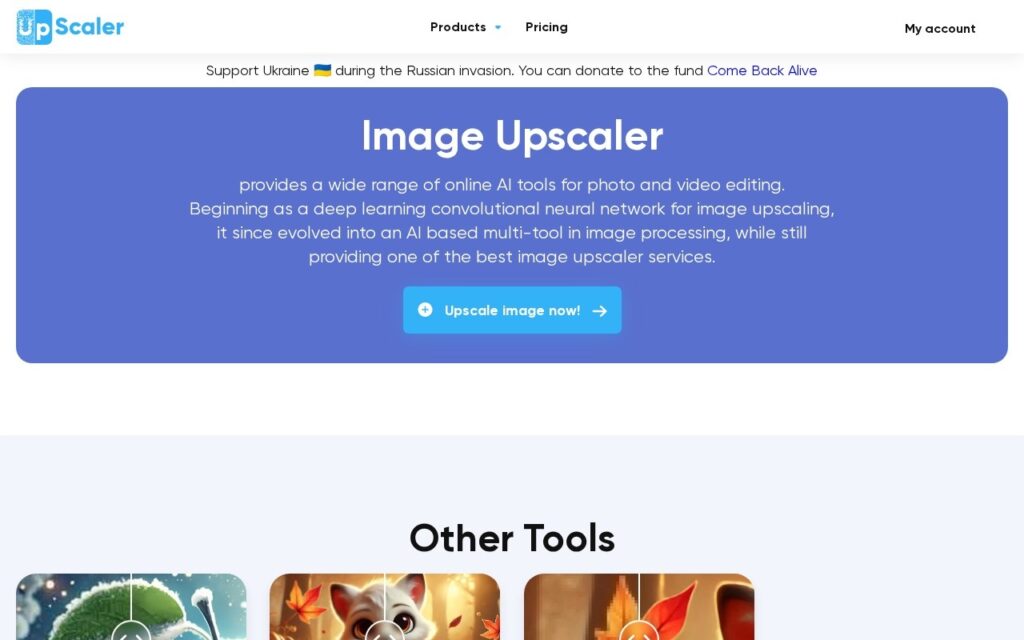
Image Upscaler increases image resolution using deep learning while preserving detail, and bundles adjacent repair tools – deblurring for motion blur and focus issues, JPEG artifact removal, and general enhancement – across nine file formats including JPEG, PNG, WebP, HEIC and PDF, entirely in the browser with no software install required.

Deblurring and artifact removal alongside upscaling, rather than resolution increase alone, addresses the reality that most low-quality source images have more than one problem at once – a blurry, compressed photo needs more than just more pixels to actually look better. A stated 30-minute image deletion policy is also a concrete, verifiable privacy commitment rather than a vague promise.

AI upscaling reconstructs plausible detail rather than recovering detail that was genuinely never captured – results on severely degraded source images should be judged as inference, not restoration. The free tier’s 3 credits per tool per month is enough to test quality but not for regular production use.

Key features

  • Deep-learning image upscaling with detail preservation
  • Deblurring for motion blur and focus issues
  • JPEG artifact removal
  • 9 supported formats including HEIC and PDF
  • Images auto-deleted within 30 minutes

Screenshots & demo

Image Upscaler screenshot 1

Pricing

Image Upscaler offers a free plan, with paid upgrades for higher limits and more features.

  • Pricing modelFreemium
  • Starting priceFree
  • Free planYes
Visit Image Upscaler

Pricing is provided as a guide. Check the official site for the latest plans.

Is Image Upscaler expensive?

Image Upscaler has no advertised paid tier. Among the 101 priced tools we list in Design, the median entry price is $15 a month.

73% of Design tools in the directory offer a free tier, and this is one of them.

Compared against every priced listing in Design, recalculated as the catalogue changes. Method and the full market breakdown are in our AI tool pricing study.

Pros & cons

Pros

  • Bundles deblurring and artifact removal, not upscaling alone
  • Concrete, verifiable 30-minute deletion privacy policy
  • Broad format support including HEIC and PDF

Cons

  • Upscaling reconstructs plausible detail, not a true recovery of lost information
  • Free tier's 3 credits/month suits testing, not regular production use
  • Specific paid pricing amounts weren't shown on the page checked

How it compares

ToolRatingFreeFromBest known for
Image Upscaler (this tool)3.7YesFreeDeep-learning image upscaling with detail preservation
Canva4.7Yes$15/moMagic Studio suite of AI design tools
Relume4.7Yes$26/moAI-generated wireframes and page structure from a prompt
Durable4.7Yes$25/moWebsite generation marketed at roughly 30 seconds

Alternatives to Image Upscaler

4 tools our editors picked as direct alternatives to Image Upscaler.

Our verdict

3.7 / 5 3.7

Image Upscaler is a solid design tool, best known for deep-learning image upscaling with detail preservation. It offers a free plan.

What makes it different: Image Upscaler stands out for deep-learning image upscaling with detail preservation.

How we score it
Overall 3.7
Value for money 4.7
Feature depth 4.9
Popularity 4.0
Best for ProfessionalsTeamsCreatorsCurious learners

Frequently asked questions

What is Image Upscaler?
Image Upscaler is a design tool listed in the Challenging Voice directory. Deep-learning upscaling plus deblurring and JPEG-artifact removal across nine formats – images auto-deleted within 30 minutes.
Is Image Upscaler free?
Yes, Image Upscaler offers a free plan. Paid plans unlock more features and higher usage limits.
What are the best Image Upscaler alternatives?
Popular alternatives to Image Upscaler include AI Two, ColorMagic, and OutdoorBrite. Browse them all in the Design category.
Is Image Upscaler any good?
Image Upscaler scores 3.7 out of 5 based on our editorial review.

Reviews

3.7 No reviews yet

Write a review

Similar tools you might like

LogoMakr

3.7

Describe your business, get original AI-generated logo concepts in seconds, then fine-tune on a full design canvas – free until you download.

Freemium Design

Twistly

3.8

PowerPoint add-in that builds and redesigns decks inside the app you already present from.

Free Trial Design

Kaedim

3.9

AI platform that converts sketches and reference photos into production-ready 3D models.

Contact for Pricing Design