Freemium

Blur Background

AI background blur and removal for clean, polished images.

3.5 Design
3.5 Good 3.5

Bottom line: Blur Background is a capable design tool, best known for local, in-browser background blur with no account or server upload required.

Local in-browser processing means the photo isn't uploaded to a server for the free basic path Processes one photo at a time, not built for batch editing
Reviewed by Challenging Voice Editorial · Updated Jul 2026 How we rate
PricingFreemium
Free planNo
CompanyVignra
Best forDesign
Visits11
Last reviewedJul 2026
UpdatedJul 2026
Ask AI about Blur Background ChatGPT Claude Perplexity

Overview

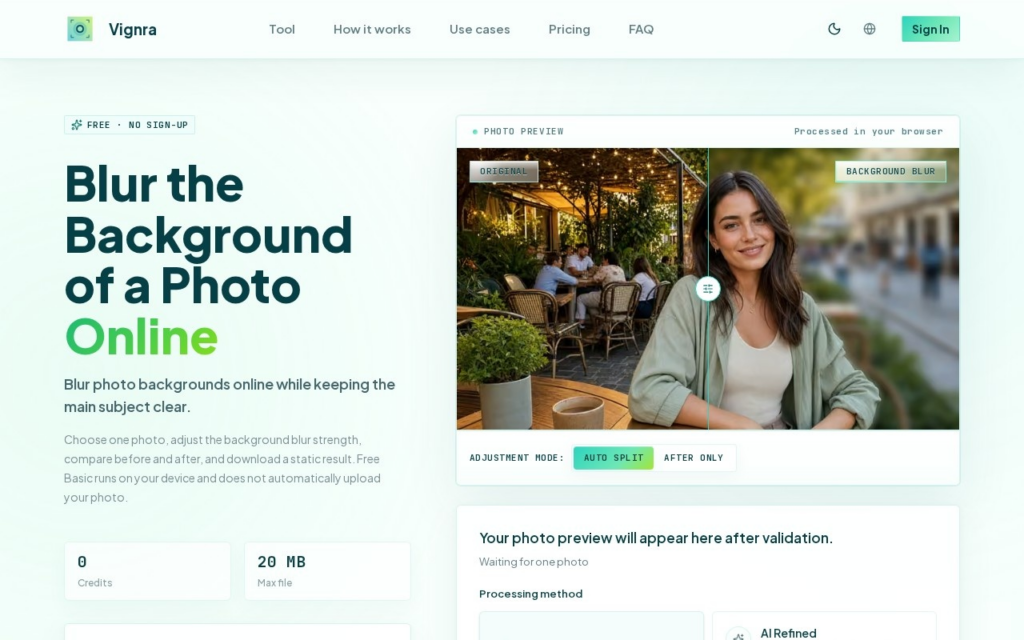
Blur Background (blurbackground.vip) is a free, browser-based tool that blurs the background of a single photo using local, in-browser AI processing, without requiring an account or uploading the image to a server. Users pick a JPEG, PNG, WebP, or several other supported formats, let the tool separate the subject from the background, adjust blur strength, compare before and after, and download the result.

An "Advanced Bokeh" option is available alongside the free basic local-processing path for more refined depth-of-field-style results, aimed at quick portrait, product, and social-media photo edits rather than batch or professional retouching workflows.

Key features

  • Local, in-browser background blur with no account or server upload required
  • Support for JPG, PNG, WebP, HEIC, TIFF, and several other image formats
  • Adjustable blur strength with before/after comparison
  • Advanced Bokeh option for more refined depth-of-field results
  • One-photo-at-a-time workflow optimized for quick single-image edits

Screenshots & demo

Blur Background screenshot 1

Pricing

Visit the Blur Background website for current plans and pricing.

  • Pricing modelFreemium
  • Starting priceCustom
  • Free planNo
Visit Blur Background

Pricing is provided as a guide. Check the official site for the latest plans.

Pros & cons

Pros

  • Local in-browser processing means the photo isn't uploaded to a server for the free basic path
  • No account or sign-up required to use the core tool
  • Wide format support, including HEIC and TIFF alongside common web formats
  • Free to use for single-image edits

Cons

  • Processes one photo at a time, not built for batch editing
  • Local processing speed depends on the user's device and can take 10+ seconds per image
  • No verifiable company or founding information independent of the site itself
  • Advanced Bokeh option's exact pricing/limits weren't independently confirmed

How it compares

ToolRatingFreeFromBest known for
Blur Background (this tool)3.5NoLocal, in-browser background blur with no account or server upload required
Wix AI Website Builder4.2Yes$17/moAI site generation from a business description
Flair AI4.5Yes$8/moAI-generated product photography scenes and backgrounds
Napkin AI4.4Yes$9/moAutomatic conversion of written text into visual diagrams

Our verdict

3.5 / 5 3.5

Blur Background is a solid design tool, best known for local, in-browser background blur with no account or server upload required.

What makes it different: Blur Background stands out for local, in-browser background blur with no account or server upload required.

How we score it
Overall 3.5
Value for money 4.2
Feature depth 4.9
Popularity 4.0
Best for ProfessionalsTeamsCreatorsCurious learners

Frequently asked questions

What is Blur Background?
Blur Background is a design tool listed in the Challenging Voice directory. AI background blur and removal for clean, polished images.
Is Blur Background free?
Blur Background does not offer a free plan.
What are the best Blur Background alternatives?
Popular alternatives to Blur Background include Layer AI, Ludo, and Bitpart AI. Browse them all in the Design category.
Is Blur Background any good?
Blur Background scores 3.5 out of 5 based on our editorial review.

Reviews

3.5 No reviews yet

Write a review

Similar tools you might like