
Freemium

ChartBrick

Connect your data and AI picks the best chart type automatically – no manual chart selection, with 20+ types and auto-updating live visualizations.

3.4 Data and Analytics
3.4 Good 3.4

Bottom line: Connect your data and AI picks the best chart type automatically – no manual chart selection, with 20+ types and auto-updating live visualizations. Free plan available.

Removes the chart-selection guesswork for non-specialists Paid tier pricing isn't detailed on the homepage
Reviewed by Challenging Voice Editorial · Updated Sep 2026 How we rate
PricingFree
Free planYes
CompanyChartBrick
PlatformsWeb
Best forData and Analytics
Visits5
Last reviewedAug 2026
UpdatedSep 2026
Ask AI about ChartBrick ChatGPT Claude Perplexity

Overview

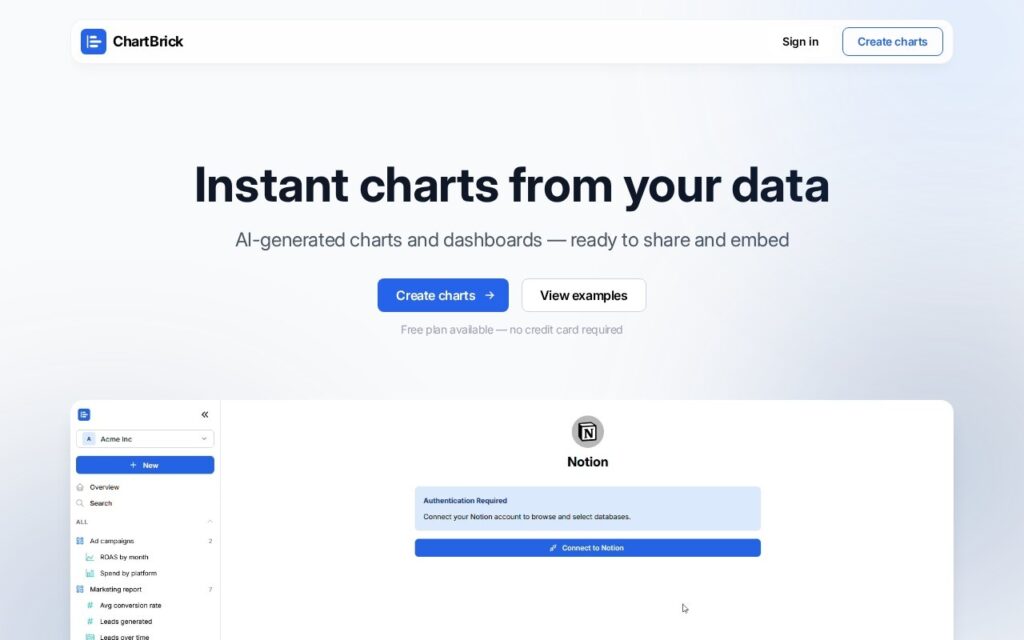
ChartBrick centers its entire value proposition on AI chart generation: connect a data source and AI automatically picks the best chart type for that data, eliminating the manual chart-selection step most visualization tools leave entirely to the user’s own judgment.

Automatic chart-type selection is a genuinely useful capability for people who aren’t data-visualization specialists – choosing the right chart type for a given dataset (when to use a bar chart versus a heatmap versus a waterfall chart, for instance) is a real skill most people outside data roles haven’t developed, and getting that recommendation automatically means the resulting visualization is more likely to actually communicate the data clearly rather than being a technically-correct-but-confusing default choice.

ChartBrick supports 20-plus chart types and connects to Notion, Airtable, Google Sheets, Stackby, PostgreSQL, MySQL, Excel, CSV, JSON, and REST APIs, with auto-updating charts that reflect live data changes, shareable links, embed codes, and data encryption/privacy protections. A free plan is available with no credit card required; paid tier details require visiting the pricing section.

Key features

  • AI automatically selects the best chart type for your data
  • 20+ supported chart types
  • Broad data source connectivity (Notion, Airtable, SQL databases, APIs)
  • Auto-updating charts reflecting live data
  • Shareable links and embed codes

Screenshots & demo

ChartBrick screenshot 1

Pricing

ChartBrick offers a free plan, with paid upgrades for higher limits and more features.

  • Pricing modelFreemium
  • Starting priceFree
  • Free planYes
Visit ChartBrick

Pricing is provided as a guide. Check the official site for the latest plans.

Is ChartBrick expensive?

ChartBrick has no advertised paid tier. Among the 60 priced tools we list in Data and Analytics, the median entry price is $25 a month.

38% of Data and Analytics tools in the directory offer a free tier, and this is one of them.

Compared against every priced listing in Data and Analytics, recalculated as the catalogue changes. Method and the full market breakdown are in our AI tool pricing study.

Pros & cons

Pros

  • Removes the chart-selection guesswork for non-specialists
  • Free plan requires no credit card to start
  • Broad data source support avoids needing a separate export/import step

Cons

  • Paid tier pricing isn't detailed on the homepage
  • Automatic selection still benefits from a manual override option for specific presentation needs
  • Best suited to straightforward visualization, not complex custom analytics dashboards

How it compares

ToolRatingFreeFromBest known for
ChartBrick (this tool)3.4YesFreeAI automatically selects the best chart type for your data
Graphy4.0YesFreeAI suggests chart types based on the structure of uploaded data
AI for Database3.7Yes$20/moPlain-English questions answered from a live database or spreadsheet
Columns3.9Yes$6.25/moNo-code connection to spreadsheets, databases, and APIs

Alternatives to ChartBrick

4 tools matched to ChartBrick on what they do, their category and their price.

ChartGPT

3.0

Describe the chart you want in plain English, get it back instantly – customize type, colors, titles, and legends, no charting library or syntax to learn.

Frequently asked questions

What is ChartBrick?
ChartBrick centers its entire value proposition on AI chart generation: connect a data source and AI automatically picks the best chart type for that data, eliminating the manual chart-selection step most visualization tools leave entirely to the user's own judgment.
Is ChartBrick free?
Yes, ChartBrick offers a free plan. Paid plans unlock more features and higher usage limits.
What are the best ChartBrick alternatives?
The closest matches in the directory are Graphy, AI for Database, and Columns, compared side by side above.

Reviews

3.4 No reviews yet

Write a review

More tools like ChartBrick

AskCSV

3.4

Ask a CSV file a business question in plain English – a ~1.8GB AI model runs entirely in your browser, so your data never touches a server, free for 10 analyses a month.