
Freemium Verified

Coda

Docs with real mini-apps built in, using formulas and buttons

4.4 Productivity
4.4 Very good 4.4

Bottom line: Coda is a strong productivity tool, best known for documents with working buttons, formulas, and interactive tables. It has a free plan.

Genuine app-building capability beyond typical document editing Formula language has a real learning curve for building advanced functionality
Reviewed by Challenging Voice Editorial · Updated Jul 2026 How we rate
PricingFrom $10/mo
Free planYes
CompanyCoda
PlatformsAndroid, API, iOS, Mac, Web
Best forProductivity
Founded2014
Visits23
Last reviewedJun 2026
UpdatedJul 2026
Ask AI about Coda ChatGPT Claude Perplexity

Overview

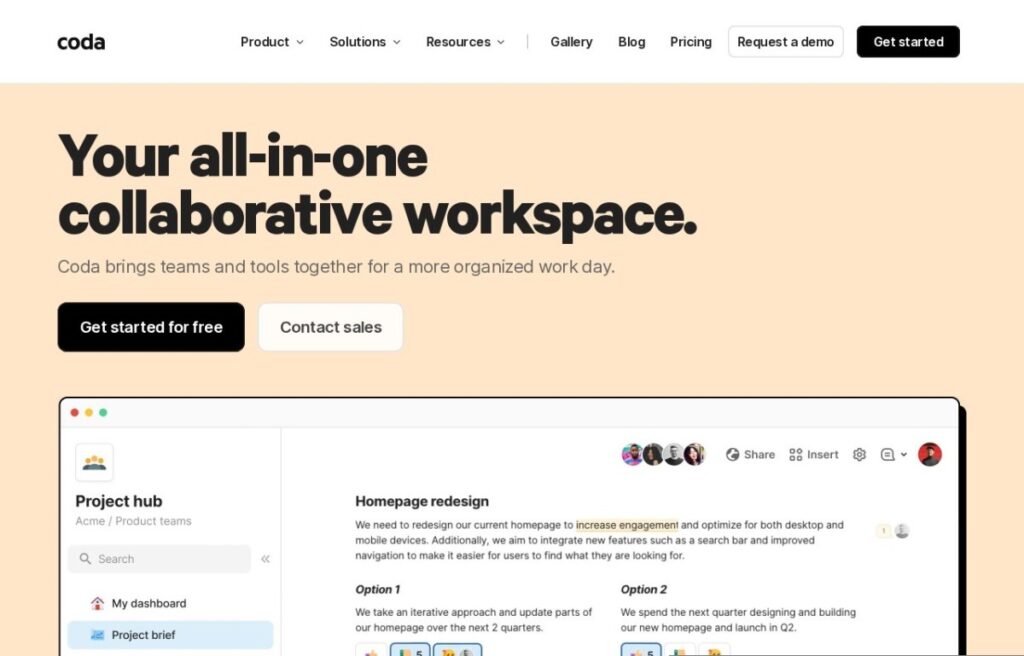
Coda, founded in 2014, blends documents, spreadsheets, and lightweight application building into one surface: a doc can include working buttons, formulas, and interactive tables that function more like a small custom app embedded directly in the page than a static document with data pasted into it.

That app-building depth goes further than typical note-taking or docs tools: a team can build an actual project tracker, an approval workflow, or a resource-booking system inside a Coda doc using its formula language and building blocks, rather than exporting data to a separate specialized tool once a document's needs grow past plain text.

A free tier covers individual and small team use, and paid plans start around $10 a month for more advanced features and automation. For a team that wants documents capable of becoming genuine lightweight internal tools, buttons, workflows, calculated fields, rather than a note-taking app with data tables bolted on, Coda's formula-and-app-building depth addresses that specific need directly.

Key features

  • Documents with working buttons, formulas, and interactive tables
  • Lightweight internal app building inside a doc
  • Free tier for individual and small team use
  • AI-assisted content and formula generation
  • Operating since 2014
  • Functions as both document and application

Screenshots & demo

Demo video

Screenshots

Coda screenshot 1

Pricing

Free
Free
  • Unlimited small docs
  • Core building blocks
  • Limited doc size
Pro
$10/mo
  • Unlimited doc size
  • Hidden pages
  • Custom doc branding
  • Version history
Team
$30/mo
  • Unlimited automations
  • Locking controls
  • Priority support

Pros & cons

Pros

  • Genuine app-building capability beyond typical document editing
  • Formulas and buttons support real internal workflow automation
  • Free tier available for individual and small team use
  • Reduces the need to export to separate specialized tools

Cons

  • Formula language has a real learning curve for building advanced functionality
  • Advanced automation features require a paid plan
  • More setup investment than a purely note-taking-focused tool

How it compares

ToolRatingFreeFromBest known for
Coda (this tool)4.4Yes$10/moDocuments with working buttons, formulas, and interactive tables
Sunsama4.5No$20/moGuided daily planning ritual each morning
Superhuman4.5No$33/moExtensive keyboard shortcuts for maximum speed
Fireflies.ai4.5Yes$10/moExtensive integration ecosystem with CRM and project tools

Our verdict

4.4 / 5 4.4

Coda is a strong productivity tool, best known for documents with working buttons, formulas, and interactive tables. It offers a free plan, with paid upgrades from $10/mo.

What makes it different: Coda stands out for documents with working buttons, formulas, and interactive tables.

How we score it
Overall 4.4
Value for money 4.7
Feature depth 4.9
Popularity 4.0
Best for ProfessionalsTeamsFoundersFreelancers

Frequently asked questions

What is Coda?
Coda is a productivity tool listed in the Challenging Voice directory. Docs with real mini-apps built in, using formulas and buttons.
Is Coda free?
Yes, Coda offers a free plan. Paid plans unlock more features and higher usage limits, starting at $10/month.
How much does Coda cost?
Coda starts at $10 per month. See the pricing plans above for full details.
What are the best Coda alternatives?
Popular alternatives to Coda include Ayfie, FuseBase, and DeepL. Browse them all in the Productivity category.
Is Coda any good?
Coda scores 4.4 out of 5 based on our editorial review.

Reviews

4.4 No reviews yet

Write a review

Similar tools you might like