
Freemium

Flowshot

Four AI functions live inside Google Sheets – autocomplete a column from examples, write =AI formulas, generate any formula from instructions, or =IMAGINE an image in a cell.

3.6 Productivity
3.6 Good 3.6

Bottom line: Flowshot is a capable productivity tool, best known for autocomplete – fills cell ranges based on existing examples. It has a free plan.

Native formula integration means results recalculate and reference cells like any built-in function Paid tier pricing scales up quickly ($9 to $129/month) for heavier usage
Reviewed by Challenging Voice Editorial · Updated Aug 2026 How we rate
PricingFrom $9/mo
Free planYes
CompanyFlowshot.ai
PlatformsWeb
Best forProductivity
Visits7
Last reviewedAug 2026
UpdatedAug 2026
Ask AI about Flowshot ChatGPT Claude Perplexity

Overview

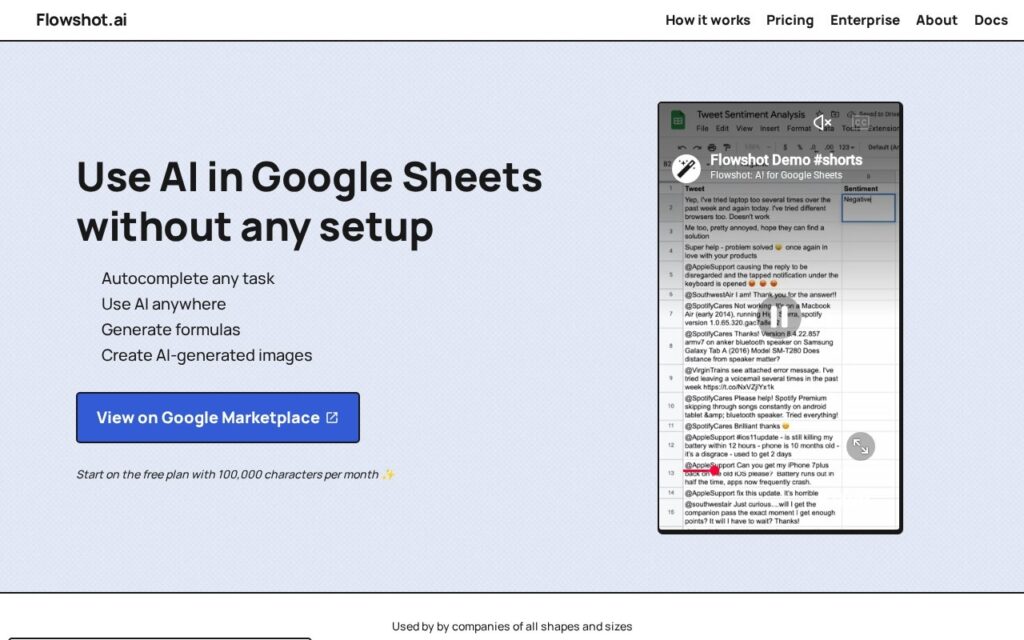
Flowshot brings AI directly into Google Sheets through four distinct functions: Autocomplete fills a range of cells based on examples you’ve already entered, the =AI formula executes custom instructions or answers questions within a cell, =FORMULA generates any spreadsheet formula from a plain-language instruction, and =IMAGINE creates AI-generated images directly in a cell.

Working as native spreadsheet formulas, rather than a separate sidebar tool you copy results out of, is what actually makes this useful for real spreadsheet work – =AI and =FORMULA behave like any other Google Sheets function, recalculating and referencing other cells the way SUM or VLOOKUP would, rather than requiring a manual generate-and-paste workflow for every use. Formula generation from plain language specifically solves the common problem of knowing what calculation you want but not the exact syntax to express it.

Flowshot combines OpenAI’s GPT-3 with its own optimized model stack. A free tier includes 100,000 characters per month; paid Pro tiers run $9 to $129/month (or discounted annual equivalents from $90 to $1,548/year), with all paid plans including unlimited formula use and priority support.

Key features

  • Autocomplete – fills cell ranges based on existing examples
  • =AI formula for custom instructions or questions within a cell
  • =FORMULA – generates any spreadsheet formula from plain language
  • =IMAGINE – AI-generated images directly in a cell
  • Works as native Google Sheets formulas, not a separate tool

Screenshots & demo

Demo video

Screenshots

Flowshot screenshot 1

Pricing

Flowshot has a free plan, and paid plans start at $9/mo.

  • Pricing modelFreemium
  • Starting priceFrom $9/mo
  • Free planYes
Visit Flowshot

Pricing is provided as a guide. Check the official site for the latest plans.

Is Flowshot expensive?

Flowshot starts at $9, which is 25% below the Productivity median of $12 a month across the 136 priced tools we list in that category.

The cheapest paid option in Productivity starts at $0.29 and the most expensive at $165.

71% of Productivity tools in the directory offer a free tier, and this is one of them.

Compared against every priced listing in Productivity, recalculated as the catalogue changes. Method and the full market breakdown are in our AI tool pricing study.

Pros & cons

Pros

  • Native formula integration means results recalculate and reference cells like any built-in function
  • =FORMULA solves the real problem of knowing what you want but not the exact syntax
  • Free tier (100,000 characters/month) lets you test before committing to a paid plan

Cons

  • Paid tier pricing scales up quickly ($9 to $129/month) for heavier usage
  • AI-generated formulas still need verification before relying on them for critical calculations
  • Google Sheets-specific – not usable in Excel or other spreadsheet tools

How it compares

ToolRatingFreeFromBest known for
Flowshot (this tool)3.6Yes$9/moAutocomplete – fills cell ranges based on existing examples
Obsidian4.6Yes$4/moNotes stored as local, plain Markdown text files
Google Translate4.6YesFreeGemini-powered text translation that captures idioms and context, not literal word substitution
Fireflies.ai4.5Yes$10/moExtensive integration ecosystem with CRM and project tools

Our verdict

3.6 / 5 3.6

Flowshot is a solid productivity tool, best known for autocomplete – fills cell ranges based on existing examples. It offers a free plan, with paid upgrades from $9/mo.

What makes it different: Flowshot stands out for autocomplete – fills cell ranges based on existing examples.

How we score it
Overall 3.6
Value for money 4.7
Feature depth 4.9
Popularity 3.7
Best for ProfessionalsTeamsFoundersFreelancers

Frequently asked questions

What is Flowshot?
Flowshot is a productivity tool listed in the Challenging Voice directory. Four AI functions live inside Google Sheets – autocomplete a column from examples, write =AI formulas, generate any formula from instructions, or =IMAGINE an image in a cell.
Is Flowshot free?
Yes, Flowshot offers a free plan. Paid plans unlock more features and higher usage limits, starting at $9/month.
How much does Flowshot cost?
Flowshot starts at $9 per month. See the pricing plans above for full details.
What are the best Flowshot alternatives?
Popular alternatives to Flowshot include Findle, AtlasFuse, and PrometAI. Browse them all in the Productivity category.
Is Flowshot any good?
Flowshot scores 3.6 out of 5 based on our editorial review.

Reviews

3.6 No reviews yet

Write a review

Similar tools you might like