Free

BuilderStudio

A local agentic IDE where you can read the code the agent wrote before it ships.

4.0 Coding
4.0 Very good 4.0

Bottom line: BuilderStudio is a strong coding tool, best known for native local agentic IDE with inspectable source. It has a free plan.

Code stays local and readable, so failure means debugging not restarting No company named and no pricing figures on the pricing page
Reviewed by Challenging Voice Editorial · Updated Aug 2026 How we rate
PricingFree
Free planYes
CompanyBuilderStudio
PlatformsMac, Windows
Best forCoding
Visits7
Last reviewedAug 2026
UpdatedAug 2026
Ask AI about BuilderStudio ChatGPT Claude Perplexity

Overview

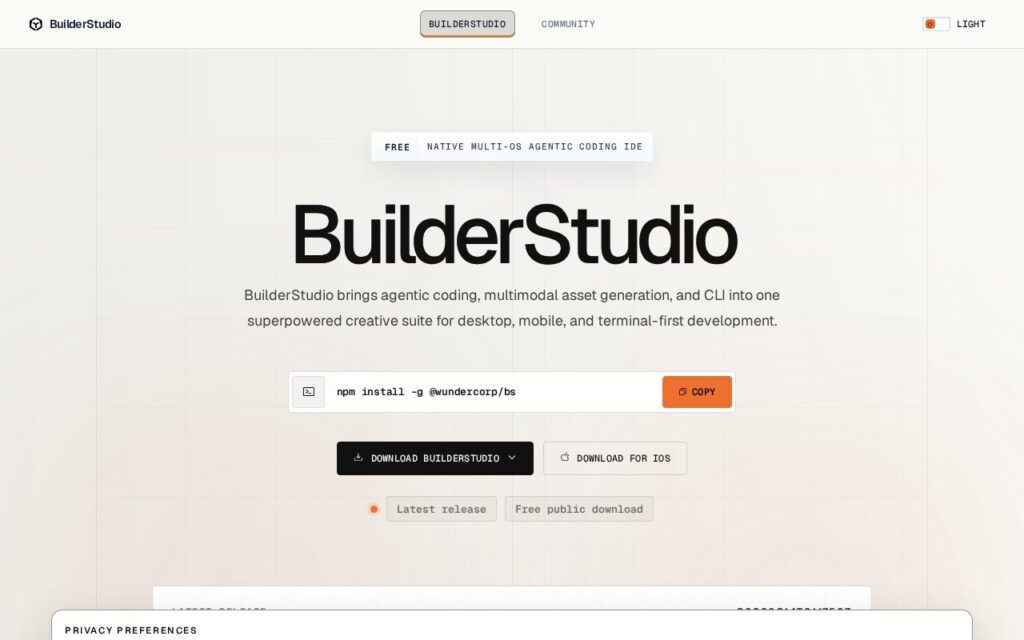
BuilderStudio is a free native agentic coding IDE that runs locally. It builds applications from prompts while keeping the generated code inspectable, with source editing, terminal workflows, MCP-aware tooling, reusable Skills, model access through OpenRouter, local previews contained in Docker, dependency security checks via Aikido SafeChain, and packaging for deployment.

Its stated aim is making agentic building feel less like a black box and more like a development loop you can inspect, adjust, package and deploy – and that is exactly the right complaint. The hosted AI builders produce something that works until it does not, at which point the user has no code to read, no terminal to run and no way to find out why. Running locally with the source in front of you means the failure mode is debugging rather than starting again.

Dependency scanning is an unusually mature inclusion for a tool at this stage, given that an agent installing packages on your behalf is a genuine supply-chain surface and almost nothing else in this category checks. The product is free with a pricing page carrying no figures, and no company is named. Local execution means your own machine’s resources are the limit, OpenRouter access is a dependency on a third party’s availability and rates, and an IDE aimed at builders still assumes you can read what the agent produced.
Key features

  • Native local agentic IDE with inspectable source
  • Terminal workflows and source editing
  • MCP-aware tooling and reusable Skills
  • Docker-contained local previews
  • Dependency security checks via Aikido SafeChain

Screenshots & demo

BuilderStudio screenshot 1

Pricing

BuilderStudio offers a free plan, with paid upgrades for higher limits and more features.

  • Pricing modelFree
  • Starting priceFree
  • Free planYes
Visit BuilderStudio

Pricing is provided as a guide. Check the official site for the latest plans.

Is BuilderStudio expensive?

BuilderStudio has no advertised paid tier. Among the 72 priced tools we list in Coding, the median entry price is $20 a month.

72% of Coding tools in the directory offer a free tier, and this is one of them.

Compared against every priced listing in Coding, recalculated as the catalogue changes. Method and the full market breakdown are in our AI tool pricing study.

Pros & cons

Pros

  • Code stays local and readable, so failure means debugging not restarting
  • Scans dependencies the agent installs, which few competitors do
  • Free, with MCP and OpenRouter rather than one locked-in model

Cons

  • No company named and no pricing figures on the pricing page
  • Local execution is bounded by your own machine
  • Still assumes you can read what the agent produced

How it compares

ToolRatingFreeFromBest known for
BuilderStudio (this tool)4.0YesFreeNative local agentic IDE with inspectable source
Cursor4.7Yes$20/moMulti-line Tab autocomplete predicting full edits
Claude Code4.6No$20/moTerminal-native agent with direct codebase and shell access
GitHub Copilot4.6Yes$10/moOriginal AI coding autocomplete, launched in 2021

Our verdict

4.0 / 5 4.0

BuilderStudio is a strong coding tool, best known for native local agentic IDE with inspectable source. It offers a free plan.

What makes it different: BuilderStudio stands out for native local agentic IDE with inspectable source.

How we score it
Overall 4.0
Value for money 4.7
Feature depth 4.9
Popularity 3.7
Best for DevelopersEngineering teamsStudentsIndie hackers

Frequently asked questions

What is BuilderStudio?
BuilderStudio is a coding tool listed in the Challenging Voice directory. A local agentic IDE where you can read the code the agent wrote before it ships.
Is BuilderStudio free?
Yes, BuilderStudio offers a free plan. Paid plans unlock more features and higher usage limits.
What are the best BuilderStudio alternatives?
Popular alternatives to BuilderStudio include Stunning, Zoer, and HeyBoss AI. Browse them all in the Coding category.
Is BuilderStudio any good?
BuilderStudio scores 4.0 out of 5 based on our editorial review.

Reviews

4.0 No reviews yet

Write a review

Similar tools you might like

Codev

4.0

Codev turns a text description into a deployable full-stack Next.js application, complete with database and styling.

Freemium Coding