List your tool
Free Trial

CICube

Analyses GitHub Actions runs to cut continuous integration spend and fix failing workflows.

3.9 Coding
3.9 Good 3.9
Attacks a cost line most teams never break down Needs meaningful CI volume before the savings matter
Reviewed by Challenging Voice Editorial · Updated Aug 2026 How we rate
PricingFree Trial
Free planNo
CompanyCICube
PlatformsWeb
CategoryCoding
Last reviewedAug 2026

Is this your tool?

  • Claim this listing. Sign in with an email at cicube.io to manage it. Claim CICube
  • Get into the top 5 of Coding. 5 of 5 spots open, from $159/month. See positions
  • Something out of date? Owners can request edits from My listings; anyone can tell us.
Ask AI about CICube ChatGPT Claude Perplexity

Overview

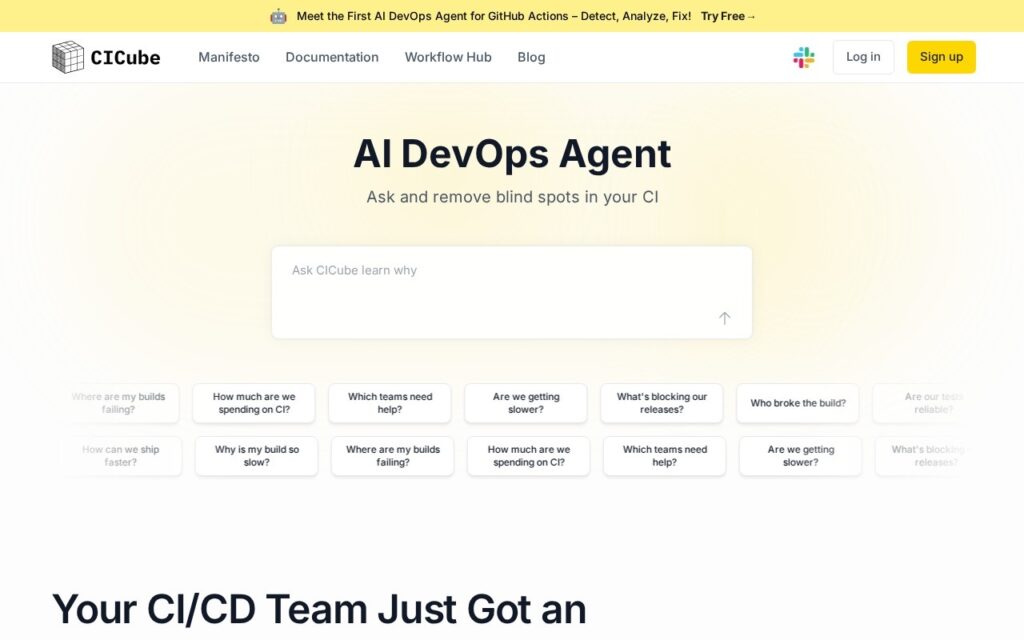
CICube looks at what continuous integration actually costs and where the time goes. Build minutes are a line most engineering teams never examine closely, partly because the billing arrives as one number with no breakdown by workflow, branch or team.

It concentrates on GitHub Actions, detecting failures, analysing why a workflow broke and proposing fixes rather than only reporting that something went red. Reporting spans tools and teams, so the waste can be attributed rather than argued about.

There is a free trial. It only pays for itself at enough CI volume for the waste to be worth chasing, it is centred on GitHub Actions so other runners get less from it, and the savings figures quoted on its site are the vendor’s own.
Key features

  • Continuous integration cost analysis
  • Built around GitHub Actions
  • Failure detection and diagnosis
  • Suggested fixes for broken workflows
  • Reporting across teams and tools

Screenshots & demo

CICube screenshot 1

Pricing

Visit the CICube website for current plans and pricing.

  • Pricing modelFree Trial
  • Starting priceCustom
  • Free planNo
Visit CICube

Pricing is provided as a guide. Check the official site for the latest plans.

Pros & cons

Pros

  • Attacks a cost line most teams never break down
  • Diagnoses failures rather than only reporting them
  • Free trial to evaluate against real workflows

Cons

  • Needs meaningful CI volume before the savings matter
  • Centred on GitHub Actions, less useful on other runners
  • Savings figures on the site are vendor claims, not measured

How it compares

ToolRatingFreeFromBest known for
CICube (this tool)3.9No—Continuous integration cost analysis
Raygun3.8No—Crash reporting with error detection and diagnosis
DebuggAI4.1Yes$20/moEnd-to-end tests generated without writing scripts
Katalon3.8No—Six named AI agents spanning the full testing lifecycle

Alternatives to CICube

4 tools matched to CICube on what they do, their category and their price.

Raygun

3.8

Crash reporting, real user monitoring and APM in one platform, with AI Error Resolution suggesting fixes for the errors it catches.

Free Trial Coding

Katalon

3.8

Six named AI agents span the testing lifecycle – from a Requirement Analyzer that flags ambiguities to a Root Cause Analyzer that recommends fixes, on "One Agentic Platform."

Free Trial Coding

Cypress

4.4

JavaScript end-to-end and component testing framework with a free open-source app and a paid Cypress Cloud that adds AI test generation from natural-language prompts, self-healing tests and AI insights on failures.

Freemium Coding

Frequently asked questions

What is CICube?
CICube looks at what continuous integration actually costs and where the time goes.
Is CICube free?
CICube does not offer a free plan.
What are the best CICube alternatives?
The closest matches in the directory are Raygun, DebuggAI, and Katalon, compared side by side above.

Reviews

3.9 Editorial rating No reviews yet

Write a review