Free Trial

Evoto

End-to-end photography workflow – tethering, culling, batch retouching and colour grading – built for professionals shooting volume.

3.8 Image Generation
3.8 Good 3.8
Culling automation targets the biggest block of unbillable time Automated skin retouching goes wrong easily – keep settings conservative
Reviewed by Challenging Voice Editorial · Updated Sep 2026 How we rate
PricingFree Trial
Free planNo
CompanyEvoto
PlatformsMac, Windows
CategoryImage Generation
Visits12
Last reviewedSep 2026
UpdatedSep 2026
Ask AI about Evoto ChatGPT Claude Perplexity

Overview

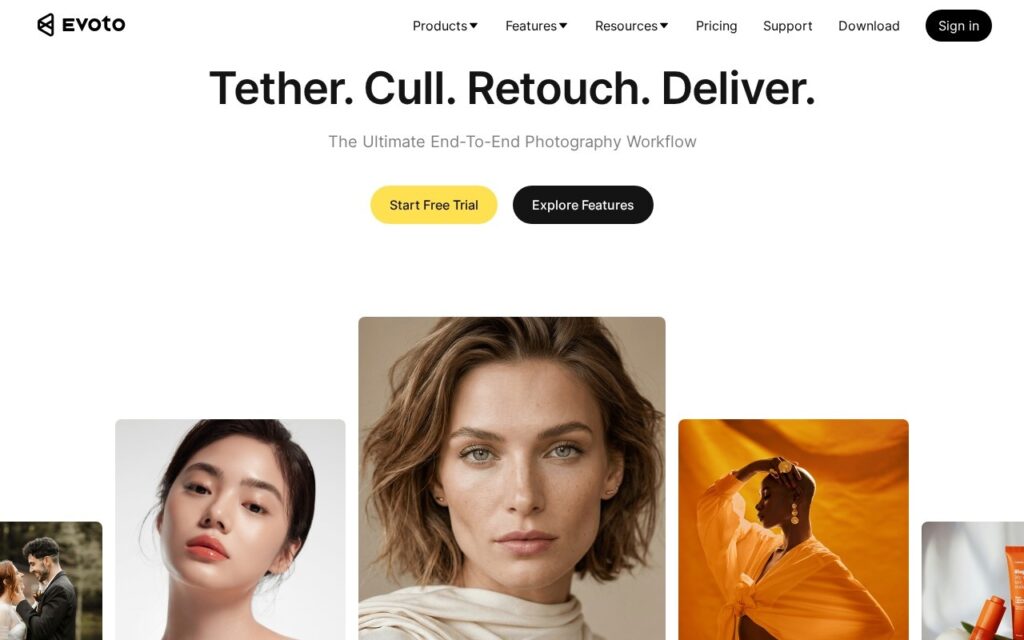
Evoto covers the professional photography workflow from capture to delivery: tethered shooting, culling, portrait retouching, colour grading and export, as desktop software rather than a browser tool.

Culling is where the hours actually go, and it is the least discussed part of the job. A wedding or event shoot produces thousands of frames, most of which differ only in whether someone blinked, and a photographer sits through all of them before any creative work begins. Automating the first pass on eyes, focus and expression attacks the single largest block of unbillable time in the trade.

Batch retouching across a whole set is the second lever, since consistency across a gallery matters more to clients than perfection on any one frame. Retouching preferences are personal and portraiture is where automated skin work most easily goes wrong – test on your own images before trusting it with a paid delivery, and keep the strength settings conservative.
Key features

  • Automated photo culling on focus, eyes and expression
  • Batch portrait retouching across a full set
  • Colour grading and presets
  • Tethered shooting support
  • End-to-end capture to delivery workflow
  • Free trial

Screenshots & demo

Evoto screenshot 1

Pricing

Visit the Evoto website for current plans and pricing.

  • Pricing modelFree Trial
  • Starting priceCustom
  • Free planNo
Visit Evoto

Pricing is provided as a guide. Check the official site for the latest plans.

Pros & cons

Pros

  • Culling automation targets the biggest block of unbillable time
  • Batch consistency matters more to clients than per-frame perfection
  • Desktop software keeps large shoots local rather than uploading them

Cons

  • Automated skin retouching goes wrong easily – keep settings conservative
  • Retouching taste is personal; test before a paid delivery
  • Desktop only, with the install and hardware requirements that implies

How it compares

ToolRatingFreeFromBest known for
Evoto (this tool)3.8No—Automated photo culling on focus, eyes and expression
Imagen AI4.0No$7/moPersonal AI editing profile trained on a photographer's own past Lightroom edits
Facetune3.7No$5.99/moAI hairstyle transformations and virtual makeup application
Luminar Neo4.3No$99/moAI sky replacement with automatic relighting of the rest of the scene

Alternatives to Evoto

4 tools matched to Evoto on what they do, their category and their price.

Facetune

3.7

The most downloaded selfie editor in the world – AI hairstyle transformations, an AI Headshot Generator, and one-tap retouching, from 295M+ installs.

Free Trial Image Generation

Frequently asked questions

What is Evoto?
Evoto covers the professional photography workflow from capture to delivery: tethered shooting, culling, portrait retouching, colour grading and export, as desktop software rather than a browser tool.
Is Evoto free?
Evoto does not offer a free plan.
What are the best Evoto alternatives?
The closest matches in the directory are Imagen AI, Facetune, and Luminar Neo, compared side by side above.

Reviews

3.8 No reviews yet

Write a review

More tools like Evoto

SnapEdit

3.4

One-touch AI object removal, background swaps from 100+ templates, batch process 50 photos at once – 20M+ users, 300M+ photos edited monthly.

Freemium Image Generation