
Paid

Lido

Extracts data from PDFs, invoices and receipts into spreadsheets.

3.9 Productivity
3.9 Good 3.9

Bottom line: Lido is a capable productivity tool, best known for data extraction from PDFs into spreadsheets.

Knows specific document types rather than extracting generically Paid with no free tier to evaluate
Reviewed by Challenging Voice Editorial · Updated Aug 2026 How we rate
PricingPaid
Free planNo
CompanyLido
PlatformsWeb
Best forProductivity
Visits8
Last reviewedAug 2026
UpdatedAug 2026
Ask AI about Lido ChatGPT Claude Perplexity

Overview

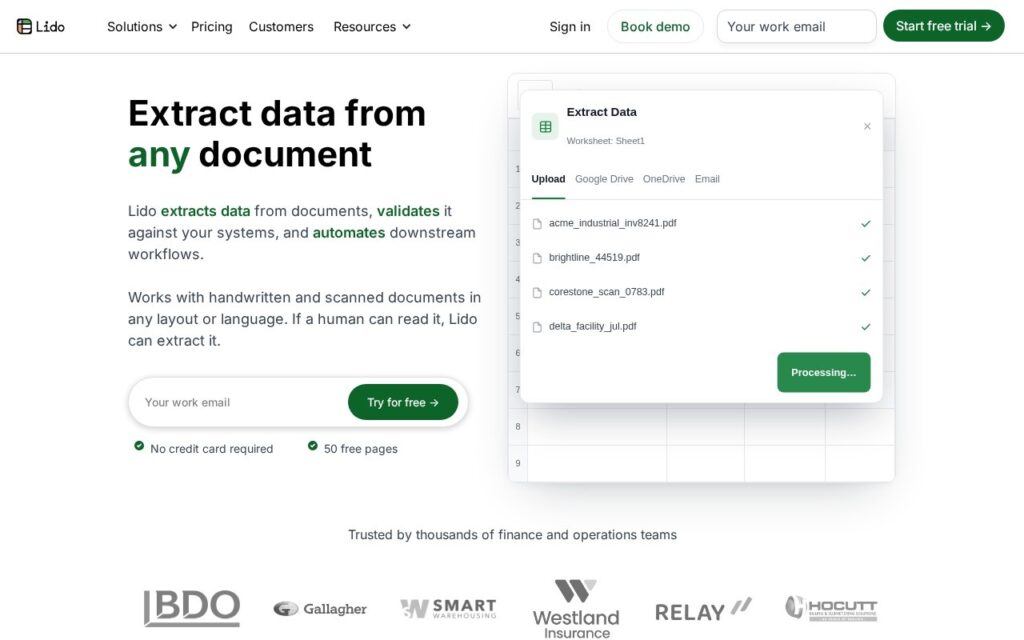
Lido pulls structured data out of documents and into a spreadsheet, covering invoices, purchase orders, bank statements and bills of lading. Finance teams receive most of their inbound information as documents and need it as rows, and the gap between those two states is filled by someone typing.

Handling specific document types rather than generic extraction is what makes it work. An invoice has predictable fields, and a tool that knows what an invoice is extracts them far more reliably than one asked to find whatever it can.

It offers HIPAA-compliant processing for regulated documents. It is paid with no free tier, extraction accuracy still falls off with poor scans and unusual layouts, and output needs checking before it reaches an accounting system.

Key features

  • Data extraction from PDFs into spreadsheets
  • Invoice, purchase order and bank statement handling
  • Bills of lading and other logistics documents
  • HIPAA-compliant processing available
  • Document-type-specific extraction

Screenshots & demo

Demo video

Screenshots

Lido screenshot 1

Pricing

Visit the Lido website for current plans and pricing.

  • Pricing modelPaid
  • Starting priceCustom
  • Free planNo
Visit Lido

Pricing is provided as a guide. Check the official site for the latest plans.

Pros & cons

Pros

  • Knows specific document types rather than extracting generically
  • Covers regulated documents with compliant processing
  • Output lands directly in a spreadsheet

Cons

  • Paid with no free tier to evaluate
  • Accuracy falls off with poor scans and unusual layouts
  • Output needs checking before it reaches an accounting system

How it compares

ToolRatingFreeFromBest known for
Lido (this tool)3.9NoData extraction from PDFs into spreadsheets
Obsidian4.6Yes$4/moNotes stored as local, plain Markdown text files
Google Translate4.6YesFreeGemini-powered text translation that captures idioms and context, not literal word substitution
Trello4.5Yes$5/moAtlassian Intelligence writing assistant built into card descriptions and comments

Our verdict

3.9 / 5 3.9

Lido is a solid productivity tool, best known for data extraction from PDFs into spreadsheets.

What makes it different: Lido stands out for data extraction from PDFs into spreadsheets.

How we score it
Overall 3.9
Value for money 4.2
Feature depth 4.9
Popularity 3.7
Best for ProfessionalsTeamsFoundersFreelancers

Frequently asked questions

What is Lido?
Lido is a productivity tool listed in the Challenging Voice directory. Extracts data from PDFs, invoices and receipts into spreadsheets.
Is Lido free?
Lido does not offer a free plan.
What are the best Lido alternatives?
Popular alternatives to Lido include Findle, AtlasFuse, and PrometAI. Browse them all in the Productivity category.
Is Lido any good?
Lido scores 3.9 out of 5 based on our editorial review.

Reviews

3.9 No reviews yet

Write a review

Similar tools you might like

HandtextAI

3.5

Typed text to realistic handwritten pages – your own handwriting as a custom font, or a batch-personalization API for real postcards and letters.

Freemium Productivity