
Freemium

OpenOwl

Gives an AI assistant control of your desktop to see the screen, click and type.

3.8 Automation
3.8 Good 3.8

Bottom line: Gives an AI assistant control of your desktop to see the screen, click and type. Free plan available.

Reaches applications that expose no API An agent seeing your screen sees everything on it
Reviewed by Challenging Voice Editorial · Updated Aug 2026 How we rate
PricingFrom $14/mo
Free planYes
CompanyOpenOwl
PlatformsWeb
Best forAutomation
Visits10
Last reviewedAug 2026
UpdatedAug 2026
Ask AI about OpenOwl ChatGPT Claude Perplexity

Overview

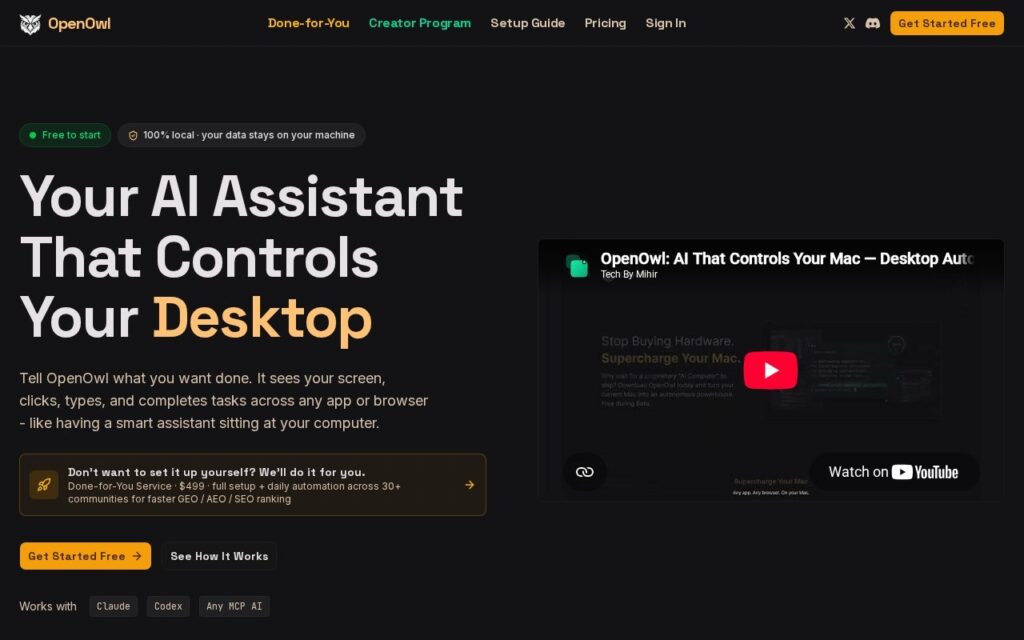
OpenOwl is a computer-using agent: it lets an assistant see the screen and operate the mouse and keyboard, so automation reaches applications that have no API at all. That covers most of what people actually use at work.

It is assistant-agnostic rather than tied to one vendor, which matters for a capability this invasive; you would not want screen control locked to whichever model happens to lead this quarter.

Pricing is published from $14 to $499 with a free start. Two things deserve saying plainly: an agent that can see your screen and type sees everything on it, including whatever is open in the background, and screen-driven automation breaks whenever an interface changes, which it does without warning.

Key features

  • Screen reading and desktop control
  • Works with any AI assistant
  • Automates applications without an API
  • Mouse and keyboard operation
  • Published pricing from $14

Screenshots & demo

Demo video

Screenshots

OpenOwl screenshot 1

Pricing

OpenOwl has a free plan, and paid plans start at $14/mo.

  • Pricing modelFreemium
  • Starting priceFrom $14/mo
  • Free planYes
Visit OpenOwl

Pricing is provided as a guide. Check the official site for the latest plans.

Is OpenOwl expensive?

OpenOwl starts at $14, which is 44% below the Automation median of $25 a month across the 51 priced tools we list in that category.

The cheapest paid option in Automation starts at $0.6 and the most expensive at $2,500.

42% of Automation tools in the directory offer a free tier, and this is one of them.

Compared against every priced listing in Automation, recalculated as the catalogue changes. Method and the full market breakdown are in our AI tool pricing study.

Pros & cons

Pros

  • Reaches applications that expose no API
  • Assistant-agnostic rather than locked to one vendor
  • Published pricing with a free start

Cons

  • An agent seeing your screen sees everything on it
  • Screen-driven automation breaks when interfaces change
  • Upper tier reaches $499

How it compares

ToolRatingFreeFromBest known for
OpenOwl (this tool)3.8Yes$14/moScreen reading and desktop control
SOLA3.9NoComputer vision and language models to operate software through its interface
Skygen3.5YesFreeAgent that operates local desktop applications
Mimica4.1NoTask mining from real desktop activity

Alternatives to OpenOwl

4 tools matched to OpenOwl on what they do, their category and their price.

SOLA

3.9

Agentic process automation using language models and computer vision to work through existing interfaces.

Contact for Pricing Automation

Frequently asked questions

What is OpenOwl?
OpenOwl is a computer-using agent: it lets an assistant see the screen and operate the mouse and keyboard, so automation reaches applications that have no API at all.
Is OpenOwl free?
Yes, OpenOwl offers a free plan. Paid plans unlock more features and higher usage limits, starting at $14/month.
How much does OpenOwl cost?
OpenOwl starts at $14 per month. See the pricing plans above for full details.
What are the best OpenOwl alternatives?
The closest matches in the directory are SOLA, Skygen, and Mimica, compared side by side above.

Reviews

3.8 No reviews yet

Write a review

More tools like OpenOwl

Flexie

3.6

"Not an assistant. A workforce." One AI engine runs sales, billing, and support simultaneously, moving from "set up my CRM" to actually running it under supervision.

Contact for Pricing Automation