
Freemium

Skygen

A desktop AI agent that operates applications on your own machine.

3.5 Automation
3.5 Good 3.5
Reaches desktop software no web automation can touch Slower and less predictable than API-based automation
Reviewed by Challenging Voice Editorial · Updated Aug 2026 How we rate
PricingFree
Free planYes
PlatformsMac, Windows
CategoryAutomation
Last reviewedJul 2026
UpdatedAug 2026
Ask AI about Skygen ChatGPT Claude Perplexity

Overview

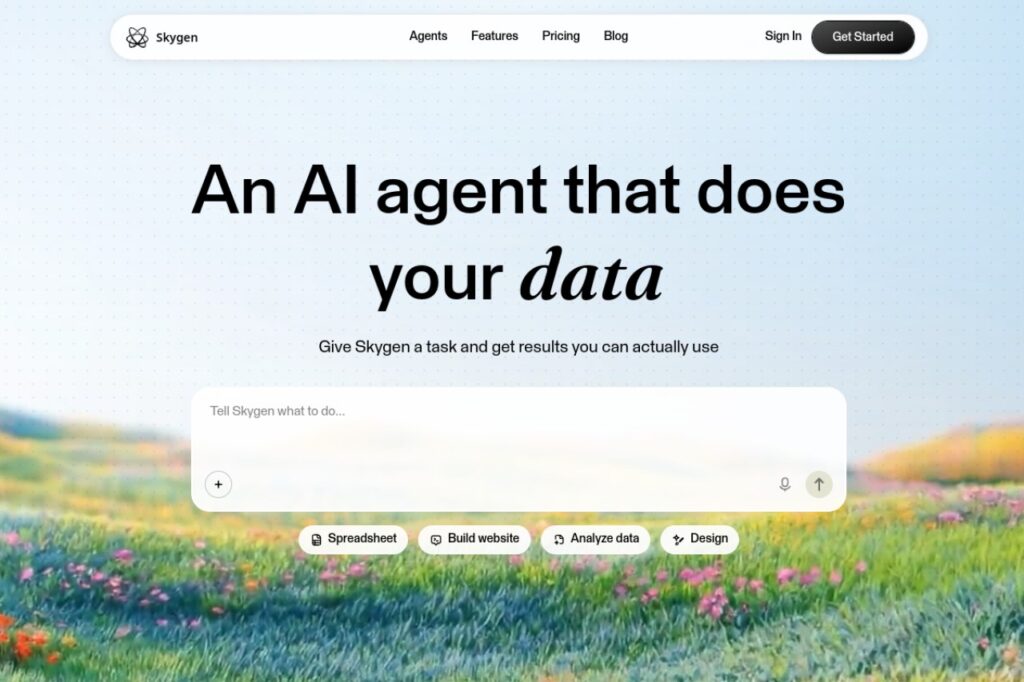
Skygen is a desktop agent that performs tasks by operating applications directly on your computer. Working on the desktop rather than in the browser is the meaningful distinction: a great deal of real work happens in local applications that no web-based automation can reach.

That covers the awkward middle ground where automation is usually impossible, a desktop accounting package, a design tool, a legacy internal application with no API. Anything with a graphical interface becomes automatable in principle, which is where the remaining manual drudgery tends to live.

The trade-offs are inherent to the approach: operating a real desktop is slower and less deterministic than an API call, and an agent with control of your machine warrants thought about what it can reach. It is free to download, so the sensible test is a single repetitive task you already do daily.
Key features

  • Agent that operates local desktop applications
  • Reaches software with no API or web interface
  • Native desktop app rather than browser-based
  • Task automation from demonstration or instruction
  • Free download to try

Screenshots & demo

Demo video

Screenshots

Skygen screenshot 1

Pricing

Skygen offers a free plan, with paid upgrades for higher limits and more features.

  • Pricing modelFreemium
  • Starting priceFree
  • Free planYes
Visit Skygen

Pricing is provided as a guide. Check the official site for the latest plans.

Is Skygen expensive?

Skygen has no advertised paid tier. Among the 51 priced tools we list in Automation, the median entry price is $25 a month.

38% of Automation tools in the directory offer a free tier, and this is one of them.

Compared against every priced listing in Automation, recalculated as the catalogue changes. Method and the full market breakdown are in our AI tool pricing study.

Pros & cons

Pros

  • Reaches desktop software no web automation can touch
  • Free to try on a real repetitive task
  • Covers the drudgery that survives other automation

Cons

  • Slower and less predictable than API-based automation
  • An agent controlling your desktop deserves a permissions review

How it compares

ToolRatingFreeFromBest known for
Skygen (this tool)3.5YesFreeAgent that operates local desktop applications
Twin3.8No—Learns a process by demonstration rather than specification
SOLA3.9No—Computer vision and language models to operate software through its interface
OpenOwl3.8Yes$14/moScreen reading and desktop control

Alternatives to Skygen

4 tools matched to Skygen on what they do, their category and their price.

SOLA

3.9

Agentic process automation using language models and computer vision to work through existing interfaces.

Contact for Pricing Automation

Frequently asked questions

What is Skygen?
Skygen is a desktop agent that performs tasks by operating applications directly on your computer.
Is Skygen free?
Yes, Skygen offers a free plan. Paid plans unlock more features and higher usage limits.
What are the best Skygen alternatives?
The closest matches in the directory are Twin, SOLA, and OpenOwl, compared side by side above.

Reviews

3.5 Editorial rating No reviews yet

Write a review

More tools like Skygen