Freemium

PDF Candy

Browser-based toolkit of 24-plus PDF tools for converting, editing, merging, and compressing files.

4.1 Productivity
4.1 Very good 4.1

Bottom line: PDF Candy is a strong productivity tool, best known for 24+ dedicated online tools for PDF conversion and editing. It has a free plan.

Broad tool coverage means most common PDF tasks are handled in one place Free tier's one-task-per-hour limit makes batch work impractical without paying
Reviewed by Challenging Voice Editorial · Updated Jul 2026 How we rate
PricingFrom $6/mo
Free planYes
CompanyIcecream Apps
PlatformsMac, Web, Windows
Best forProductivity
Founded2016
Visits4
Last reviewedJul 2026
UpdatedJul 2026
Ask AI about PDF Candy ChatGPT Claude Perplexity

Overview

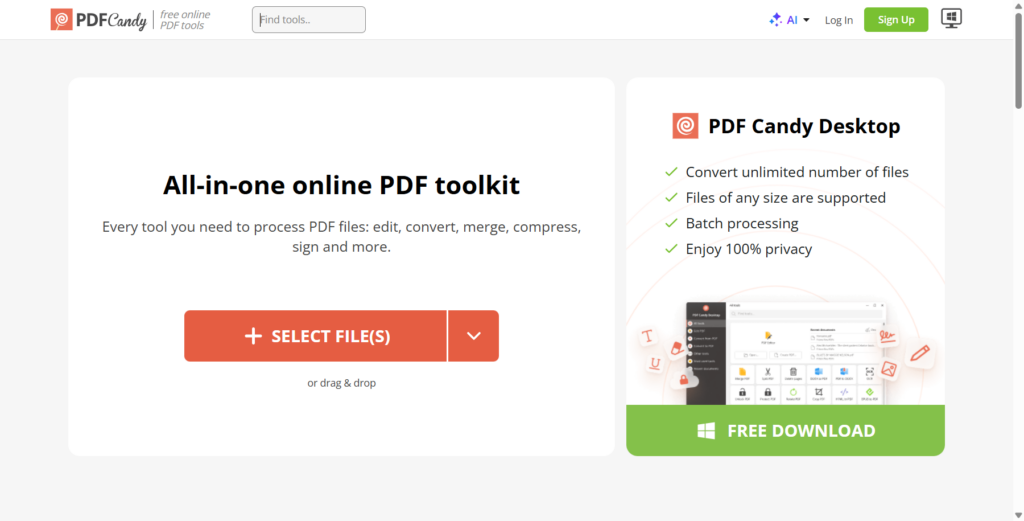
PDF Candy is a browser-based PDF toolkit with more than two dozen tools for converting, editing, merging, splitting, and compressing PDF files. It comes from Icecream Apps, a software company founded in 2014, with PDF Candy itself launching as a standalone online service in 2016.

The platform runs each function as its own dedicated online tool rather than one monolithic editor, covering PDF-to-Word, PDF-to-image, OCR text recognition, page rotation, watermarking, and password protection alongside core editing and merging. A desktop version extends the same toolset for offline use on Windows and Mac, and a companion PDF Editor tool handles direct in-browser text and image edits.

PDF Candy suits individuals and small offices handling occasional PDF conversion or editing tasks who don't want desktop software like Acrobat. The free tier limits users to one task per hour, while the Premium plan removes that cap and watermarks for $6 per month, with a $48 annual plan and a $99 one-time lifetime license also available.

Key features

Screenshots & demo

PDF Candy screenshot 1

Pricing

PDF Candy has a free plan, and paid plans start at $6/mo.

  • Pricing modelFreemium
  • Starting priceFrom $6/mo
  • Free planYes
Visit PDF Candy

Pricing is provided as a guide. Check the official site for the latest plans.

Pros & cons

Pros

  • Broad tool coverage means most common PDF tasks are handled in one place
  • Lifetime license option avoids ongoing subscription cost entirely
  • Desktop app extends the same toolset for offline work
  • Established since 2016 with a decade of iteration behind the toolset

Cons

  • Free tier's one-task-per-hour limit makes batch work impractical without paying
  • Browser-based tools upload files to external servers, a concern for sensitive documents
  • Interface spread across two dozen-plus single-purpose tool pages rather than one editor
  • Desktop app pricing and web pricing are not always presented together clearly

How it compares

ToolRatingFreeFromBest known for
PDF Candy (this tool)4.1Yes$6/mo24+ dedicated online tools for PDF conversion and editing
Laxis4.1YesFreeVoice keyboard for dictation across any native app, roughly 4x typing speed
Clockwise4.3Yes$7/moTeam-wide calendar coordination, not just individual optimization
Sunsama4.5No$20/moGuided daily planning ritual each morning

Our verdict

4.1 / 5 4.1

PDF Candy is a strong productivity tool, best known for 24+ dedicated online tools for PDF conversion and editing. It offers a free plan, with paid upgrades from $6/mo.

What makes it different: PDF Candy stands out for 24+ dedicated online tools for PDF conversion and editing.

How we score it
Overall 4.1
Value for money 4.7
Feature depth 4.9
Popularity 3.7
Best for ProfessionalsTeamsFoundersFreelancers

Frequently asked questions

What is PDF Candy?
PDF Candy is a productivity tool listed in the Challenging Voice directory. Browser-based toolkit of 24-plus PDF tools for converting, editing, merging, and compressing files.
Is PDF Candy free?
Yes, PDF Candy offers a free plan. Paid plans unlock more features and higher usage limits, starting at $6/month.
How much does PDF Candy cost?
PDF Candy starts at $6 per month. See the pricing plans above for full details.
What are the best PDF Candy alternatives?
Popular alternatives to PDF Candy include Beloga, Noty.ai, and Parky.AI. Browse them all in the Productivity category.
Is PDF Candy any good?
PDF Candy scores 4.1 out of 5 based on our editorial review.

Reviews

4.1 No reviews yet

Write a review

Similar tools you might like