Freemium

PDF Editor

Free browser-based PDF editing: text, images, annotation and signing.

3.5 Productivity
3.5 Good 3.5
Covers the occasional PDF need without an annual subscription Confidential documents warrant care before uploading
Reviewed by Challenging Voice Editorial · Updated Aug 2026 How we rate
PricingFree
Free planYes
PlatformsWeb
CategoryProductivity
Visits23
Last reviewedAug 2026
UpdatedAug 2026
Ask AI about PDF Editor ChatGPT Claude Perplexity

Overview

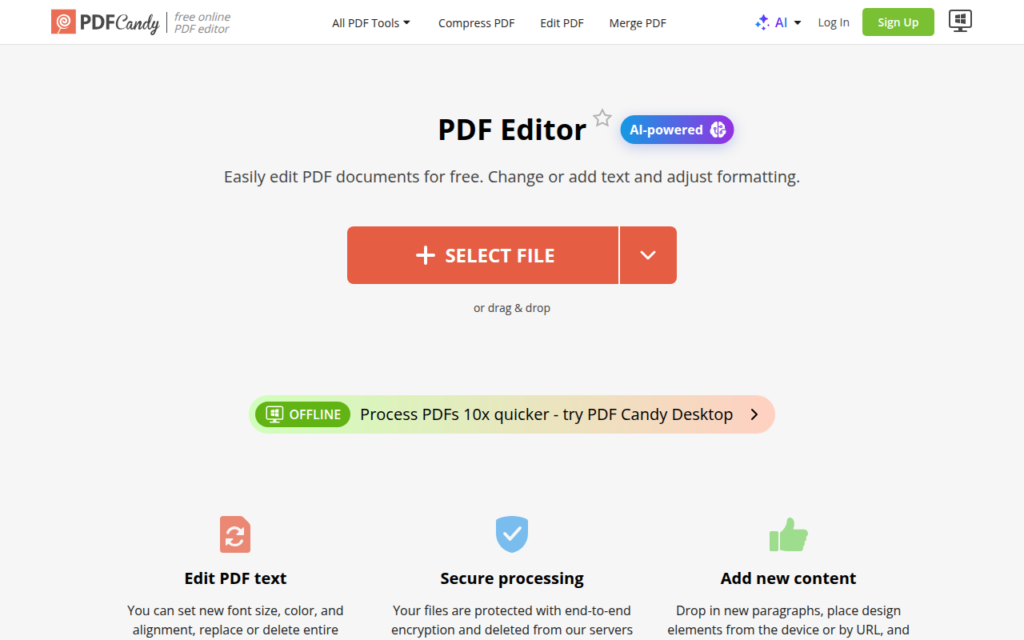
PDF Candy's editor handles the ordinary PDF tasks that arrive without warning: adding text, inserting images, highlighting, annotating and signing. It runs in the browser and is free for the core operations, which matches how these needs actually occur, occasionally and urgently.

The economics are the whole argument. Dedicated PDF software is a meaningful annual subscription, and most people need to edit a PDF a handful of times a year, usually to sign something or correct a typo. Paying an annual fee for that is poor value, and a free browser tool covers it.

Signing is the most frequently needed operation and the one most likely to be wanted on a document you would rather not upload anywhere. The sensible caution applies: for confidential contracts or documents containing personal data, consider whether a browser service is appropriate, and check the retention policy before uploading.
Key features

  • Add and edit text within existing PDFs
  • Insert images and adjust formatting
  • Highlighting and annotation tools
  • PDF signing without dedicated software
  • Free browser-based use with no installation

Screenshots & demo

Demo video

Screenshots

PDF Editor screenshot 1

Pricing

PDF Editor offers a free plan, with paid upgrades for higher limits and more features.

  • Pricing modelFreemium
  • Starting priceFree
  • Free planYes
Visit PDF Editor

Pricing is provided as a guide. Check the official site for the latest plans.

Is PDF Editor expensive?

PDF Editor has no advertised paid tier. Among the 164 priced tools we list in Productivity, the median entry price is $11.3 a month.

71% of Productivity tools in the directory offer a free tier, and this is one of them.

Compared against every priced listing in Productivity, recalculated as the catalogue changes. Method and the full market breakdown are in our AI tool pricing study.

Pros & cons

Pros

  • Covers the occasional PDF need without an annual subscription
  • No installation, works from any machine
  • Signing available free, which is the most common need

Cons

  • Confidential documents warrant care before uploading
  • Less capable than dedicated desktop PDF software

How it compares

ToolRatingFreeFromBest known for
PDF Editor (this tool)3.5YesFreeAdd and edit text within existing PDFs
pdf.net3.8YesFreeEdit text directly inside an existing PDF
PDFFly3.5YesFreePDF summarisation with no sign-up required
PrometAI3.7YesFreeBusiness plan generation with financial projections

Alternatives to PDF Editor

4 tools matched to PDF Editor on what they do, their category and their price.

Frequently asked questions

What is PDF Editor?
PDF Editor is a productivity tool. Free browser-based PDF editing: text, images, annotation and signing.
Is PDF Editor free?
Yes, PDF Editor offers a free plan. Paid plans unlock more features and higher usage limits.
What are the best PDF Editor alternatives?
The closest matches in the directory are pdf.net, PDFFly, and PrometAI, compared side by side above.

Reviews

3.5 No reviews yet

Write a review

More tools like PDF Editor

Lucid (Lucidchart)

3.8

Describe a process in plain language and Lucid generates the flowchart – swimlanes, decision diamonds, and all – plus native context-sharing for agentic AI.

Contact for Pricing Productivity