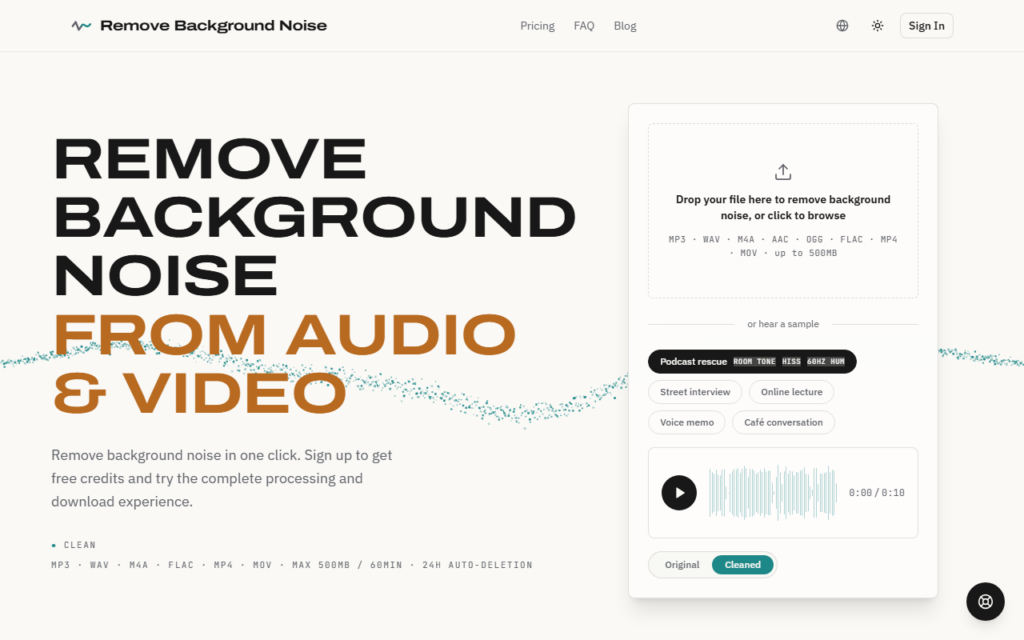
Remove Background Noise is a web tool for cleaning recordings. A user drops in an MP3, WAV, M4A, AAC, OGG, FLAC, MP4 or MOV file of up to 500 MB and 60 minutes, and the AI detects and removes noise such as wind, fan hum, echo, static, traffic and chatter in a few minutes.
A free cleaned preview needs no sign-up, and signing up gives free credits to process and download a complete file. Uploads are described as private and are deleted after 24 hours. The site gives use cases such as rescuing podcasts and street interviews, and lets visitors hear a sample.
Pro costs $9.90 a month for unlimited audio cleaning, a priority queue and full-length downloads. One-time packs valid for a year are $3.49 for one hour, $6.99 for five hours and $11.99 for ten hours.
The details on this page come from Remove Background Noise’s own website, read on 7 October 2026. Plans, limits and features change, so confirm the current terms on the vendor’s site before you pay.
Checked against Remove Background Noise’s pricing page on 7 October 2026. Prices change, so confirm on the official site before you buy.
Remove Background Noise starts at $3.49, which is 65% below the Audio median of $10 a month across the 83 priced tools we list in that category.
The cheapest paid option in Audio starts at $0.13 and the most expensive at $249.
67% of Audio tools in the directory offer a free tier, and this is one of them.
Compared against every priced listing in Audio, recalculated as the catalogue changes. Method and the full market breakdown are in our AI tool pricing study.
AI music generator that creates songs from ideas and lyrics, exports MP3, WAV or MP4 with vocal separation, and includes a singer video generator and album tools.
AI audio noise-removal plugin from Boris FX, part of the CrumplePop suite, running locally on your computer with no cloud upload required.
AI voice studio with 200+ voices in 10 languages for free text-to-speech, plus voice cloning from 30 seconds of audio and voice design from a written description.
Browser text-to-speech editor that assigns a speaker to each line, generates voices on your own device and exports separate MP3 clips or one full voiceover.