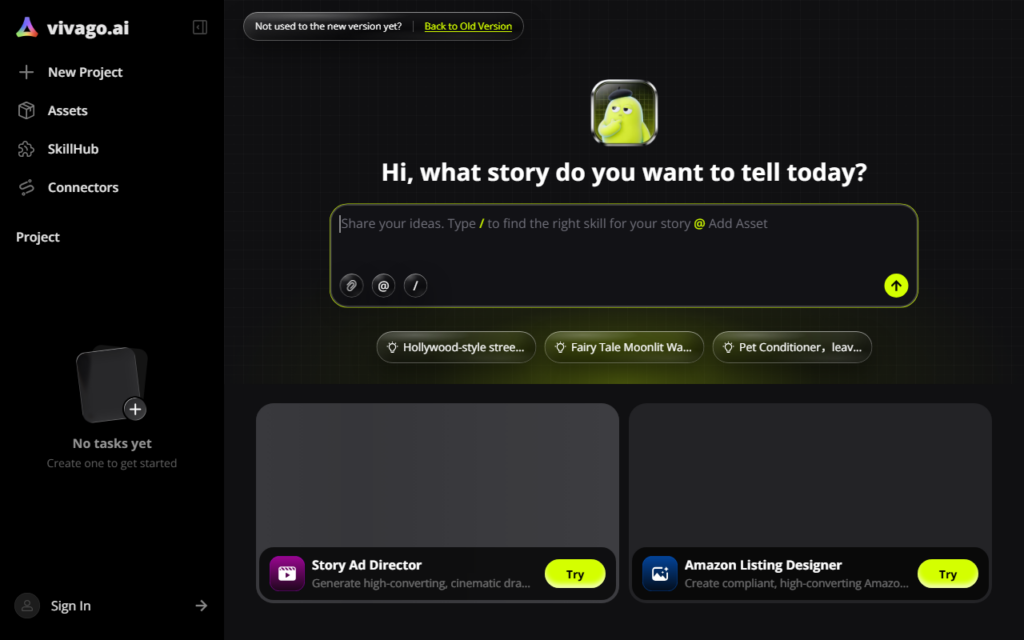
vivago.ai adds an agent layer in front of generative media. Rather than requiring the user to choose a model and write an effective prompt, the agent selects an appropriate model for the described idea and improves the prompt before generating, producing social-ready video and images.
That addresses the genuine barrier in generative media, which is not access but skill. Results vary enormously with prompt quality and model choice, and most people cannot tell why one output is good and the next is poor, which makes the tools feel unreliable rather than powerful.
The trade-off is control: an agent making those decisions is helpful for users who want a result and frustrating for those who know exactly which model and parameters they want. It is aimed at the former, and the social-ready output framing reflects that.
Key features
Agent selects an appropriate model for the described idea
Automatic prompt improvement before generation
Output formatted for social platforms
Covers video and image generation in one workflow
Designed for users without prompt engineering experience
Screenshots & demo
Demo video
Screenshots
Pricing
vivago.ai offers a free plan, with paid upgrades for higher limits and more features.
Pricing is provided as a guide. Check the official site for the latest plans.
Is vivago.ai expensive?
vivago.ai has no advertised paid tier. Among the 130 priced tools we list in Video, the median entry price is $15.95 a month.
65% of Video tools in the directory offer a free tier, and this is one of them.
Compared against every priced listing in Video, recalculated as the catalogue changes. Method and the full market breakdown are in our AI tool pricing study.
Pros & cons
Pros
Removes model choice and prompt skill as barriers
Social-ready output avoids a reformatting step
Single workflow covering video and images
Cons
Less direct control for users who know what they want
Automatic model selection is opaque when results disappoint