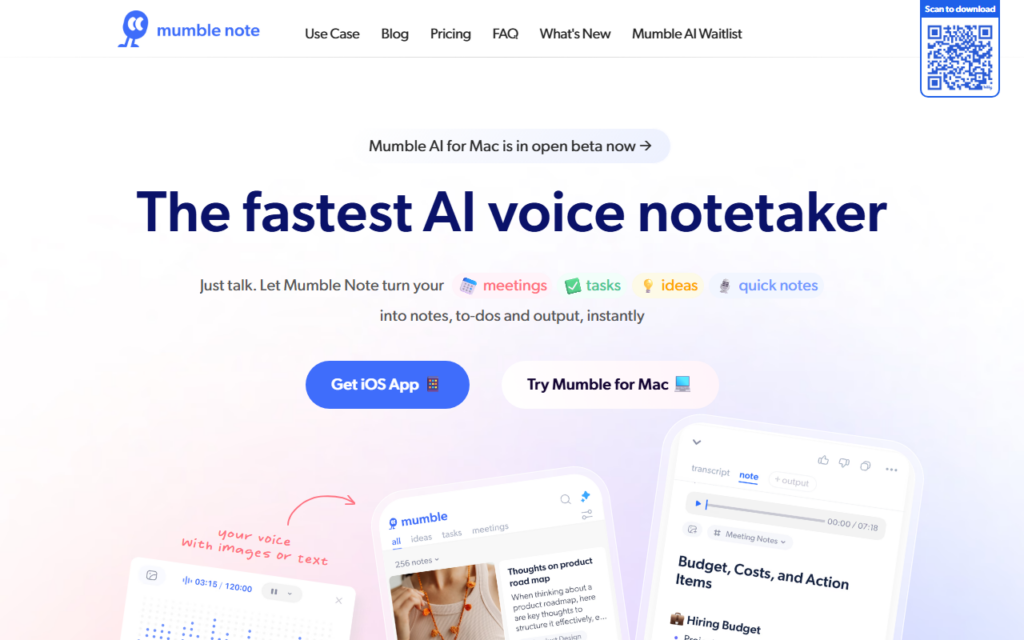
Mumble Note is built for capture speed. The user talks — in a meeting, walking, mid-task — and the app returns structured notes, extracted to-dos and output text rather than a raw transcript. The distinction matters, since a transcript is a second pile of unread material while a task list is actionable.
Meetings, passing ideas and task dictation share one capture path, so there is no decision about which app to open. That single entry point is what makes voice capture stick where a dedicated meeting recorder does not.
Speech recognition accuracy varies with accent and background noise, and any note tool holding meeting audio needs a look at retention and consent rules for recorded participants. A Mac app runs alongside the iOS version, with a free tier before paid plans.
Key features
Voice capture converted into structured notes
Automatic to-do extraction from spoken input
Meeting, idea and task capture through one entry point
iOS and Mac applications
Output drafting from captured notes
Free tier ahead of paid plans
Screenshots & demo
Demo video
Screenshots
Pricing
Mumble Note has a free plan, and paid plans start at $10/mo.
Pricing is provided as a guide. Check the official site for the latest plans.
Is Mumble Note expensive?
Mumble Note starts at $10, which is right at the Productivity median of $10 a month across the 196 priced tools we list in that category.
The cheapest paid option in Productivity starts at $0.29 and the most expensive at $165.
71% of Productivity tools in the directory offer a free tier, and this is one of them.
Compared against every priced listing in Productivity, recalculated as the catalogue changes. Method and the full market breakdown are in our AI tool pricing study.
Pros & cons
Pros
Returns structured notes rather than a raw transcript
One capture path for meetings, ideas and tasks
Works on Mac and iPhone rather than mobile only
Cons
Recognition accuracy drops with strong accents or background noise
Recording meetings requires participant consent and a retention policy
Mumble Note is built for capture speed. The user talks — in a meeting, walking, mid-task — and the app returns structured notes, extracted to-dos and output text rather than a raw transcript.
Is Mumble Note free?
Yes, Mumble Note offers a free plan. Paid plans unlock more features and higher usage limits, starting at $10/month.
How much does Mumble Note cost?
Mumble Note starts at $10 per month. See the pricing plans above for full details.
What are the best Mumble Note alternatives?
The closest matches in the directory are Swifly, Oxolo, and Fathom, compared side by side above.
AI note-taking app that turns voice recordings, uploaded audio or video, YouTube links and text into structured, searchable notes with transcripts, summaries and a chat-with-your-notes feature.