List your tool
Paid

WriteVoice

Dictate anywhere, and it rewrites for the app you are dictating into.

3.7 Productivity
3.7 Good 3.7
App-aware rewriting closes the real gap between speech and writing A single 98% accuracy figure covering accents and jargon invites scepticism
Reviewed by Challenging Voice Editorial · Updated Sep 2026 How we rate
PricingPaid
Free planNo
CompanyWriteVoice
PlatformsiOS, Mac, Web
CategoryProductivity
Last reviewedAug 2026
UpdatedSep 2026

Is this your tool?

  • Claim this listing. Sign in with an email at writevoice.io to manage it. Claim WriteVoice
  • Get into the top 5 of Productivity. 5 of 5 spots open, from $159/month. See positions
  • Something out of date? Owners can request edits from My listings; anyone can tell us.
Ask AI about WriteVoice ChatGPT Claude Perplexity

Overview

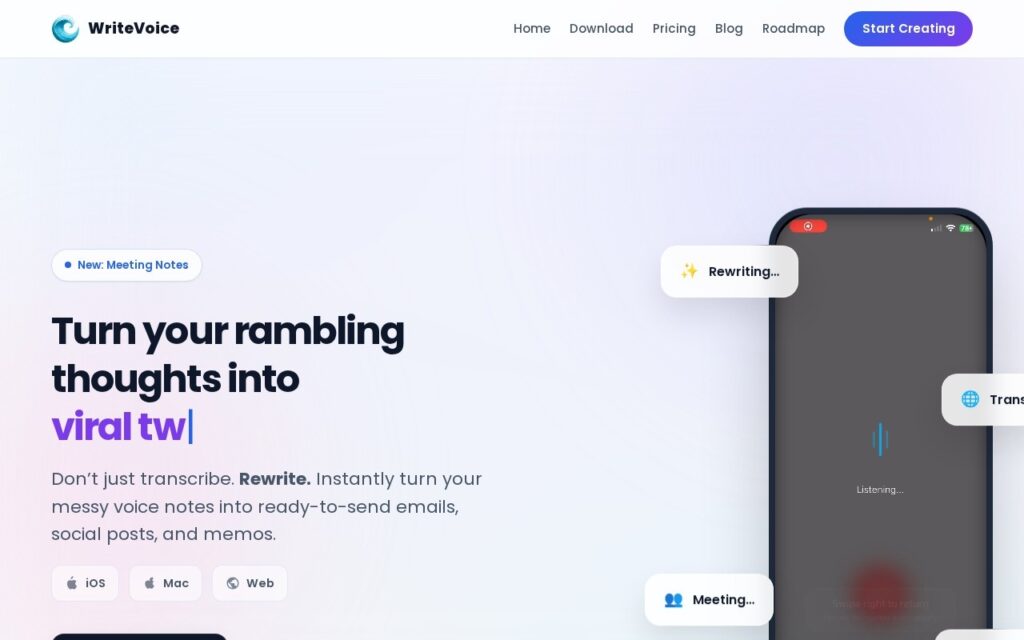
WriteVoice is voice dictation that formats what you said for where you are sending it. A custom keyboard makes it available inside any app, and the tone adapts to the destination – the same spoken thought becomes a LinkedIn post, a WhatsApp message or a Gmail draft with different register in each. Around it sit rewriting controls (shorten, expand, fix grammar, emojify), meeting transcription and summarisation, translation into more than 30 languages, a Whisper Mode for dictating quietly, and sync across iOS, Mac and web.

App-aware tone is the genuinely good idea. Dictation has been technically solved for years and is still barely used, because the gap is not accuracy – it is that spoken language is not written language, and raw transcription of what you said reads badly everywhere. Knowing that a message to a colleague on WhatsApp wants different shaping from a post on LinkedIn is the missing step, and Whisper Mode addresses the other real barrier, which is that most people will not dictate where anyone can hear them.

The 98%-plus accuracy claim across accents and technical jargon is exactly the figure to be sceptical of – accuracy on accented speech and domain vocabulary is where transcription reliably degrades, and a single headline number covering both is doing a lot of work. Test it on your own voice and your own jargon before relying on it. The product also runs iOS, Mac and web only, so Android and Windows users are out entirely, and no rates are published beyond a single subscription covering every device. It is built by an individual founder.

Key features

  • Dictation with tone adapted to the destination app
  • Custom keyboard usable inside any app
  • Shorten, expand, fix grammar and emojify controls
  • Meeting transcription and summarisation
  • Translation into 30+ languages and Whisper Mode

Screenshots & demo

WriteVoice screenshot 1

Pricing

Visit the WriteVoice website for current plans and pricing.

  • Pricing modelPaid
  • Starting priceCustom
  • Free planNo
Visit WriteVoice

Pricing is provided as a guide. Check the official site for the latest plans.

Pros & cons

Pros

  • App-aware rewriting closes the real gap between speech and writing
  • Whisper Mode addresses why people avoid dictating in public
  • One subscription across iOS, Mac and web

Cons

  • A single 98% accuracy figure covering accents and jargon invites scepticism
  • No Android or Windows support at all
  • No published rates, and an individual founder behind it

How it compares

ToolRatingFreeFromBest known for
WriteVoice (this tool)3.7No—Dictation with tone adapted to the destination app
Auri3.5YesFreeAI keyboard working inside any app
Voibe4.0No$7.5/moPush-to-talk dictation into any application
Audionotes4.4Yes$129.99/moTranscription and translation across 99+ languages with speaker recognition

Alternatives to WriteVoice

4 tools matched to WriteVoice on what they do, their category and their price.

Auri

3.5

AI keyboard and system-wide dictation for Apple devices – improve text in any app, on iPhone, iPad, Watch and Mac.

Freemium Productivity

Audionotes

4.4

AI note-taking app that turns voice recordings, uploaded audio or video, YouTube links and text into structured, searchable notes with transcripts, summaries and a chat-with-your-notes feature.

Freemium Productivity

Frequently asked questions

What is WriteVoice?
WriteVoice is voice dictation that formats what you said for where you are sending it.
Is WriteVoice free?
WriteVoice does not offer a free plan.
What are the best WriteVoice alternatives?
The closest matches in the directory are Auri, Voibe, and Audionotes, compared side by side above.

Reviews

3.7 Editorial rating No reviews yet

Write a review

More tools like WriteVoice

Swifly

3.6

AI voice keyboard that turns speech into polished writing in any app on Mac, Windows and iOS, with Android planned, using press-and-hold dictation.

Contact for Pricing Productivity

superReply

3.4

AI drafts the reply to any email, DM or message across Gmail, Outlook, WhatsApp, Slack, LinkedIn, Upwork and Fiverr – matches your tone, offers several options, 90 free replies a month.

Freemium Productivity

PaletteBrain

3.4

Select text in any Mac app, hit Space, run a custom AI command, paste the result back – no window switching, bring your own OpenAI key, pay once for lifetime access.