
List your tool
Freemium

Polycam

Scans rooms and objects into 3D models, floor plans and measurements from a phone.

4.3 Design
4.3 Very good 4.3
Measurements make it a working tool, not a novelty Accuracy depends on lighting and surface texture
Listed by Challenging Voice · Updated Aug 2026 How we rate
PricingFrom $30/mo
Free planYes
CompanyPolycam
PlatformsAndroid, iOS, Web
CategoryDesign
Last reviewedAug 2026

Is this your tool?

  • Claim this listing. Sign in with an email at poly.cam to manage it. Claim Polycam
  • Get into the top 5 of Design. 5 of 5 spots open, from $159/month. See positions
  • Something out of date? Owners can request edits from My listings; anyone can tell us.
Ask AI about Polycam ChatGPT Claude Perplexity

Overview

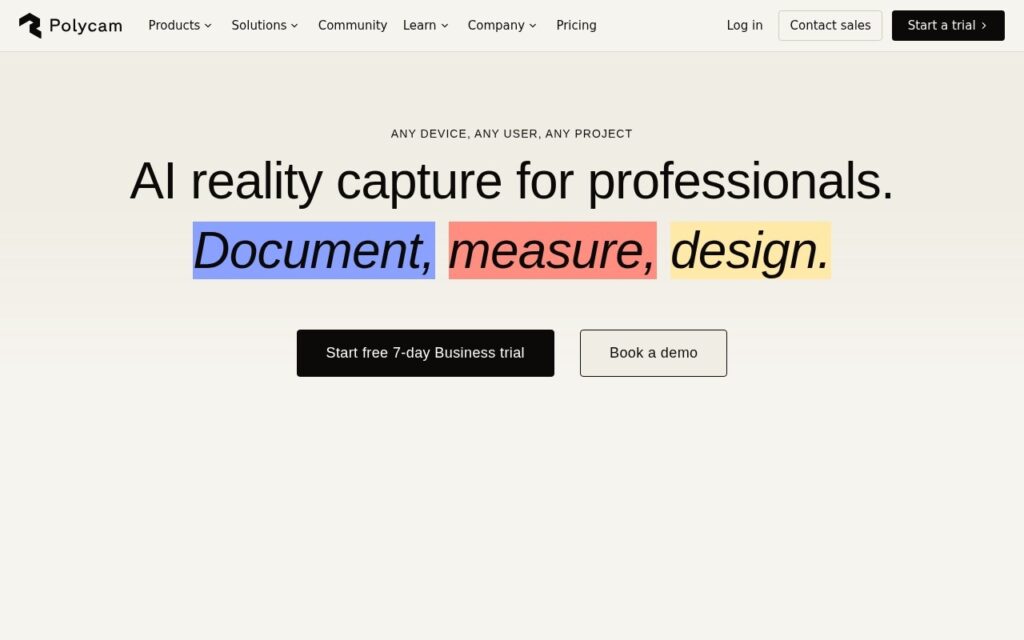
Polycam captures the physical world with the camera already in your pocket. Spatial capture documents interiors, object capture builds models of individual items, and floor plans come out with measurements attached. Drone photogrammetry and Apple Vision Pro support extend it past the handheld case.

Measurement is what moves this from a novelty to a working tool. A scan that produces dimensions you can rely on replaces a site visit with a tape measure and a notepad, which is why architecture, construction, real estate, forensics and insurance all show up in its customer list.

It runs on iOS, Android and the web, free to start, then $150 a year or $30 a month, $300 a year per user for business and $1,200 a year per seat for enterprise with a three-seat minimum. Phone capture accuracy depends on lighting and surface texture, reflective and transparent objects still defeat photogrammetry, and survey-grade work needs survey-grade equipment.

Key features

  • Spatial capture of interiors and sites
  • Object capture into 3D models
  • Floor plans with automated measurements
  • Drone and aerial photogrammetry processing
  • Apple Vision Pro support

Screenshots & demo

Demo video

Screenshots

Polycam screenshot 1

Pricing

Polycam has a free plan, and paid plans start at $30/mo.

  • Pricing modelFreemium
  • Starting priceFrom $30/mo
  • Free planYes
Visit Polycam

Pricing is provided as a guide. Check the official site for the latest plans.

Is Polycam expensive?

Polycam starts at $30, which is 100% above the Design median of $15 a month across the 125 priced tools we list in that category.

The cheapest paid option in Design starts at $0.5 and the most expensive at $128.52.

72% of Design tools in the directory offer a free tier, and this is one of them.

Compared against every priced listing in Design, recalculated as the catalogue changes. Method and the full market breakdown are in our AI tool pricing study.

Pros & cons

Pros

  • Measurements make it a working tool, not a novelty
  • Runs on a phone rather than dedicated hardware
  • Free tier plus a 7-day trial on annual plans

Cons

  • Accuracy depends on lighting and surface texture
  • Reflective and transparent objects still defeat photogrammetry
  • Enterprise requires a three-seat minimum at $1,200 each

How it compares

ToolRatingFreeFromBest known for
Polycam (this tool)4.3Yes$30/moSpatial capture of interiors and sites
RoomSketcher3.8YesFreeAI Convert – turn an uploaded photo/PDF/scan into an editable project
DecorAI3.2YesFreeRestyles a photographed room across design themes
Maket4.2Yes$20/moAI floor plan generation from a description

Alternatives to Polycam

4 tools matched to Polycam on what they do, their category and their price.

RoomSketcher

3.8

AI Convert turns an uploaded floor plan photo into an editable digital project in under 5 seconds – then AI Render generates photorealistic views from a prompt.

Freemium Design

DecorAI

3.2

Photograph a room and see it restyled across different interior themes, with sketch-to-render for design ideas that do not exist yet.

Freemium Design

Maket

4.2

AI home design studio that generates residential floor plans, edits layouts from plain-language instructions, turns an uploaded plan into an editable project, and renders rooms in chosen styles and 3D.

Freemium Design

SketchUp

3.8

Six AI tools built into the modeler – text/image-to-3D generation, AI Render, AutoShape sketch conversion, and an AI chat assistant for the software itself.

Paid Design

Frequently asked questions

What is Polycam?
Polycam captures the physical world with the camera already in your pocket.
Is Polycam free?
Yes, Polycam offers a free plan. Paid plans unlock more features and higher usage limits, starting at $30/month.
How much does Polycam cost?
Polycam starts at $30 per month. See the pricing plans above for full details.
What are the best Polycam alternatives?
The closest matches in the directory are RoomSketcher, DecorAI, and Maket, compared side by side above.

Reviews

4.3 Editorial rating No reviews yet

Write a review

More tools like Polycam

Spectre Camera

3.8

iPhone long-exposure camera app from the makers of Halide, using machine learning for scene detection and stabilisation.

Freemium Design

Luw.ai

3.5

Eight distinct AI design tools in one platform – redesign a room, transform a facade, turn a sketch into a photorealistic render, generate exportable 3D models, or ask ArchiGPT for design advice.

Freemium Design